EasyManua.ls Logo

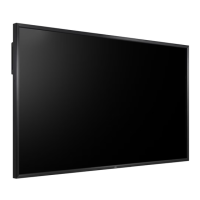
LG 84WS70BS - User Manual

LG 84WS70BS
132 pages
Print Icon
To Next Page IconTo Next Page
Loading...
www.lg.com
OWNER’S MANUAL
MONITOR SIGNAGE
84WS70BS
84WS70MS
Please read this manual carefully before operating the your set and
retain it for future reference.
MONITOR SIGNAGE MODELS

Table of Contents

Other manuals for LG 84WS70BS

Questions and Answers

  • D
    Dawn BergAug 16, 2025
    What to do if no image is displayed on my LG 84WS70BS?
    • J
      John PattersonAug 16, 2025
      If your LG monitor isn't displaying an image, first ensure the power cord is properly connected to the outlet and that the power switch is turned on. Also, try adjusting the brightness and contrast settings. If the monitor is in power saving mode, move the mouse or press any key. Try turning both the monitor and your device off and then back on. Check the signal cable connection between your PC and the monitor. Press the 'INPUT' menu in the remote Control to check the input signal. If the signal from the PC is out of the vertical or horizontal frequency range of the monitor, adjust the frequency range by referring to the Specifications in this manual.
  • B
    belinda95Aug 19, 2025
    What to do if my LG Monitor displays no image?
    • P
      Peter GibbsAug 19, 2025
      If your LG Monitor is not displaying an image, ensure the power cord is correctly connected to the outlet and the power switch is turned on. Also, adjust the brightness and contrast settings. If the monitor is in power saving mode, move the mouse or press any key. If the issue persists, check the signal cable connection between your PC and the monitor, and verify the input signal by pressing the 'INPUT' menu on the remote control. The signal from the PC (video card) may be out of the vertical or horizontal frequency range of the product, so adjust the frequency range by referring to the Specifications in this manual. If all else fails, the backlight may need repair.
  • C
    colleen93Aug 22, 2025
    Why does the audio function not work on my LG Monitor?
    • H
      Holly StoneAug 22, 2025
      If the audio function on your LG Monitor isn't working, first check if the audio cable is properly connected. Then, adjust the volume settings and ensure the sound is set correctly. You may also want to adjust the Clear Voice ll, Treble, and Bass settings appropriately.
  • C
    Caitlyn ShafferAug 27, 2025
    What to do if an after-image appears on my LG Monitor?
    • S
      smithjenniferAug 28, 2025
      If an after-image appears on your LG Monitor, especially after displaying a fixed image for a long time, it may cause pixel damage. Use the screen-saver function to prevent this.
  • K
    Kimberly EvansAug 30, 2025
    What to do if 'Key Lock On' message appears on LG 84WS70BS Monitor?
    • C
      Colleen JonesAug 30, 2025
      If the 'Key Lock On' message appears on your LG monitor, it means the Lock function is preventing changes to the OSD settings. To release the lock, go to Menu and Option and disable the Key Lock option.
  • J
    Jacqueline WadeSep 2, 2025
    Why does after-image appear on my LG 84WS70BS?
    • W
      William CollierSep 2, 2025
      If an after-image appears on your LG monitor, and you've been using a fixed image for a long time, the pixels may be damaged quickly. Use the screen-saver function to prevent this.
  • C
    Casey Sawyer DVMSep 4, 2025
    Why is the screen color on my LG 84WS70BS Monitor abnormal?
    • C
      cpearsonSep 5, 2025
      If the screen color on your LG Monitor appears abnormal, set the number of colors to more than 24 bits (true color) via Control Panel - Display - Settings - Color Table in Windows. Also, check the connection of the signal cable and re-insert the PC video card. Note that several pixels (red, green, white or black) may appear, which is normal for LCD panels and not a malfunction. For Windows 7, go to Start -> 'Control Panel' -> 'Appearance and Personalization' -> 'Font' and select 'Adjust ClearType text.'
  • V
    Veronica WatsonSep 7, 2025
    What to do if the screen image on my LG 84WS70BS Monitor looks abnormal?
    • G
      Grace KimSep 7, 2025
      If the screen image on your LG Monitor looks abnormal, press the "AUTO" button on the remote control to automatically select the optimal screen status. If this doesn't work, use the Position, Clock, or Phase OSD menus. Ensure the correct input signal is connected to the corresponding signal port.
  • Z
    Zachary GreenSep 10, 2025
    Why does an 'Unknown Product' message appear when my LG 84WS70BS Monitor is connected?
    • W
      Walter AustinSep 12, 2025
      If you see an 'Unknown Product' message when connecting your LG Monitor, check if the plug&play function is supported by referring to the video card user manual.
  • R
    Rebecca GillespieSep 13, 2025
    Why does the 'Key Lock On' message appear when pressing the Menu button on my LG Monitor?
    • K
      Kathryn WilsonSep 13, 2025
      The 'Key Lock On' message appears because the Lock function is enabled, preventing inadvertent changes to the OSD settings. To disable it, go to Menu, then Option, and disable the Key Lock option.

LG 84WS70BS Specifications

General IconGeneral
BrandLG
Model84WS70BS
CategoryMonitor
LanguageEnglish

Related product manuals