Function
22
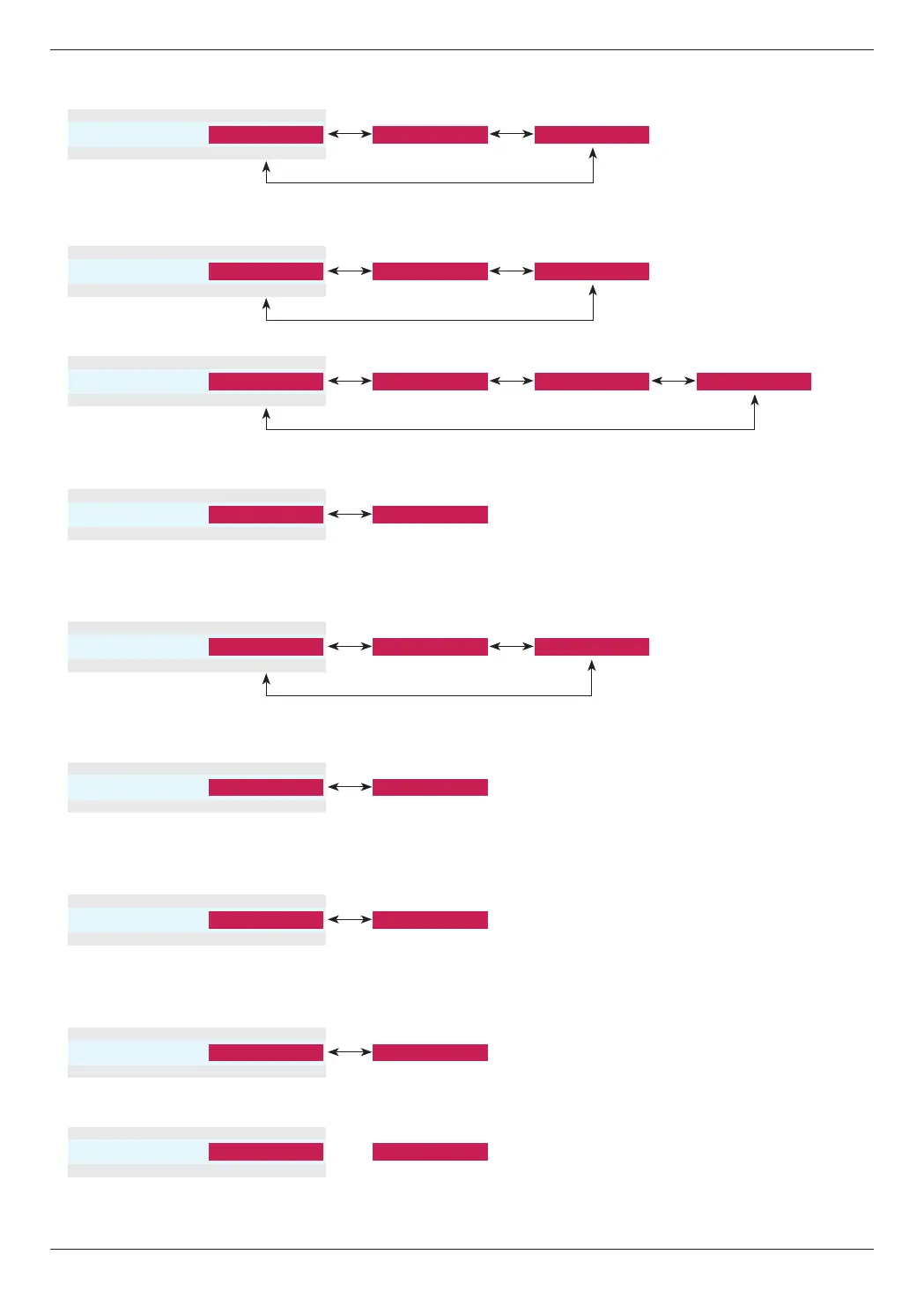
► Fresh Contrast : Adjusts contrast to optimum levels depending on image brightness.
► Fresh Colour : Adjusts image colors close to natural colors.
• This function cannot be set when PC signal is input, the signal is 1080i and 1080p or Aspect Ratio is set as Justscan.
• Noise can occur at the edges of the screen at the signal of 1080i/1080p because of the malfunctioning of an image input
device. In this case, change the signal into the one that can be set with Overscan and set Overscan.
•Fresh Contrast
ꔗ
Low
ꔃ ꔗ
High
ꔃ
ꔉ OK
ꔗ
ꔃ
ꔗ
Off
ꔃ
•Fresh Colour
ꔗ
Off
ꔃ ꔗ
Low
ꔃ
ꔉ OK
ꔗ
ꔃ
ꔗ
High
ꔃ
► Color Temp : Selects the mood of screen colors.
• You can also use the C.TEMP button on the remote control.
• Color Temp.
ꔗ
Medium
ꔃ ꔗ
Cool
ꔃ
ꔗ
ꔃ
ꔗ
Natural
ꔃ ꔗ
Warm
ꔃ
ꔉ OK
► Noise Reduction : Removes noise from image without damaging it.
• You can use it only in Video, S-Video, Component(480i, 480p, 576i, 576p) and HDMI(480p, 576p) modes.
• Noise Reduction
ꔗ
On
ꔃ ꔗ
Off
ꔃ
ꔗ
ꔃ
ꔉ OK
► Gamma : Sets the intensity of the picture.
• You can also use the GAMMA button on the remote control.
• Gamma
ꔗ
Low
ꔃ ꔗ
Medium
ꔃ
ꔗ
ꔃ
ꔗ
High
ꔃ
ꔉ OK
► Real Cinema : Set up the picture for the best picture appearance for viewing movies.
• You can use it only in Video, S-Video, Component(480i/576i/1080i 50/60Hz, 1080p 24Hz) and
HDMI(1080i 50/60Hz, 1080p 24Hz) modes.
• Real Cinema
ꔗ
Off
ꔃ ꔗ
On
ꔃ
ꔗ
ꔃ
ꔉ OK
► Black Level : Adjusting the contrast and the brightness of the screen using the black level of the screen.
• You cannot set this function in SECAM, PAL 60 and PAL BGDK signals of Video, S-Video and RGB modes.
• Black Level
ꔗ
Low
ꔃ ꔗ
High
ꔃ
ꔗ
ꔃ
ꔉ OK
► Lamp Mode : Adjusts the lamp brightness.
• Lamp Mode
ꔗ
High
ꔃ ꔗ
Low
ꔃ
ꔉ OK
ꔗ
ꔃ
► Overscan : You can adjust from 90, 92, 94...100.
• Overscan
ꔗ
90
ꔃ
~
ꔗ
100
ꔃ
ꔉ OK
ꔗ
ꔃ


 To Next Page