29
Function
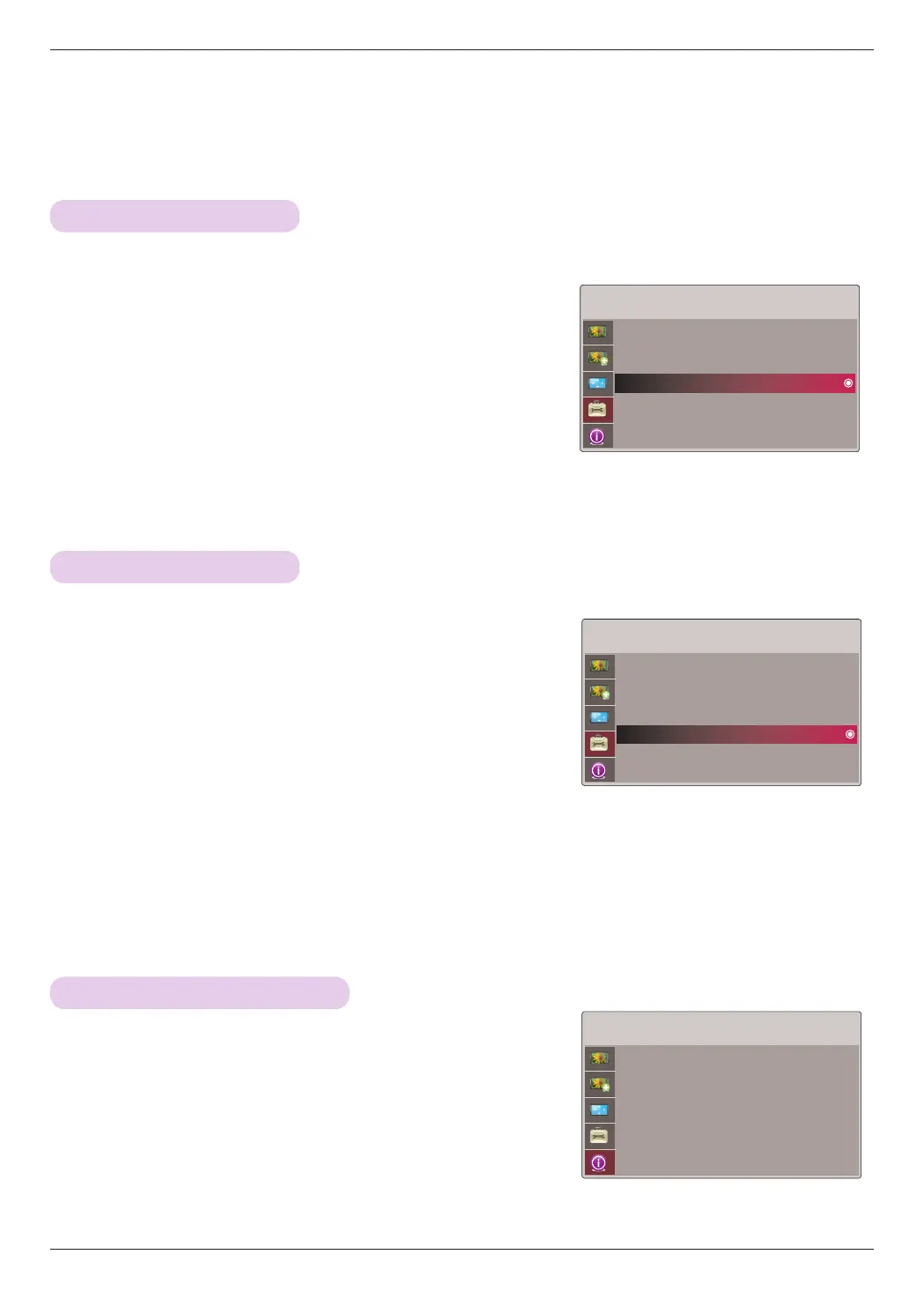
1. Press the MENU button. Then, move to OPTION with the ∧, ∨, <, >
buttons and press the ꔉOK button.
2. Move to a sub-item with the > button. Then, use the ∧, ∨ buttons to
move to Auto Sleep and press the ꔉOK button.
3. Move to On with the <, > buttons and then press the ꔉOK button.
• Press the MENU or EXIT button to exit the menu screen.
* This function turns the projector off automatically after 10 minutes is passed when there is no signal.
INFORMATION Menu Options
1. Press the MENU button. Then, move to OPTION with the ∧, ∨, <,
> buttons and press the ꔉOK button.
2. Move to a sub-item with the > button. Then, use the ∧, ∨ buttons to
move to Option Reset and press the ꔉOK button.
3. Move to Yes with the <, > buttons and then press the ꔉOK button.
• Language function is not reset.
• Press the MENU or EXIT button to exit the menu screen.
* Settings of the selected OPTION modes return to the default factory settings.
1. Press the MENU button. Then, move to INFORMATION with the
∧, ∨, <, > buttons and press the ꔉOK button.
2. You can see the current information of the projector.
• Press the MENU or EXIT button to exit the menu screen.
OPTION
Language : English
Blank Image : Blue
Sleep Time : Off
Auto Sleep : Off
Option Reset
ꔂMove ꔉOK
OPTION
Language : English
Blank Image : Blue
Sleep Time : Off
Auto Sleep : Off
Option Reset
ꔂMove ꔉOK
INFORMATION
Serial No. : CF181D-JS
Lamp Time : 9 Hr
Input : Video
Resolution : NTSC M
Fh/Fv : 15.7KHz/60.0Hz
ꔂMove
Option Reset Function
Auto sleep Function
To See The Projector Information


 To Next Page