Function
23
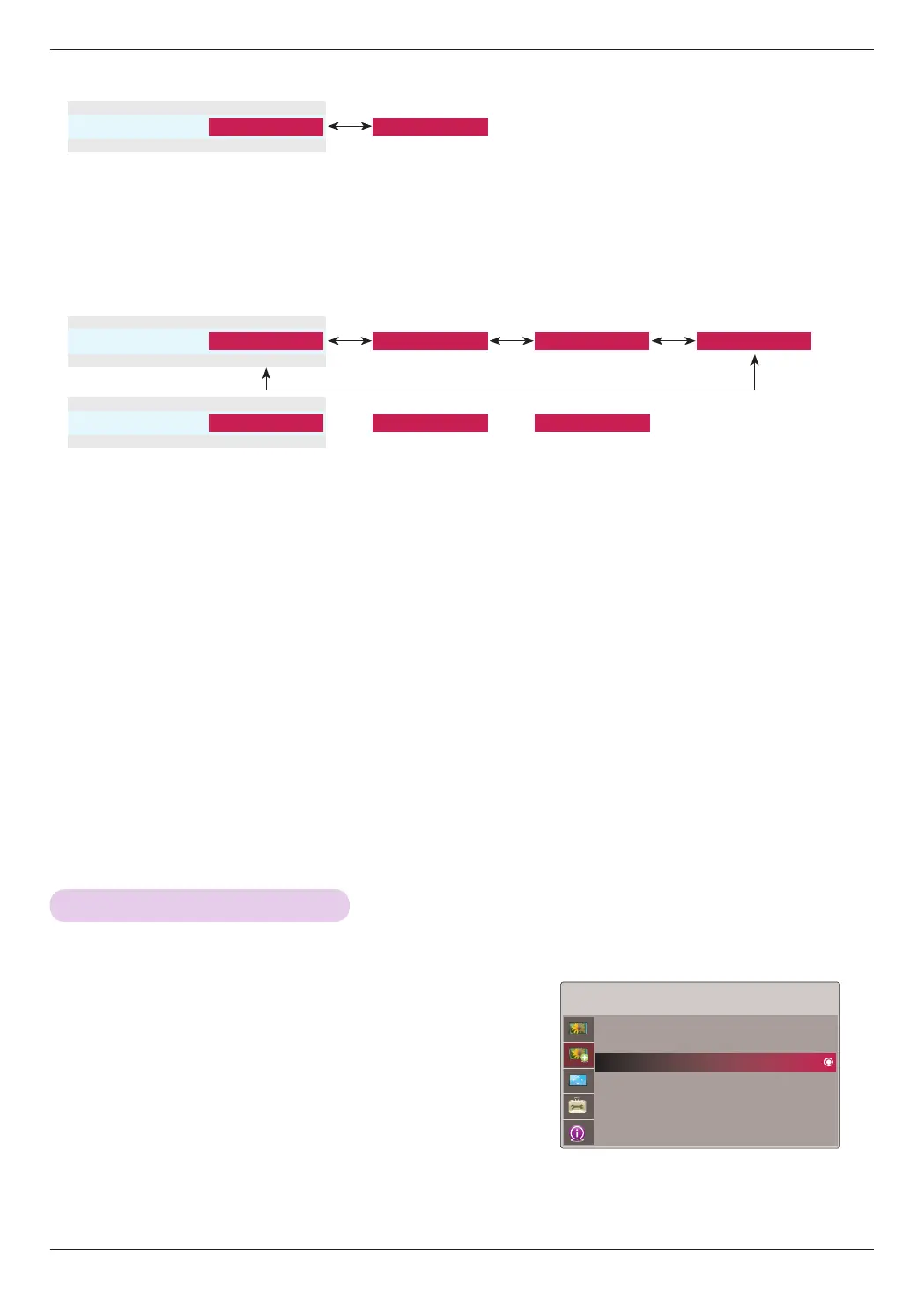
► Gamma Mode : You can select this mode only when Picture Mode is Expert 1/2.
• Adjustment : You can select Low, Medium or High.
• Level : You can adjust from 0 to 8.
• IRE : Automatically set from 0 to 100 according to Level change.
• Red/Green/Blue : You can adjust from -127 to 127.
1. Press the MENU button. Then, move to ADV. PICTURE with the ∧,
∨, <, > buttons and press the ꔉOK button.
2. Move to a sub-item with the > button. Then, use the ∧, ∨ buttons
to move to Adv. Picture Reset and press the ꔉOK button.
3. Move to Yes with the <, >buttons and then press the ꔉOK button.
• Press the MENU or EXIT button to exit the menu screen.
* Settings of the selected ADV PICTURE function for each input and Picture Mode return to the default factory settings.
•Gamma Mode
ꔗ
Preset
ꔃ ꔗ
User
ꔃ
ꔉ OK
ꔗ
ꔃ
Advanced Picture Reset Function
► White Balance : Adjusts the overall feeling of the screen to your choice. You can select this function only when Picture Mode is
Expert 1/2.
• Red/Green/Blue Contrast : You can adjust from -30 to 30.
• Red/Green/Blue Brightness : You can adjust from -30 to 30.
•White Balance
ꔗ
Medium
ꔃ ꔗ
Cool
ꔃ
ꔉ OK
ꔗ
ꔃ
ꔗ
Natural
ꔃ ꔗ
Warm
ꔃ
~
•Red Contrast
ꔗ
-30
ꔃ ꔗ
0
ꔃ
~
ꔗ
30
ꔃ
ꔉ OK
ꔗ
ꔃ
ADV. PICTURE
Auto Iris : Auto Iris1
Advanced Control
Adv. Picture Reset
ꔂMove ꔉOK


 To Next Page