28
Function
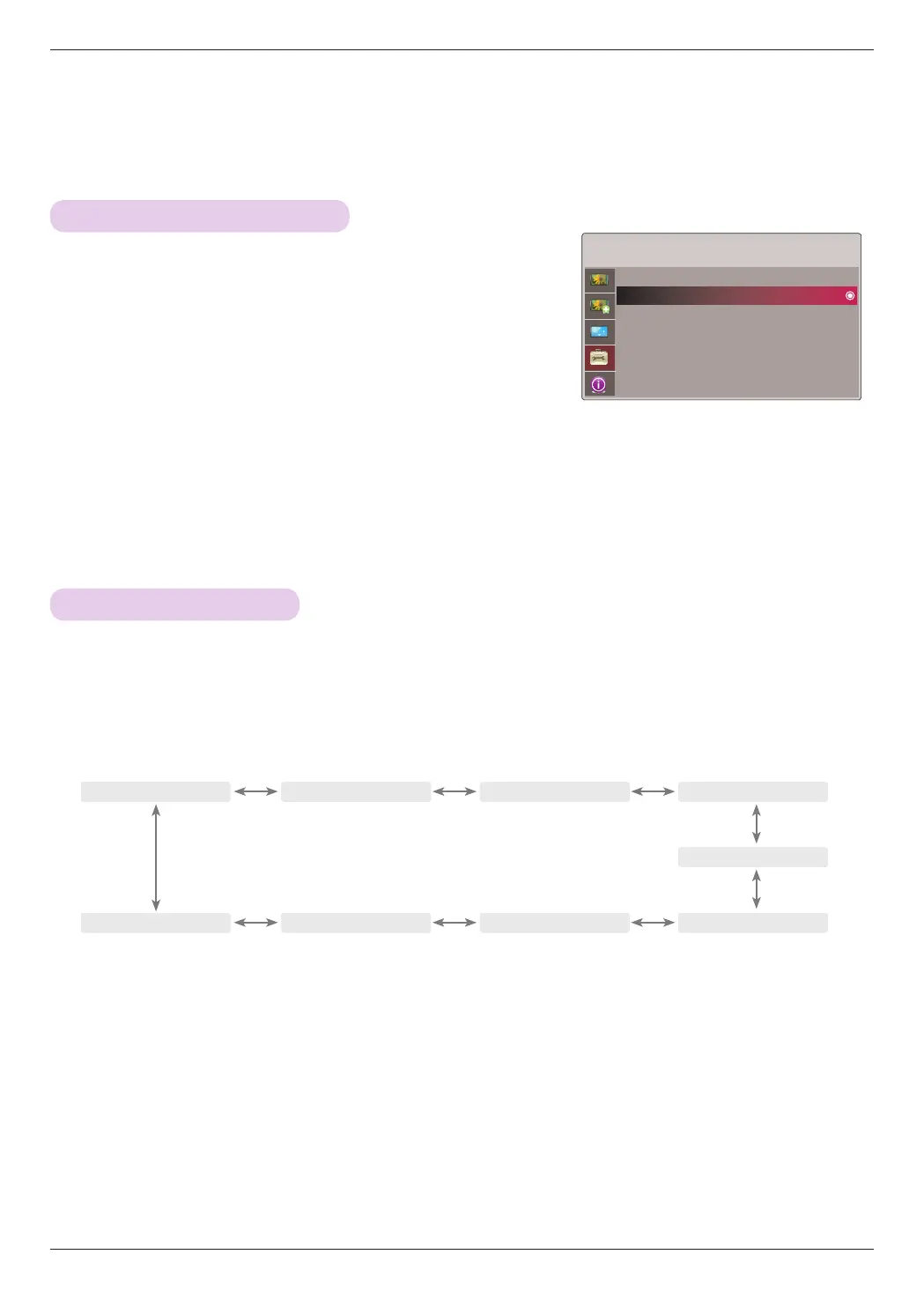
1. Press the MENU button. Then, move to OPTION with the ∧, ∨, <,
> buttons and press the ꔉOK button.
2. Move to a sub-item with the > button. Then, use the ∧, ∨ buttons to
move to Blank Image and press the ꔉOK button.
3. Move to a desired item with the ∧, ∨ buttons and then press the ꔉOK
button.
• Background color will be altered to the selected Blank function color.
• Press the MENU or EXIT button to exit the menu screen.
* The sleep timer turns the projector off at the preset time.
1. Press the SLEEP button of remote control.
2. Press the <, > button to select the desired preset time.
• Each press of the <, > button changes the screen as shown below.
• You can use this function through the MENU button.
• To exit the menu display, press the EXIT button.
ꔗ
Off
ꔃ ꔗ
10 Min
ꔃ ꔗ
20 Min
ꔃ ꔗ
30 Min
ꔃ
ꔗ
240 Min
ꔃ ꔗ
180 Min
ꔃ ꔗ
120 Min
ꔃ ꔗ
90 Min
ꔃ
ꔗ
60 Min
ꔃ
OPTION
Language : English
Blank Image : Blue
Sleep Time : Off
Auto Sleep : Off
Option Reset
ꔂMove ꔉOK
Selecting Blank image color
Sleep time Function


 To Next Page