EasyManua.ls Logo

LG AR702NS - User Manual

LG AR702NS
46 pages
Print Icon
To Next Page IconTo Next Page
Loading...
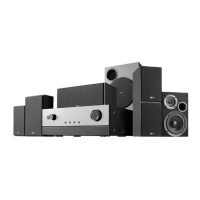
AV RECEIVER SYSTEM
OWNER’S MANUAL
MODEL: AR702TT
Main Unit - AR702TT-DD
Speakers - SR72TT-F, SR72TT-C, SR72TT-B
SR72TT-A
AR702TS
Main Unit - AR702TS-DD
Speakers - SR72TS-F, SR72TS-C, SR72TS-L
SR72TS-B, SR72TS-A
AR702BR
Main Unit - AR702BR-DD
Speakers - SR72BR-L, SR72BR-B, SR72BR-S
SR72BR-A
AR702NS
Main Unit - AR702NS-DD
Before connecting, operating or adjusting this product,
please read this instruction booklet carefully and completely.
AR702TT-DD.DESPLL_ENG_2925

Table of Contents

Questions and Answers

Summary

Safety and Precautions

General Safety Warnings

Important warnings regarding electrical shock, water exposure, and proper ventilation.

Power Cord and Electrical Safety

Guidelines for safe power cord usage and dedicated circuit recommendations.

Disposal of Old Appliances

Instructions for environmentally responsible disposal of the old unit.

Introduction to the AV Receiver System

Before Use and Connections

Essential pre-operation steps including manual reading, placement, and required cables.

Front Panel Overview

Detailed description of controls, buttons, and connectors on the unit's front panel.

Rear Panel Connections

Comprehensive guide to all input and output jacks located on the rear panel.

Active Subwoofer and Display Indicators

Explanation of active subwoofer controls and the unit's display window indicators.

Remote Control Operation and Setup

Guide to remote control functionality, battery installation, and operational modes.

Installation Guide for AV Receiver

Connecting Digital Audio Sources

Instructions for connecting devices with digital audio outputs like DVD players and tuners.

Connecting Analog Audio Sources

Guide to connecting components using analog audio cables and composite video.

Connecting Camcorders and Game Consoles

How to connect video sources like camcorders or game consoles.

Connecting PC, USB, and Portable Devices

Instructions for connecting PCs, USB drives, and portable music players.

Connecting Video Components for Playback

Steps for connecting video sources to play content.

Connecting Video Components for Recording

Guide for setting up the unit to record video from external sources.

Connecting HDMI Devices

How to connect TVs and other components using HDMI cables for digital transmission.

Connecting FM and AM Antennas

Instructions for connecting supplied AM loop and FM wire antennas for radio reception.

Connecting Speakers and System Configuration

Guidance on connecting speakers, ideal system configuration, and placement for optimal sound.

Operating the AV Receiver System

Basic Operations: Power and Headphones

How to turn the unit on/off and use the headphone jack for private listening.

Audyssey 2 EQ Automatic Speaker Setup

Step-by-step guide for automatic speaker calibration using the included microphone.

Selecting Input Sources and Modes

How to choose an input source and assign digital input modes for audio.

Signal Switching and Media Playback

Managing signal flow, playing USB music, and controlling an iPod.

Radio and RDS Functions

Tuning FM/AM radio, presetting stations, and understanding RDS information.

Display, Timer, and Mute Functions

Adjusting display, setting sleep timer, and using the mute function.

SURROUND Mode Settings

Configuring various surround sound effects for different audio sources.

Speaker Type and Crossover Settings

Setting speaker sizes, types, and crossover frequencies for optimal audio.

Speaker Distance and Level Adjustment

Adjusting speaker distances from the listening position and individual speaker levels.

HDMI Output and Digital Input Configuration

Configuring HDMI output settings and digital input signal assignments.

System Initialization and Listening Mode Details

Loading factory settings and detailed descriptions of various listening modes.

Reference Information

Audio Technologies Glossary

Explanations of key audio technologies and surround sound formats like Dolby and DTS.

Troubleshooting Common Issues

A guide to identify and resolve common problems with the AV receiver.

Technical Specifications

Detailed specifications for the receiver's amplifier, tuner, and connectivity options.

Speaker Model Specifications

Technical details and dimensions for the various speakers included in the system.

LG AR702NS Specifications

General IconGeneral
Impedance8 Ω
RMS rated power600 W
Audio output channels6.1 channels
Radio Data System (RDS)Yes
I/O portsHDMI In(2) HDMI Out(1) 4 Audio In: Optical(3), Coaxial(1) 5 Analog A/V In, 2 Component Video In USB PC-link
Connectivity technologyWired
Headphone outputs1
Dimensions (WxDxH)521 x 447 x 247 mm
HDMI ports quantity3
Weight and Dimensions IconWeight and Dimensions
Weight7100 g

Related product manuals