EasyManua.ls Logo

LG SR72BR-A - User Manual

LG SR72BR-A
46 pages
Print Icon
To Next Page IconTo Next Page
Loading...
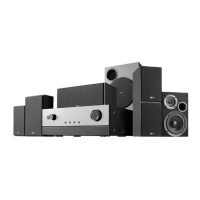
AV RECEIVER SYSTEM
OWNER’S MANUAL
MODEL: AR702TT
Main Unit - AR702TT-DD
Speakers - SR72TT-F, SR72TT-C, SR72TT-B
SR72TT-A
AR702TS
Main Unit - AR702TS-DD
Speakers - SR72TS-F, SR72TS-C, SR72TS-L
SR72TS-B, SR72TS-A
AR702BR
Main Unit - AR702BR-DD
Speakers - SR72BR-L, SR72BR-B, SR72BR-S
SR72BR-A
AR702NS
Main Unit - AR702NS-DD
Before connecting, operating or adjusting this product,
please read this instruction booklet carefully and completely.
AR702TT-DD.DESPLL_ENG_2925

Table of Contents

Questions and Answers

Summary

Remote Control

Operation, Battery, and Modes

Covers remote control range, battery installation, and different operating modes.

Installation

Connecting Devices and Speaker Systems

Connects camcorders, PCs, USB devices, iPods, and sets up the speaker system.

Operation

Initial Setup and Calibration

Covers powering on, using headphones, and automatic speaker setup with Audyssey.

Source Selection and Playback

Explains selecting input sources, modes, playing media via USB/iPod, and radio tuning.

Sound Modes and Adjustments

Details setup menu, surround modes, DSP, tone controls, and other sound adjustments.

Setup Menu Configuration

Configuring Sound and System Settings

Adjusts surround modes, speaker parameters, HDMI output, digital input, and initial settings.

Audio Adjustments

Troubleshooting

Specifications

LG SR72BR-A Specifications

General IconGeneral
BrandLG
ModelSR72BR-A
CategoryStereo Receiver
LanguageEnglish

Related product manuals