15
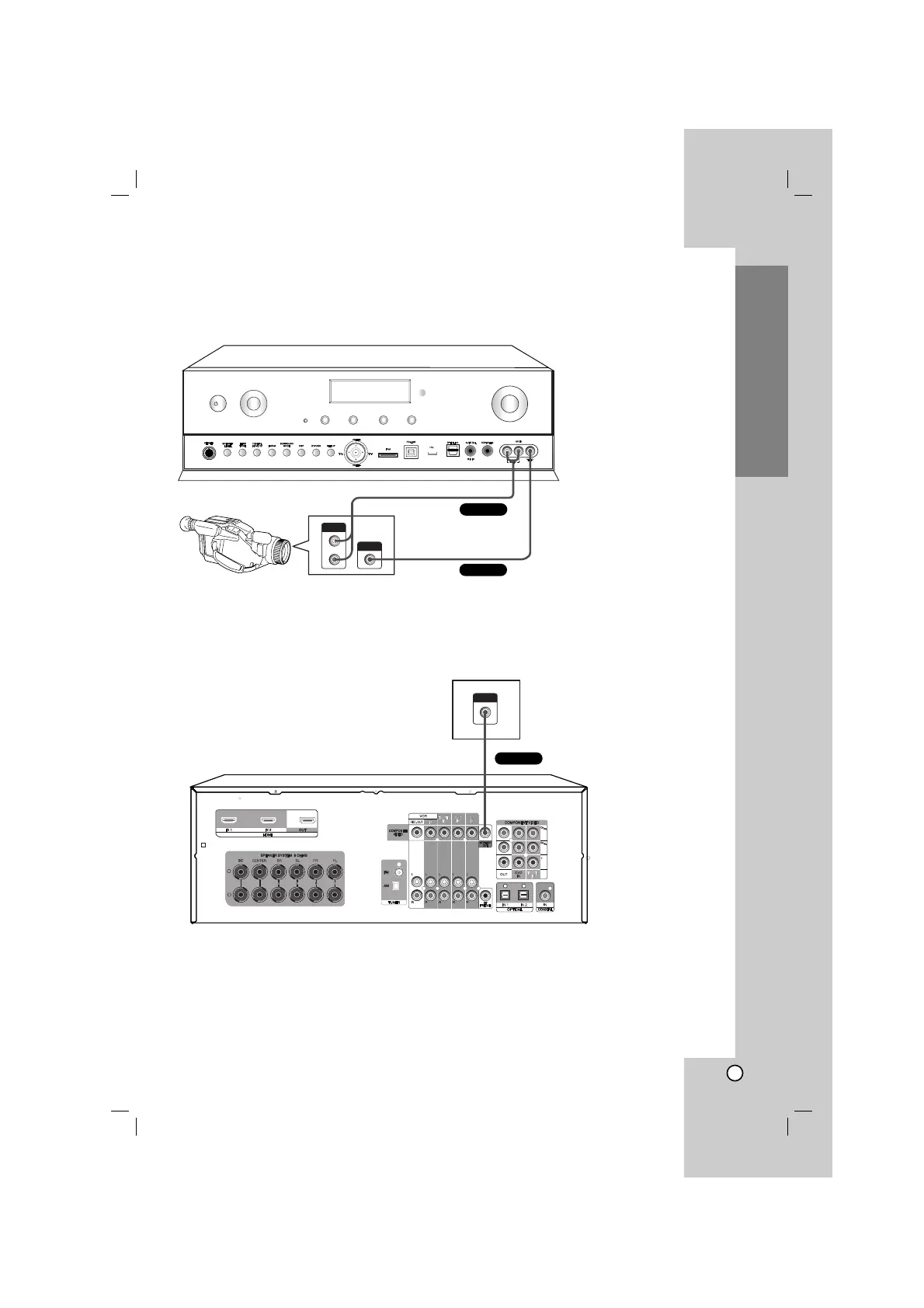
Connecting a camcorder or game console
1. Connect the audio and video jacks.
For details of the required cables, see the page 4.
2. Connect the unit’s MONITOR OUT jack to the TV’s VIDEO IN jack with composite video cable.
For details of the required cables, see the page 4.
3. Select the input source to play the component.
For details, see the page 25.
Installation



 To Next Page