EasyManua.ls Logo

LG BB5535K - User Manual

LG BB5535K
74 pages
Print Icon
To Next Page IconTo Next Page
Loading...
Please read this manual carefully before operating
your set and retain it for future reference.
BB5535K (BB5535K, S43A3-D)
OWNER’S MANUAL
Network
3D Blu-ray™
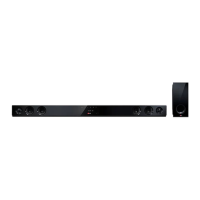
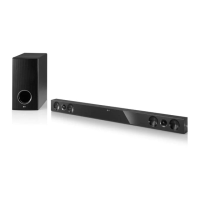
Sound Bar

Questions and Answers

  • T
    Theresa ScottAug 8, 2025
    How to reset LG BB5535K Speaker System if it will not turn on or off?
    • B
      Brittany WallaceAug 9, 2025
      If your LG Speaker System is plugged in but the power won't turn on or off, reset the unit by unplugging the power cord, waiting at least five seconds, and then plugging it back in.
  • J
    Jennifer RamirezAug 12, 2025
    Why is my USB storage device not recognized by my LG Speaker System?
    • S
      Sarah HendersonAug 13, 2025
      If the connected USB storage device is not recognized by your LG Speaker System: * Try using a different USB cable, as some cables may not support enough current. * Avoid using a USB extension cable or USB HUB. * Use only USB Flash Drives and USB External HDDs with FAT32 or NTFS format. Devices requiring additional program installation are not supported.
  • L
    Lindsey McclureAug 17, 2025
    What to do if BD-Live feature does not work on LG Speaker System?
    • C
      Cynthia PittmanAug 17, 2025
      If the BD-Live feature is not working on your LG Speaker System: * Connect the USB storage with at least 1GB free space. * Ensure the unit is connected to the local area network and can access the internet. * Set the [BD-LIVE connection] option in the [Settings] menu to [Permitted].
  • A
    Alicia CantrellAug 21, 2025
    Why does my LG Speaker System keep buffering during video streaming?
    • K
      Kyle ByrdAug 21, 2025
      If streaming video services are frequently stopped or buffer during playback on your LG Speaker System, your broadband service speed may not be fast enough. It is recommended to contact your Internet Service Provider (ISP) and increase the broadband speed.
  • T
    Taylor BoydAug 26, 2025
    Why are media servers not displayed on my LG Speaker System?
    • K
      kristy58Aug 26, 2025
      If media servers are not displayed on the device list of your LG Speaker System: * Turn off the firewall or anti-virus software running on your media server. * Ensure the player is connected to the same local area network as your media server.
  • B
    Brian MooreAug 30, 2025
    How to enable 3D view on LG Speaker System for Blu-ray playback?
    • R
      Robert JordanAug 30, 2025
      If Blu-ray 3D disc playback does not output 3D views on your LG Speaker System: * Connect the player to your TV with an HDMI cable (Type A, High Speed HDMI™ Cable). * Set the [3D Mode] option in the [Settings] menu to [On].
  • A
    Ariana AndersonSep 3, 2025
    Why can't I change the angle on my LG BB5535K Speaker System?
    • M
      Michael MillerSep 3, 2025
      If the angle cannot be changed on your LG Speaker System, multi-angles are not recorded on the DVD Video being played.

LG BB5535K Specifications

General IconGeneral
BrandLG
ModelBB5535K
CategorySpeaker System
LanguageEnglish

Related product manuals