EasyManua.ls Logo

LG BB4330A - User Manual

LG BB4330A
155 pages
Print Icon
To Next Page IconTo Next Page
Loading...
Please read this manual carefully before operating
your set and retain it for future reference.
BB4330A (BB4330A, S43A3-D)
OWNER’S MANUAL
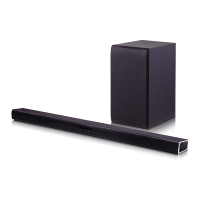
Network 3D Blu-ray™
Sound Bar

Table of Contents

Other manuals for LG BB4330A

Questions and Answers

  • G
    George WilliamsAug 6, 2025
    How to reset LG BB4330A if it will not turn on or off?
    • A
      Ashley PerezAug 6, 2025
      If your LG Speaker System is plugged in but the power won't turn on or off, reset the unit by unplugging the power cord, waiting at least five seconds, and then plugging it back in.
  • L
    Luke GrahamAug 10, 2025
    Why is my USB storage device not recognized by my LG Speaker System?
    • K
      Kimberly WashingtonAug 10, 2025
      If the connected USB storage device is not recognized by your LG Speaker System: * Try using a different USB cable, as some cables may not support enough current. * Avoid using a USB extension cable or USB HUB. * Use only USB Flash Drives and USB External HDDs with FAT32 or NTFS format. Devices requiring additional program installation are not supported.
  • C
    Casey MartinAug 14, 2025
    What to do if BD-Live feature does not work on LG BB4330A Speaker System?
    • R
      romeroyvonneAug 14, 2025
      If the BD-Live feature is not working on your LG Speaker System: * Connect the USB storage with at least 1GB free space. * Ensure the unit is connected to the local area network and can access the internet. * Set the [BD-LIVE connection] option in the [Settings] menu to [Permitted].
  • P
    Patricia RandallAug 19, 2025
    Why does my LG BB4330A keep buffering during video streaming?
    • J
      Justin JonesAug 19, 2025
      If streaming video services are frequently stopped or buffer during playback on your LG Speaker System, your broadband service speed may not be fast enough. It is recommended to contact your Internet Service Provider (ISP) and increase the broadband speed.
  • B
    brittneybaileyAug 23, 2025
    Why are media servers not displayed on my LG Speaker System?
    • M
      Margaret RodriguezAug 23, 2025
      If media servers are not displayed on the device list of your LG Speaker System: * Turn off the firewall or anti-virus software running on your media server. * Ensure the player is connected to the same local area network as your media server.
  • C
    Candice MannAug 27, 2025
    How to enable 3D view on LG BB4330A for Blu-ray playback?
    • J
      Jack HarrisAug 27, 2025
      If Blu-ray 3D disc playback does not output 3D views on your LG Speaker System: * Connect the player to your TV with an HDMI cable (Type A, High Speed HDMI™ Cable). * Set the [3D Mode] option in the [Settings] menu to [On].
  • R
    Robert CostaAug 31, 2025
    Why can't I change the angle on my LG Speaker System?
    • A
      Andrew AustinAug 31, 2025
      If the angle cannot be changed on your LG Speaker System, multi-angles are not recorded on the DVD Video being played.

Summary

Safety Information

Power Cord Safety Precautions

Safety precautions regarding the power cord for preventing electric shock or fire hazards.

Laser Radiation Warning

Warning about laser radiation exposure when the product is open.

Remote Control Operations

Front Panel Controls

Rear Panel Connections

Connecting Devices

Wall Mounting Guide

Step-by-step guide for securely mounting the main unit onto a wall.

Wireless Subwoofer Setup

Instructions for establishing a wireless connection and pairing the subwoofer.

TV Connection via HDMI

Guide on how to connect the player to a TV using an HDMI cable.

Home Network Setup

How to connect the player to a home network for updates and online services.

Wired Network Setup Guide

Detailed steps for configuring wired network settings, including manual adjustment.

Wired Network Configuration

Instructions for setting up a wired network connection for optimal performance.

System Settings

Initial Setup Wizard

Wizard for setting up display language, network, and TV sound connection.

Player Settings Menu

How to adjust various player settings through the Settings menu.

Network Menu Options

Configuration options for network settings, connection status, and BD-LIVE access.

Display Menu Settings

Settings for TV aspect ratio and resolution output.

Audio Menu Options

Options for digital audio output formats like PCM, DTS, and BitStream.

Software Information & Update

Information and update procedures for the player's software.

Setup Adjustment Guide

Guide to changing player settings like aspect ratio, resolution, and color settings.

Digital Audio Output Configuration

Configuring the digital audio output format via HDMI.

Software Update Procedure

Steps to update the player's software via the update server.

Language Menu Settings

Lock Menu Settings

Operating the Player

Sound Effect Modes

Selecting various sound modes to enhance audio output.

Home Menu Navigation

Navigating the main menu to access different features and services.

Playing Files from Disc or USB

Instructions for playing video, audio, and photo files from discs or USB drives.

Playing Files from Network Server

How to play media files stored on a DLNA server via the home network.

PC Home Network Server Setup

Guide to setting up a PC as a DLNA server for media sharing.

General Playback Operations

Basic operations for playing video, audio, and photo content.

On-Screen Display Controls

How to display and adjust information and settings during playback.

Advanced Playback Features

Advanced playback features like repeat playback and playing from a specific time.

Advanced Player Features

Accessing advanced features like BD-Live and LG AV Remote.

Audio CD Recording to USB

Recording tracks from an Audio CD to a USB storage device.

Radio Operations Guide

How to listen to the radio, preset stations, and improve reception.

LG Smart World Application Store

Downloading and installing applications from the LG Smart World store.

Using the HOME Menu

How to navigate and select categories within the home menu.

Playing Various Disc Types

Steps to insert and play various types of discs like BD, DVD, and Audio CD.

Nero MediaHome 4 Installation

Step-by-step installation process for the Nero MediaHome software.

Video & Audio Playback Controls

Controls for stopping, pausing, scanning, and slowing down playback.

Repeat Playback Modes

Setting modes for repeating sections, chapters, titles, or all content.

2 D to 3 D Content Conversion

Function to convert 2D content to 3D, adjusting depth and distance.

Enjoying BD-Live Content

Using BD-Live features for downloading bonus content and trailers.

3 D Sound Effect Modes

Applying 3D sound effects for immersive audio experiences.

Smart Share Media Playback

Playing media files from connected devices or home network via DLNA.

Blu-ray 3 D Disc Playback

How to play 3D Blu-ray discs, including preparation and viewing cautions.

Bluetooth Music Playback

How to pair and play music from Bluetooth-enabled devices.

Bluetooth Device Pairing

Step-by-step guide for pairing Bluetooth devices with the player.

Troubleshooting Common Issues

General Troubleshooting

Troubleshooting for general issues like power, playback, and remote control.

Network Connectivity Issues

Solutions for network-related problems like BD-Live and streaming issues.

Picture Display Problems

Troubleshooting steps for picture-related issues like no picture or noise.

Sound Output Problems

Troubleshooting for sound problems such as no sound or distorted audio.

Appendix & Reference

Network Software Update Procedure

How to update the player's software via a network connection.

Supported File Format Requirements

Specifications for video, audio, and photo file formats supported by the player.

Technical Specifications (General)

Technical specifications of the player, including general, inputs/outputs, tuner, and amplifier.

Technical Specifications (System & Speakers)

Further technical specifications related to the system and speakers.

Performing Software Update

Detailed procedure for updating the player's software.

LG BB4330A Specifications

General IconGeneral
BrandLG
ModelBB4330A
TypeSpeaker System
Channels2.1
Number of Speakers3
SubwooferYes
BluetoothYes
HDMIYes
USB PlaybackYes
DVD PlayerYes
Frequency Response40Hz - 20kHz
InputsOptical

Related product manuals