EasyManua.ls Logo

LG SN11RG - User Manual

LG SN11RG
59 pages
Print Icon
To Next Page IconTo Next Page
Loading...
OWNER’S MANUAL
LG Wi-Fi
Sound Bar
Please read this manual carefully before operating your set and retain it for future
reference.
MODEL
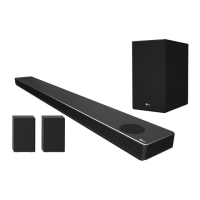
SN11RG (SN11RG, SPN8-W, SPN11-SL, SPN11-SR)
SN11RG (SN11RG, SPN8M-W, SPN11M-SL, SPN11M-SR)
2104_Rev01
www.lg.com
Copyright © 2021 LG Electronics Inc. All Rights Reserved.

Table of Contents

Other manuals for LG SN11RG

Questions and Answers

  • C
    Christopher DaviesSep 3, 2025
    Why isn't the AUTO POWER function working on my LG SN11RG Speaker System?
    • M
      Matthew CalderonSep 3, 2025
      If the AUTO POWER function isn't working on your LG Speaker System: * Check the connection of the external device, such as a TV or DVD/Blu-Ray player. * On your LG TV, check the SIMPLINK settings and try turning SIMPLINK off. * Be aware that this function may not operate correctly depending on the connected device.
  • S
    sanchezjohnSep 18, 2025
    What to do if LG Speaker System only shows [DEMO] and can not change input source?
    • M
      Maria JohnsonSep 18, 2025
      If your LG Speaker System displays only [DEMO] and you cannot change the input source: * Unplug the power cord and plug it back in. * If that doesn’t work, set the volume to 2, then press and hold the F button (for about 5 seconds) on the main unit until the display indicates the currently selected function.
  • B
    bartonwilliamSep 16, 2025
    When does Bluetooth device malfunction or make noise with LG SN11RG?
    • R
      rbellSep 16, 2025
      A Bluetooth device may malfunction or make noise with the LG Speaker System: * If any part of your body contacts the transceiver of the Bluetooth device or sound bar. * When there is an obstacle or wall, or the device is installed in a secluded spot. * When there is a device (a wireless LAN, medical equipment, or microwave) using the same frequency, maximize the distance between the products. * When connecting the device to the Bluetooth device, minimize the distance between the products. * When the device gets too far from the Bluetooth device, the connection may be disconnected, and malfunction may occur.
  • M
    Megan ArnoldSep 14, 2025
    How to resolve wireless interference with my LG Speaker System?
    • D
      Dylan ShannonSep 14, 2025
      If your LG Speaker System experiences wireless interference: * Be aware that wireless operation may be impaired in areas with weak signal strength. * Position the device close to the wireless subwoofer. * Avoid placing the device on metal furniture to ensure optimal performance.
  • A
    Angela RobinsonSep 12, 2025
    What should I do if the application for my LG SN11RG Speaker System isn't working properly?
    • N
      Nichole JonesSep 12, 2025
      If the application for your LG Speaker System isn't functioning as expected: * Ensure that your smart device is compatible with the app. * Verify that you're using the latest version of the application. * Confirm that the connected unit is powered on.
  • M
    Michael HowardSep 12, 2025
    Why is voice recognition not working on my LG Speaker System?
    • J
      john19Sep 12, 2025
      If voice recognition isn't working well on your LG Speaker System: * The speaker might not be recognizing your voice due to surrounding noise. Try pressing the designated button instead of saying 'Hey Google'. * Check if the microphone is muted. Press the corresponding button on the unit to unmute it.
  • N
    Nicole SmithSep 9, 2025
    How do I fix a USB that is not recognized by my LG SN11RG Speaker System?
    • C
      Cheryl ButlerSep 9, 2025
      If your LG Speaker System isn't recognizing the USB device, format the USB device and then try connecting it again.
  • J
    James TorresSep 7, 2025
    What to do if Wi-Fi connection does not work well on LG SN11RG?
    • M
      mullinsamberSep 7, 2025
      If you are experiencing issues with the Wi-Fi connection on your LG Speaker System: * If you have restarted the router, turn the speaker’s power off and on again. * If you have installed a new router, perform a factory reset and set up the network connection for the speaker.
  • K
    Kara GreenSep 5, 2025
    How to troubleshoot LG Sound Sync not working with LG Speaker System?
    • T
      teresaaguilarSep 5, 2025
      If LG Sound Sync isn't working with your LG Speaker System: * Verify that your LG TV supports LG Sound Sync (Wired). * Check the connection of LG Sound Sync (Wired). * Review the sound settings on both your TV and the speaker system.
  • C
    churchtimothyAug 20, 2025
    What to do if my LG SN11RG has no sound?
    • R
      Robert FosterAug 20, 2025
      If your LG Speaker System isn't producing sound, there are several things to check: * Ensure the volume isn't set to the minimum. Adjust the volume accordingly. * If connected to an external device like a set-top box or Bluetooth device, verify and adjust the volume level on that device. * Check if the mute function is activated. Press the designated button or adjust the volume to deactivate it. * Confirm that the correct input source is selected for your setup.

Summary

Safety Information

Electrical Safety and Precautions

Covers warnings about electric shock, fire hazards, and product usage.

Remote Control Guide

Network Connectivity Setup

Setting up with Google Home App

Guides the setup process using the Google Home mobile application.

Wireless Speaker Connection

Connecting to Your TV

Advanced TV Audio Features

Google Assistant Integration

Voice Commands and Smart Home Control

Covers basic voice commands and controlling smart home devices.

Bluetooth Wireless Technology

Troubleshooting Common Issues

Unit, Remote, and Auto Power Troubleshooting

Addresses issues with the unit, remote control, and auto power function.

LG SN11RG Specifications

General IconGeneral
Audio decodersDTS Digital Surround, DTS-HD HR, DTS-HD Master Audio, DTS:X, Dolby Atmos, Dolby Digital, Dolby Digital Plus, Dolby TrueHD
RMS rated power770 W
Audio output channels7.1.4 channels
Audio Return Channel (ARC)Yes
Soundbar speaker RMS power250 W
Subwoofer typeActive subwoofer
Subwoofer connectivityWireless
HDMI in2
Ethernet LANNo
Bluetooth version5.0
HDMI ports quantity3
Connectivity technologyWired & Wireless
Digital audio optical out1
Product colorSilver
Built-in display-
Virtual assistantGoogle Assistant
Audio formats supportedAAC, AAC+, FLAC, LPCM, MP3, OGG, WAV
Consumer Electronics Control (CEC)SimpLink
Cables includedOptical
Soundbar power consumption38 W
Power consumption (standby)0.5 W
Package typeBox
Package depth472.4 mm
Package width1516.4 mm
Package height284.5 mm
Package weight25310.5 g
Harmonized System (HS) code85182200
Weight and Dimensions IconWeight and Dimensions
Depth146 mm
Width1443 mm
Height63 mm
Soundbar weight7200 g
Subwoofer depth312.8 mm
Subwoofer width221 mm
Subwoofer height390 mm
Subwoofer weight7800 g
Rear speaker depth191.2 mm
Rear speaker height211.5 mm
Rear speaker weight5200 g

Related product manuals