EasyManua.ls Logo

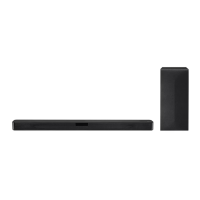
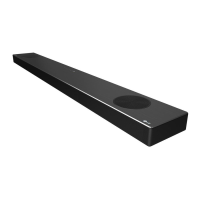
LG SN10YG - User Manual

LG SN10YG
57 pages
Print Icon
To Next Page IconTo Next Page
Loading...
OWNER’S MANUAL
LG Wi-Fi
Sound Bar
Please read this manual carefully before operating your set and retain it for future
reference.
MODEL
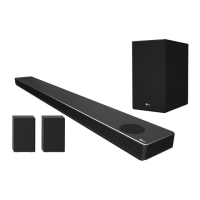
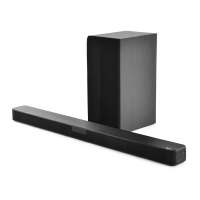
SN10YG (SN10YG, SPN8-W)
2104_Rev04
www.lg.com
Copyright © 2020-2021 LG Electronics Inc. All Rights Reserved.

Other manuals for LG SN10YG

Questions and Answers

  • A
    Amber DavisJul 27, 2025
    What to do if my LG SN10YG Speaker System has no sound?
    • C
      Caleb HayesJul 28, 2025
      If there is no sound coming from your LG Speaker System, first ensure that the volume isn't set to the minimum. If it is, simply adjust the volume. Also, if you're using an external device like a set-top box or Bluetooth device, check and adjust its volume level. Make sure the mute function isn't activated by pressing the mute button or adjusting the volume. Lastly, verify that the correct input source is selected.
  • A
    Adam McleanAug 1, 2025
    Why is there no woofer sound from my LG Speaker System?
    • E
      Elizabeth JonesAug 1, 2025
      If you're not getting any woofer sound from your LG Speaker System, make sure the subwoofer is securely plugged into the wall outlet. If it is, check if the pairing between the main unit and the subwoofer has been disconnected, and if so, reconnect them.
  • J
    jonestimothyAug 5, 2025
    What to do if my LG SN10YG Speaker System power does not turn on?
    • A
      Alicia WatsonAug 5, 2025
      If your LG Speaker System isn't turning on, ensure the power plug is securely connected to the outlet.
  • T
    thomasmarkAug 9, 2025
    Why is my LG SN10YG remote not working?
    • M
      Madison WilliamsAug 9, 2025
      If your LG Speaker System's remote control isn't working, ensure you're within 7 meters (23 ft) of the unit and that there are no obstacles blocking the signal. Also, check if the batteries are exhausted and replace them with new ones.
  • N
    Natasha BoyleAug 14, 2025
    Why doesn't the AUTO POWER function work on my LG Speaker System?
    • B
      beckerhenryAug 14, 2025
      If the AUTO POWER function isn't working on your LG Speaker System, verify the connection of any external devices like a TV or DVD/Blu-Ray player. Also, check the SIMPLINK settings on your LG TV and try turning SIMPLINK off. Note that depending on the connected device, this function may not operate correctly.
  • J
    James CantrellAug 18, 2025
    Why is LG Sound Sync not working on my LG SN10YG Speaker System?
    • N
      Nathan KrauseAug 18, 2025
      If your LG Sound Sync isn't working with your LG Speaker System, first check if your LG TV supports LG Sound Sync (Wired). Then, verify the connection of LG Sound Sync (Wired). Finally, check the sound settings on both your TV and the speaker system to ensure they are correctly configured.
  • L
    Luis McintoshAug 23, 2025
    How to troubleshoot an LG SN10YG that is not working properly?
    • D
      David Sandoval Jr.Aug 23, 2025
      If your LG Speaker System isn't working properly, try turning off the power to both the unit and any connected external devices like TVs, woofers, DVD players, or amplifiers, and then turn them back on. If that doesn't work, disconnect the power cord of the unit and the connected external devices, and then reconnect them. Note that previous settings may not be saved when the device is powered off.

Summary

Safety Information

Power Cord Safety

Safety warnings regarding power cord usage and potential hazards.

Front Panel Interface

Touch Button Usage Precautions

Guidelines for safe and proper use of the unit's touch-sensitive controls.

Remote Control Operation

Battery Replacement Guide

Instructions for replacing batteries in the remote control for continued functionality.

Key Function Explanations

Description of various functions accessible via the remote control buttons.

Installation and Mounting

Sound Bar Installation Cautions

Important safety and operational precautions during sound bar installation.

Wall Mounting Procedures

Detailed steps and safety considerations for mounting the unit on a wall.

Network Connectivity

Google Home App Setup

Steps to download and install the Google Home application for setup.

Wi-Fi Connection Process

Procedure for connecting the sound bar to a wireless network via Wi-Fi.

Wireless Audio System Setup

Subwoofer Pairing and Activation

Instructions for pairing and activating the wireless subwoofer.

Rear Speaker Connection Guide

Steps for connecting optional rear speakers for surround sound.

Connecting to Your TV

Optical Cable Connection Method

Guide for connecting the sound bar to a TV using an optical cable.

HDMI Cable Connection Method

Guide for connecting the sound bar to a TV using an HDMI cable.

LG Sound Sync Feature Usage

Explanation of using LG Sound Sync for TV remote control.

Advanced Audio Technologies

ARC and eARC Functionality Details

Details on Audio Return Channel (ARC) and enhanced ARC (eARC) features.

USB Media Management

USB Connection and File Support

Steps for connecting USB devices and supported file formats.

USB Playback Control Operations

Instructions for controlling music playback from a connected USB device.

Voice Control Features

Google Assistant Integration Guide

How to use voice commands for sound bar and smart home device control.

TV and Sound Bar Voice Commands

List of voice commands to control the TV and sound bar functions.

Troubleshooting Common Issues

Resolving Unit and Sound Problems

Solutions for frequent problems like unit malfunction, sound issues, or connectivity.

Network and Application Issues

Solutions for network connectivity and application-related problems.

Specifications and Unit Care

Product Technical Specifications

Technical details and dimensions of the sound bar and its components.

Unit Handling and Cleaning Guidelines

Guidelines for safe handling, cleaning, and shipping the unit.

LG SN10YG Specifications

General IconGeneral
Audio decodersDTS Digital Surround, DTS-HD Master Audio, DTS:X, Dolby Atmos, Dolby Digital, Dolby Digital Plus, Dolby TrueHD
RMS rated power570 W
Audio output channels5.1.2 channels
Audio Return Channel (ARC)Yes
Soundbar speaker RMS power250 W
Subwoofer connectivityWireless
Ethernet LANNo
Bluetooth version5.0
HDMI ports quantity3
Digital audio optical out1
FM radio-
Product colorSilver
Virtual assistantGoogle Assistant
Audio formats supportedAAC, AAC+, FLAC, MP3, OGG, WAV
Consumer Electronics Control (CEC)SimpLink
Package depth284 mm
Package width1516 mm
Package height472 mm
Package weight19300 g
Weight and Dimensions IconWeight and Dimensions
Depth1443 mm
Width146 mm
Height63 mm
Soundbar weight7500 g
Subwoofer depth221 mm
Subwoofer width312.8 mm
Subwoofer height390 mm
Subwoofer weight7800 g

Related product manuals