EasyManua.ls Logo

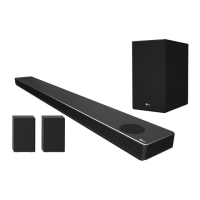
LG SN10Y - User Manual

LG SN10Y
53 pages
Print Icon
To Next Page IconTo Next Page
Loading...
OWNER’S MANUAL
LG Wi-Fi
Sound Bar
Please read this manual carefully before operating your set and retain it for future
reference.
MODEL
SN10Y (SN10Y, SPN8-W)
2104_Rev04
www.lg.com
Copyright © 2020-2021 LG Electronics Inc. All Rights Reserved.

Other manuals for LG SN10Y

Questions and Answers

  • S
    Susan GonzalesJul 29, 2025
    What to do if my LG Speakers have no sound?
    • B
      Bruce BakerJul 29, 2025
      If your LG Speakers aren't producing sound, here are a few things to check: * First, make sure the volume isn't set to the minimum. Adjust the volume to an audible level. * If you're using an external device like a set-top box or Bluetooth device, check its volume level as well. * Ensure that the mute function is not activated. Press the mute button or adjust the volume to cancel mute. * Also, verify that you've selected the correct input source for your speakers.
  • T
    Thomas GeorgeAug 2, 2025
    What to do if LG Speakers unit does not work properly?
    • D
      Dr. Alex FitzpatrickAug 2, 2025
      If your LG Speakers unit isn't working correctly: * Try turning off the power to both the unit and any connected external devices (like your TV, woofer, DVD player, or amplifier), and then turn them back on. * If that doesn't work, disconnect the power cord of the unit and the connected external devices, and then reconnect them. * Also, keep in mind that previous settings may not be saved when the device power is shut off.
  • M
    Michael BeckAug 7, 2025
    Why is there no woofer sound from my LG Speakers?
    • M
      Molly GarciaAug 7, 2025
      If you're not getting any sound from the woofer of your LG Speakers, check these things: * First, make sure the subwoofer is securely plugged into the wall outlet. * Also, verify that the connection between the main unit and the subwoofer is established. If they are disconnected, reconnect them.
  • V
    Veronica OlsonAug 13, 2025
    Why is my LG Speakers remote control not working?
    • K
      Kathryn BrightAug 13, 2025
      If the remote control for your LG Speakers isn't working, here are a few things to try: * Make sure you're operating the remote within about 7 meters of the unit. * Check for any obstacles between the remote and the unit and remove them. * If the batteries are exhausted, replace them with new ones.
  • J
    John KentAug 17, 2025
    Why the AUTO POWER function does not work on my LG Speakers?
    • C
      Catherine LongAug 17, 2025
      If the AUTO POWER function isn't working on your LG Speakers: * Check the connection of the external device such as TV, DVD/Blu-Ray player. * Check the state of SIMPLINK on your LG TV and turn off SIMPLINK. * Keep in mind that depending on the connected device, this function may not operate.
  • R
    Richard GomezAug 23, 2025
    Why LG Sound Sync does not work on my LG Speakers?
    • T
      Tina WrightAug 23, 2025
      If LG Sound Sync isn't working with your LG Speakers: * Check that your LG TV supports LG Sound Sync (Wired). * Verify the connection of LG Sound Sync (Wired). * Check the sound settings on both your TV and the speaker unit.

Summary

Safety Information

Power Cord Safety

Important safety warnings and precautions regarding the power cord.

Symbols

Introduction

Manual Symbol Guide

Explains symbols like 'Note' and 'Caution' used throughout the manual.

Front Panel Overview

Rear Panel Ports

Remote Control

Battery Replacement

Instructions for replacing the batteries in the remote control.

Sound Features

Sound Effect Modes

Explains different audio preset modes like AI SOUND PRO and MOVIE.

Sound Tuning

Details how to adjust individual speaker sound levels.

Surround Sound

Instructions for enabling and using surround sound capabilities.

Speaker Placement

Installing the Sound Bar

Wall Mounting Instructions

Network Connection

Installing Google Home App

Guide to downloading and setting up the Google Home application.

Connecting via Wi-Fi App

Cable Management

Wireless Subwoofer Connection

Subwoofer Pairing Status

Details LED indicators and pairing status for the subwoofer.

Subwoofer Initial Setup

Guide to the initial setup of the wireless subwoofer.

Rear Speaker Connection

Connecting Rear Speakers

Step-by-step guide for wiring rear speakers.

Wireless Receiver Pairing and Surround Sound

Manually Pairing Wireless Receiver

Steps to manually pair the wireless receiver if automatic connection fails.

Surround Sound Activation

Explanation of how to turn on and use the surround sound feature.

Surround Function ON

Ferrite Core Installation

Attaching Ferrite Core to Cables

Detailed steps for winding cables around the ferrite core.

Connecting to Your TV

Using an OPTICAL Cable

Steps for connecting the TV to the sound bar via an optical cable.

LG Sound Sync Operation

How to use LG Sound Sync for TV remote control of the sound bar.

HDMI Connection for TV Audio Input

HDMI Audio Technologies

ARC Functionality

Describes the Audio Return Channel (ARC) functionality.

eARC Functionality

Details the Enhanced Audio Return Channel (eARC) functionality.

SIMPLINK Explained

Information about LG's SIMPLINK control feature.

Advanced HDMI Information

HDMI Cable Checklist

Guidance on selecting appropriate HDMI cables for optimal performance.

HDMI Connection Best Practices

Advice for ensuring successful HDMI connections and troubleshooting issues.

Advanced Audio Formats and Equipment

DOLBY ATMOS

Explains how to enjoy Dolby Atmos sound with the sound bar.

DTS:X

Explains how to enjoy DTS:X sound with the sound bar.

Input Connections

HDMI IN Connection Guide

Steps for connecting devices to the sound bar's HDMI IN ports.

OPTICAL IN Connection Guide

Steps for connecting devices to the sound bar's Optical IN port.

USB Connection Setup

USB Device Requirements and File Support

USB Device Requirements

Outlines the types of USB devices that are compatible with the unit.

Playable File Formats

Lists the audio file extensions and sampling frequencies supported.

Bitrate Resolution

Details the supported bitrate resolutions for audio files.

USB Media Playback Operation

Google Assistant Integration

LG Sound Bar App

Installing the LG Sound Bar App

Steps to download the LG Sound Bar app from app stores.

Bluetooth Connectivity

About Bluetooth

Basic information about Bluetooth technology and its use with the unit.

Bluetooth Profiles

Lists the Bluetooth profiles supported by the speaker.

Bluetooth Music Playback

Step-by-step instructions for pairing and playing music from a Bluetooth device.

Bluetooth Device Control and Speaker Name Editing

Control Connected Bluetooth Device

Functionality to control playback (play, pause, skip, volume) of a connected Bluetooth device.

Edit Speaker Name

Instructions for changing the speaker's name via the Google Home app.

Other Operations

TV Remote Control Usage

How to control the sound bar using a TV's remote control.

Auto Power Management

Explains the automatic power on/off feature based on input signals.

Automatic Function Switching

Standby and Reset Operations

Standby Mode

How to put the speaker into standby mode.

Networked Standby Mode

Explains the networked standby mode and its activation.

Speaker Reset Procedure

Instructions for resetting the speaker to factory defaults.

Troubleshooting: General Issues

Troubleshooting: Audio and Connectivity

Low Output Sound

Tips for increasing the output sound level.

USB Not Recognized

Solutions when a USB device is not detected.

Bluetooth Pairing Issues

Troubleshooting steps for problems with Bluetooth pairing.

Troubleshooting: Network and Application

Network Connection Issues

Troubleshooting steps for issues connecting to the home network.

Application Problems

Solutions for problems encountered when using the LG Sound Bar app.

Troubleshooting Wireless Issues

Wireless Interference

How to deal with wireless interference affecting performance.

Bluetooth Malfunctions

Common causes and solutions for Bluetooth device malfunctions.

File Requirements and Trademarks

File Requirements

Details on supported file extensions, sampling frequencies, and bitrates.

Trademarks and Licenses

Lists registered trademarks and licensing information.

Specifications

Unit Handling and Maintenance

Shipping the Unit

Instructions for packing the unit for shipping.

Exterior Surface Care

Advice on cleaning and protecting the unit's exterior finish.

Cleaning the Unit

Methods for cleaning the sound bar unit.

Open Source Software Notice

LG SN10Y Specifications

General IconGeneral
Audio decodersDTS Digital Surround, DTS-HD, DTS:X, Dolby Atmos, Dolby Digital Plus
RMS rated power570 W
Audio output channels5.1.2 channels
Audio sample rate (24bit)192 kHz
Audio Return Channel (ARC)Yes
Surround speaker RMS power50 W
HDMI in2
Bluetooth version5.0
HDMI ports quantity3
Connectivity technologyWired & Wireless
Digital audio optical in1
Product colorSilver
Wall mountable-
Audio formats supportedAAC, FLAC, LPCM, MP3, OGG, WAV
High Dynamic Range (HDR) technologyDolby Vision, High Dynamic Range 10 (HDR10)
Soundbar speaker RMS power- W
Weight and Dimensions IconWeight and Dimensions
Depth146 mm
Width1443 mm
Height63 mm
Soundbar weight7200 g
Subwoofer depth312 mm
Subwoofer width221 mm
Subwoofer height390 mm
Subwoofer weight7800 g

Related product manuals