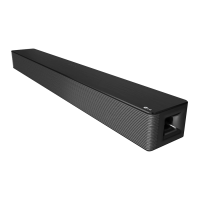
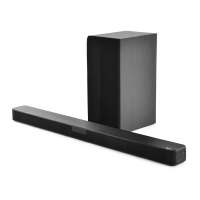
EasyManua.ls Logo

LG SNH5 - User Manual

LG SNH5
4 pages
Print Icon
To Next Page IconTo Next Page
Loading...
www.lg.com
Copyright © 2020-2022 LG Electronics Inc. All Rights Reserved.
SIMPLE MANUAL
Wireless
Sound Bar
Please read this manual carefully before operating your set and retain it for
future reference.
To view the instructions of advanced features, visit http://www.lg.com and
then download Owner’s Manual. Some of the content in this manual may
differ from your unit.
MODEL
SNH5
ENGLISH
Front Panel
1 (Standby) ············Switches the unit ON or OFF.
F (Function) ··························Selects function.
p/o (Volume)······················ Adjusts volume.
Rear Panel
WOOFER 3 Ω···············Connect to a Subwoofer.
HDMI OUT (TV ARC)··············· Connect to a TV.
HDMI IN ··········Connect to device with HDMI OUT.
OPTICAL IN ············Connect to an optical device.
USB (Service only)··········S/W download connector.
Make sure to properly align and connect the
optical cable; improper alignment may cause
damage to the jack.
Subwoofer Connection
Place the subwoofer near the sound bar and follow
steps below.
a Connect a subwoofer cord to the sound bar.
• When connecting a Subwoofer cord to the
unit, insert the connector until it clicks.
b Turn on the sound bar.
TV Connection
Connect the sound bar and TV using Optical ( ) or
HDMI ARC ( ).
Optical Connection
a Connect the sound bar to the TV using Optical
cable.
b Set up [External Speaker (Optical)] on your TV
setting menu.
TV
HDMI (ARC) Connection
a Connect the sound bar to the TV using HDMI
cable.
b Set up [External Speaker (HDMI ARC)] on your
TV setting menu.
TV
• HDMI connection is unavailable if your TV
does not support HDMI ARC.
• If this unit is connected by OPTICAL and
ARC at the same time, the ARC signal
has a higher priority.
Additional Device Connection
a Connect to the external device like as follow.
OR
TV
(Set-top Box,
Player etc.)
OR
b Set the input source by pressing F repeatedly.
Remote control
Replacement of Battery
C/V: Skip
N: Play/Pause
- Bluetooth connection lock (BT LOCK): Select
the Bluetooth function by pressing F repeatedly.
Long press N and press it again to limit
Bluetooth connection to only BT and LG TV.
SOUND EFFECT: Selects a sound effect mode.
- TV remote: Long press SOUND EFFECT and
press it again to use TV remote control.
8: Turns on or off the Night time mode.
J:Displaystheinformationofale,aninputsource
or connected Bluetooth device name.
- Auto Power ON/OFF: Long press J and press
it again.
:
Adjusts the sound level of the adjustable speakers.
*
: This button is not available.
Additional Information
Specication
Power
Requirements
Refer to the main label.
Power
consumption
Refer to the main label.
Dimensions
(W x H x D)
Approx.
990.0 mm X 97.0 mm X
125.0 mm With foot
Amplier
(Total RMS
Output power)
600 W RMS
Designandspecicationsaresubjecttochange
without notice.
After Sales Service (Egypt Only)
Shelf Life Time : 2 Years
LG is committed to providing all spare parts of this
device during the shelf life time.
OPEN SOURCE SOFTWARE NOTICE
INFORMATION
To obtain the source code under GPL, LGPL, MPL, and
other open source licenses, that is contained in this
product, please visit http://opensource.lge.com.
In addition to the source code, all referred license
terms, warranty disclaimers and copyright notices are
available for download.
LG Electronics will also provide open source code to
you on CD-ROM for a charge covering the cost of
performing such distribution (such as the cost of
media, shipping, and handling) upon email request to
opensource@lge.com.
This offer is valid for a period of three years after our
last shipment of this product. This offer is valid to
anyone in receipt of this information.
2102_Rev02
MFL71670179
SNH5.DEGYLLK_SIM (Sheet)_MFL71670179.indd 1-4 2022-03-29   1:54:37

Other manuals for LG SNH5

Question and Answer IconNeed help?

Do you have a question about the LG SNH5 and is the answer not in the manual?

Summary

Simple Manual Overview

Front Panel Controls

Rear Panel Connections

Optical Cable Connection Warning

Caution regarding proper alignment of optical cables to prevent damage to the jack.

Subwoofer Connection

TV Connection Methods

Optical Connection

Steps for connecting the sound bar to the TV using an optical cable and setting up the TV.

HDMI (ARC) Connection

Steps for connecting the sound bar to the TV using an HDMI ARC cable and setting up the TV.

HDMI Connection Limitations

Notes on HDMI ARC availability and priority when multiple connections are used.

Additional Device Connection

Remote Control Operations

Remote Control Battery Replacement

Instructions on how to replace the batteries in the remote control.

Additional Information

Product Specifications

Details on power requirements, consumption, dimensions, and amplifier output.

After Sales Service (Egypt Only)

Information regarding shelf life and spare parts availability for Egypt.

Open Source Software Notice

Information on obtaining source code, license details, and copyright notices.

Overview

This document serves as a simple manual for the LG Wireless Sound Bar, model SNH5, providing essential information for its operation and connection. It guides users through the initial setup, including connecting to a TV and other external devices, as well as basic remote control functions. For more advanced features and detailed instructions, the manual directs users to download the full Owner's Manual from the LG website.

Function Description

The LG Wireless Sound Bar is designed to enhance your audio experience, particularly when connected to a television. It functions as an external speaker system, delivering richer and more immersive sound compared to a TV's built-in speakers. The sound bar is equipped with various input options, allowing for flexible connectivity with different devices.

Usage Features

Front Panel Controls:

The front panel of the sound bar features intuitive controls for basic operation:

  • Power (⏚): This button allows you to switch the unit ON or OFF, controlling the overall power state of the sound bar.
  • Function (F): Pressing this button repeatedly cycles through the available input functions, enabling you to select the desired audio source.
  • Volume (-/+): These buttons are used to adjust the sound output level, allowing you to increase or decrease the volume to your preference.

Rear Panel Connections:

The rear panel provides a range of ports for connecting the sound bar to various audio sources and components:

  • WOOFER 3 Ω: This port is specifically for connecting the wired subwoofer that comes with the sound bar. It ensures that the subwoofer receives the necessary audio signal for deep bass reproduction.
  • HDMI OUT (TV ARC): This HDMI port is designed for connecting the sound bar to a TV that supports Audio Return Channel (ARC). When connected via ARC, the sound bar can receive audio from the TV and also control some TV functions, simplifying the setup.
  • HDMI IN: This HDMI input allows you to connect an external device, such as a set-top box, Blu-ray player, or game console, directly to the sound bar. The audio from the connected device will then be played through the sound bar.
  • OPTICAL IN: This optical input is used to connect the sound bar to an optical audio device, typically a TV or other audio source with an optical digital audio output. It provides a high-quality digital audio connection.
  • USB (Service only): This USB port is designated for service purposes, specifically for S/W (software) downloads. It is not intended for general user connectivity or media playback.

Subwoofer Connection:

The sound bar comes with a wired subwoofer to deliver powerful bass.

  1. Physical Connection: Place the subwoofer near the sound bar. Connect the subwoofer cord to the "WOOFER 3 Ω" port on the sound bar. Ensure the connector is fully inserted until it clicks into place for a secure connection.
  2. Power On: After connecting the subwoofer, turn on the sound bar. The subwoofer will automatically synchronize with the sound bar.

TV Connection:

The sound bar offers two primary methods for connecting to a TV:

  • Optical Connection (A):
    1. Connect an optical cable from the "OPTICAL OUT" port on your TV to the "OPTICAL IN" port on the sound bar.
    2. On your TV's settings menu, navigate to "External Speaker" and select the "Optical" option. This directs the TV's audio output to the sound bar via the optical cable.
  • HDMI (ARC) Connection (B):
    1. Connect an HDMI cable from the "HDMI OUT (TV ARC)" port on the sound bar to the "HDMI IN (ARC)" port on your TV.
    2. On your TV's settings menu, navigate to "External Speaker" and select the "HDMI ARC" option. This enables audio transmission from the TV to the sound bar through the HDMI cable, often allowing for simplified control.
    • Note: HDMI ARC connection is only available if your TV supports HDMI ARC. If both Optical and ARC connections are made simultaneously, the ARC signal will take priority.

Additional Device Connection:

You can connect other external devices (e.g., set-top box, player) to the sound bar:

  1. Connect the external device to the sound bar using either an HDMI cable (from the device's HDMI OUT to the sound bar's HDMI IN) or an optical cable (from the device's optical OUT to the sound bar's OPTICAL IN).
  2. Alternatively, you can connect the external device to your TV first, and then connect the TV to the sound bar via HDMI ARC or Optical.
  3. After connecting, repeatedly press the "F" (Function) button on the sound bar or remote control to select the correct input source for the connected device.

Remote Control Functions:

The included remote control provides comprehensive control over the sound bar's features:

  • Power (⏚): Turns the sound bar ON or OFF.
  • Volume (+/-): Adjusts the master volume level.
  • Function (F): Cycles through input sources (e.g., HDMI IN, Optical, Bluetooth).
  • Skip (K/DDI): Skips tracks when playing media (e.g., via Bluetooth).
  • Play/Pause (II): Plays or pauses media playback.
  • Bluetooth Connection Lock (BT LOCK): To limit Bluetooth connections to only BT and LG TV, select the Bluetooth function by pressing "F" repeatedly, then long press "II" and press it again.
  • SOUND EFFECT: Changes the sound effect mode (e.g., Standard, Cinema, Music).
  • TV remote: To use the sound bar remote to control your TV, long press "SOUND EFFECT" and press it again.
  • Night time mode (asterisk icon): Turns the Night time mode ON or OFF, which reduces the dynamic range for quieter listening.
  • Information (ⓘ): Displays information about the current file, input source, or connected Bluetooth device name.
  • Auto Power ON/OFF: To enable or disable the auto power function, long press "ⓘ" and press it again.
  • Speaker Level Adjustment (speaker icon with arrows): Adjusts the sound level of individual adjustable speakers (e.g., subwoofer level).

Maintenance Features

Optical Cable Alignment:

When connecting an optical cable, it is crucial to ensure proper alignment. Improper alignment can lead to damage to the jack on both the sound bar and the connected device. Always align the connector carefully before inserting it.

Remote Control Battery Replacement:

The remote control requires batteries for operation. When the remote control stops responding or its range decreases, it's time to replace the batteries. The manual indicates the use of AAA (R03) batteries. To replace them, open the battery compartment on the back of the remote, remove the old batteries, and insert new ones, ensuring correct polarity (+/-).

Software Updates (Service Only):

The USB port on the rear panel is designated for "Service only" and is used for S/W (software) downloads. This indicates that the device's firmware can be updated, likely to improve performance, add features, or fix bugs. However, this process is typically handled by service personnel or through specific instructions provided by LG, rather than general user access.

Owner's Manual for Advanced Features:

For detailed instructions on advanced features and troubleshooting, the manual directs users to download the full Owner's Manual from the LG website (http://www.lg.com). This ensures that users have access to comprehensive information beyond the basic setup provided in the simple manual.

Open Source Software Notice:

LG Electronics provides information regarding the open source software used in the product. Users can obtain the source code under various open source licenses (GPL, LGPL, MPL, etc.) by visiting http://opensource.lge.com. This website also provides license terms, warranty disclaimers, and copyright notices. Additionally, LG offers to provide the source code on CD-ROM for a charge covering distribution costs upon email request. This offer is valid for three years after the product's last shipment.

LG SNH5 Specifications

General IconGeneral
Audio decoders3D Sound, DTS Virtual:X
RMS rated power600 W
Audio output channels4.1 channels
Audio Return Channel (ARC)Yes
Soundbar speaker RMS power400 W
Display typeLCD
Product colorBlack
Wi-Fi-
HDMI in1
HDMI version1.4
Bluetooth version4.0
USB 2.0 ports quantityUSB 2.0 ports have a data transmission speed of 480 Mbps, and are backwards compatible with USB 1.1 ports. You can connect all kinds of peripheral devices to them.
Connectivity technologyWired & Wireless
AC input voltage100 - 240 V
AC input frequency50 - 60 Hz
Soundbar power consumption90 W
Power consumption (standby)0.5 W
Package depth416 mm
Package width1089 mm
Package height217 mm
Package weight14600 g
Weight and Dimensions IconWeight and Dimensions
Depth125 mm
Width990 mm
Height97 mm
Soundbar weight6500 g
Subwoofer depth318 mm
Subwoofer width191 mm
Subwoofer height386 mm
Subwoofer weight5300 g

Related product manuals