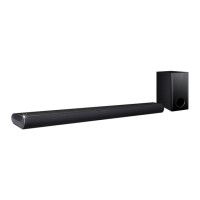
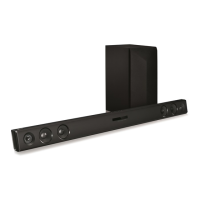
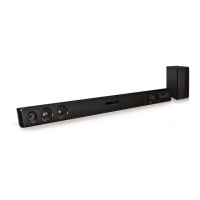
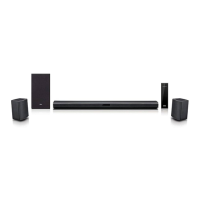
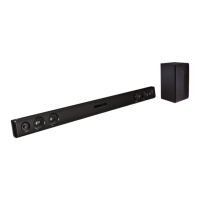
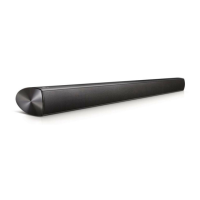
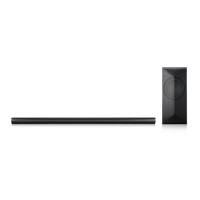
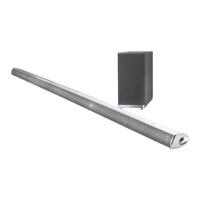
This document is an owner's manual for an LG Sound Bar, model LAS350B (which includes LAS350B and S35A1-W components). It provides comprehensive instructions for setting up, operating, and maintaining the device, ensuring users can maximize its features and longevity.
The LG Sound Bar is designed to enhance your audio experience, particularly when connected to a television or other external devices. Its primary function is to deliver high-quality sound, offering various sound effects and adjustment options to suit different content and user preferences.
Usage Features:
General Operation:
The sound bar can be turned on or off using the power button on the remote control or the unit itself. It features an "Auto Power Down" function for energy saving, automatically turning off if inactive for 20 minutes (when not connected to an external device) or after six hours (when connected via analog input).
Users can select various input sources including OPTICAL, Bluetooth, LG TV, and PORTABLE IN. The unit also supports "Auto Function Change," automatically recognizing input signals (optical, Bluetooth, LG TV) and switching to the appropriate function. For example, if an optical signal comes in, it switches to optical; if a Bluetooth device attempts to connect, it switches to Bluetooth; and if an LG TV signal is detected via LG Sound Sync, it switches to LG TV.
Volume Control:
Volume can be adjusted using the VOL +/- buttons on the remote control or the unit. A mute function is available to temporarily silence the sound.
Sound Adjustments:
The sound bar offers several pre-set sound effect modes, including STANDARD, MUSIC, CINEMA, FLAT, and BOOST, which can be selected using the SOUND EFFECT button. These modes optimize sound for different types of content. Additionally, users can adjust the Treble/Bass levels from -5 dB to 5 dB and the Subwoofer level from -20 dB to +6 dB to fine-tune the audio to their liking. An "Auto Volume" function is also available to automatically adjust volume levels, preventing sudden changes. For late-night viewing, a "Night mode" can be activated to watch movies at low volumes.
AV Sync:
To ensure perfect synchronization between audio and video, especially when receiving signals from a TV, the "AV Sync" function allows users to adjust the delay time between 0 and 300 ms.
Display Control:
The display window's brightness can be adjusted. Options include "DISPLAY OFF," which turns off the display (it will momentarily show status when buttons are pressed), and "DIMMER," which dims the display.
Sleep Timer:
A sleep timer can be set to automatically turn off the unit after a specified period, with options ranging from 10 to 180 minutes. The remaining time can be checked by pressing the SLEEP button.
The "INFO" button displays information about the current input source, such as audio format and channel for OPTICAL input, or the address of the connected Bluetooth device.
Connectivity:
Subwoofer Connection:
The subwoofer connects to the main unit via a wired connection. Users need to attach the black wire to the minus terminal and the red wire to the plus terminal on the subwoofer connector.
TV Connection (OPTICAL Cable):
The sound bar can be connected to a TV using an optical cable. Users connect the OPT. IN jack on the sound bar to the OPTICAL OUT jack on the TV. It's important to remove any protection plug covers from the optical cable before connecting. The TV's sound output settings must be configured to "External speaker (Optical)" or "LG Sound Sync (Optical)" to route audio through the sound bar.
LG Sound Sync (Wired and Wireless):
This feature allows users to control the sound bar's volume and mute functions using their LG TV's remote control.
- Wired Connection: Uses an optical cable between the sound bar and the LG TV. The TV's sound output should be set to "LG Sound Sync (Optical)."
- Wireless Connection: For compatible LG TVs, the sound bar can connect wirelessly. After selecting the LG TV function on the sound bar, "PAIRED" will appear, followed by "LG TV," indicating a successful connection. If the unit is turned off directly, the wireless connection will be disconnected and needs to be re-established.
Portable In Connection:
Portable devices like MP3 players or notebooks can be connected to the sound bar's PORTABLE IN jack using a 3.5 mm stereo cable. Users then select the PORTABLE function to play music from these devices.
Bluetooth Technology:
The sound bar supports Bluetooth wireless technology (A2DP profile) for short-range connection to devices like mobile phones, MP3 players, and laptops.
- Pairing: To pair, select the Bluetooth function on the sound bar ("BT READY" will appear), then search for "LG LAS350B (XX)" on the Bluetooth device (XX represents the last two digits of the Bluetooth address). The unit can connect with up to three Bluetooth devices simultaneously, though only one can play and control music at a time.
- Music Flow Bluetooth App: An Android-only "Music Flow Bluetooth" app (version 4.0.3 or later) is available for download via QR code or Google Android Market. This app provides additional features and helps connect Bluetooth devices to the sound bar.
Installation:
Placement:
The sound bar should be placed in front of the TV.
To increase the unit's height by 17 mm, cover feet can be attached to the existing feet. This involves peeling off a sticker from the cover foot and pressing it firmly onto the unit's foot.
Ferrite Core Affixation (Optional):
A ferrite core can be affixed to the power cord to reduce electrical interference. This involves opening the core, winding the cable through it twice, and then closing it.
Wall Mounting:
The main unit can be mounted on a wall. A "Wall bracket install guide" is provided to help with drilling holes. Screws (A) and wall plugs (Hilti HUD-1 6 x 30 recommended) are required but not supplied. It's crucial to connect all cables before wall mounting due to potential access difficulties afterward. The unit must be securely fixed to prevent damage or injury.
Maintenance Features:
Handling the Unit:
When shipping the unit, it is recommended to save the original shipping carton and packing materials for maximum protection.
Keeping Exterior Surfaces Clean:
- Avoid using volatile liquids like insecticide spray near the unit.
- Do not apply strong pressure when wiping, as it may damage the surface.
- Do not leave rubber or plastic products in contact with the unit for extended periods.
Cleaning the Unit:
For cleaning, use a soft, dry cloth. If surfaces are very dirty, a soft cloth lightly moistened with a mild detergent solution can be used. Strong solvents such as alcohol, benzine, or thinner should be avoided as they may damage the unit's surface.
Troubleshooting:
The manual includes a comprehensive troubleshooting section covering common issues such as the unit not working properly, no power, no sound, no subwoofer sound, no display, remote control malfunction, AUTO POWER function not working, and LG Sound Sync issues. It provides potential causes and corrective actions for each problem. For example, if the output sound is low, users are advised to switch off the DRC function, change the TV's AUDIO DIGITAL OUT setting to [AUTO] or [BITSTREAM], or adjust the Player's AUDIO DIGITAL OUT setting to [PRIMARY PASS-THROUGH] or [BITSTREAM].



 To Next Page


 General
 Weight and Dimensions