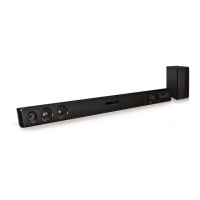
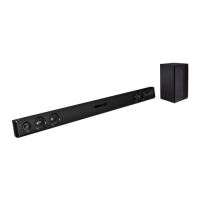
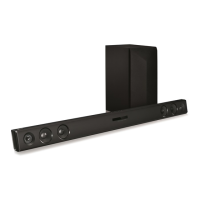
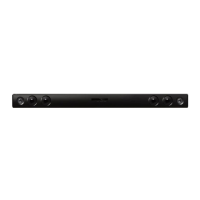
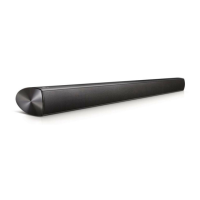
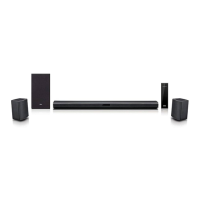
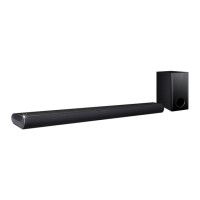
This document is an owner's manual for the LG Wireless Sound Bar, models LAS465B (LAS465B, SPH4B-W) and SH3K (SH3K, SPH4B-W). It provides comprehensive information on safety, setup, operation, troubleshooting, and maintenance of the device.
Function Description:
The LG Wireless Sound Bar is designed to enhance audio output from various external devices such as TVs, Blu-ray disc players, DVD players, MP3 players, notebooks, and smartphones. It features a wireless subwoofer for improved bass performance and supports Bluetooth® technology for wireless music streaming. The sound bar offers multiple sound effects, including STANDARD, CINEMA, and VOICE, to optimize the listening experience for different content. It also includes an "Auto Power On/Off" function for energy saving and convenience, automatically turning the unit on or off based on input signals. The "Auto Function Change" feature allows the unit to recognize input signals (optical or Bluetooth) and switch to the appropriate function automatically.
Important Technical Specifications:
General:
- Power requirements: 120 V ~ 60 Hz
- Power consumption: 27 W (Networked standby: 0.5 W if all network ports are activated)
- Dimensions (W x H x D): Approx. 950 mm x 71 mm x 47 mm (37.4 inch x 2.8 inch x 1.9 inch)
- Net Weight: Approx. 2.47 kg (5.4 lb)
- Operating temperature: 41 °F to 95 °F (5 °C to 35 °C)
- Operating humidity: 5% to 90%
- Digital audio in (OPTICAL IN): 3 V (p-p), Optical jack x 1
- Portable in (PORT. IN): 0.5 Vrms (3.5 mm stereo jack) x 1
- Available Digital Input Audio Sampling Frequency: 32 kHz, 44.1 kHz, 48 kHz, 88.2 kHz, 96 kHz
- Available Digital Input Audio format: Dolby Digital, DTS Digital Surround, PCM
Amplifier (RMS Output power):
- Total: 300 W
- Front: 50 W + 50 W (4 Ω at 1 kHz, 10% THD)
- Subwoofer: 200 W (3 Ω at 80 Hz, 10% THD)
Wireless subwoofer:
- Power requirements: 120 V ~ 60 Hz
- Power consumption: 33 W
- Type: 1 Way 1 Speaker
- Impedance: 3 Ω
- Rated Input Power: 200 W
- Max. Input Power: 400 W
- Dimensions (W x H x D): Approx. 171 mm x 390 mm x 261mm (6.7 inch x 15.3 inch x 10.2 inch)
- Net Weight: Approx. 5.6 kg (12.3 lbs)
Usage Features:
- Wireless Subwoofer Connection: The main unit and wireless subwoofer connect automatically. Manual pairing is also possible if the connection is not established. The subwoofer's LED indicator shows its connection status (Yellow green blink for attempting connection, solid Yellow green for completed connection, Red/Yellow green blink alternately for initialized connection, Off for disconnected).
- Connectivity:
- OPTICAL IN: Connects to the optical output jack of a TV or other digital devices using an optical cable.
- PORT. IN: Connects to portable players or external devices via a 3.5 mm stereo cable.
- Bluetooth® Technology: Allows wireless streaming of music from Bluetooth-enabled devices (mobile phones, MP3 players, laptops, PDAs). The unit supports the A2DP (Advanced Audio Distribution Profile) and uses SBC codec. Pairing is required once and the unit appears as "LG LAS465B (XX) / LG SH3K (XX)" on Bluetooth devices, where XX represents the last two digits of the Bluetooth address.
- Sound Adjustment:
- Surround Mode: Offers STANDARD (optimized sound), CINEMA (immersive and cinematic sound), and VOICE (clearer voice sound) modes.
- Woofer Level Adjustment: Allows users to adjust the sound level of the subwoofer using the remote control.
- DRC (Dynamic Range Control): Makes the sound clear at low volumes and prevents sudden increases in sound (Dolby Digital only). This function can be turned on or off.
- Remote Control: A dedicated remote control is provided for power, input source selection, volume adjustment, mute, sound effect selection (STANDARD, VOICE, CINEMA), DRC on/off, woofer level adjustment, and AUTO POWER on/off.
- TV Remote Control Compatibility: Certain functions (volume up/down, mute) can be controlled by some TV remote controls, including those from LG, Panasonic, Philips, Samsung, Sharp, Sony, Toshiba, and Vizio (excluding LG TV's magic remote control).
- Auto Power Down: The unit automatically turns off after 20 minutes if not connected to an external device and unused, or after six hours if connected via analog input.
- Wall Mounting: The main unit can be mounted on a wall using a supplied guide sheet for drilling. Screws and wall plugs are not included and must be purchased separately.
Maintenance Features:
- Shipping: Users are advised to save the original shipping carton and packing materials for maximum protection if the unit needs to be shipped.
- Exterior Surfaces Cleaning:
- Avoid using volatile liquids like insecticide spray.
- Do not wipe with strong pressure to prevent surface damage.
- Do not leave rubber or plastic products in contact with the unit for extended periods.
- Unit Cleaning: Use a soft, dry cloth for cleaning. For very dirty surfaces, a soft cloth lightly moistened with a mild detergent solution can be used. Strong solvents such as alcohol, benzine, or thinner should be avoided as they may damage the unit's surface.

 Need help?
 General

 To Next Page