Need help?
Do you have a question about the LG LAS454B and is the answer not in the manual?
Warnings related to electric shock, uninsulated voltage, and product enclosure.
Cautions regarding moisture, confined spaces, ventilation, and high voltage products.
Specific instructions for safe handling and inspection of the power cord.
Instructions for safe operation, maintenance, accessory use, and referring to qualified personnel.
Guidance on safe installation practices and protecting the power cord from damage.
Identification and function of each button on the remote control.
Explanation of buttons, LEDs, and sensors on the front panel.
Identification and description of input/output ports on the rear panel.
Instructions for both automatic and manual pairing of the wireless subwoofer.
Step-by-step instructions for connecting via an optical cable.
Guide on pairing Bluetooth devices and playing stored music.
Solutions for general unit malfunction, power, and sound output issues.
Troubleshooting for no woofer sound and remote control malfunctions.
Solutions for wireless interference and ensuring optimal performance.
Causes and solutions for Bluetooth device malfunctions or noise.
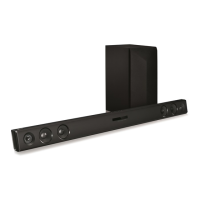
This document is an owner's manual for an LG Wireless Sound Bar, models LAS454B (LAS454B, S55A3-D). It provides comprehensive information on the device's setup, operation, and maintenance.
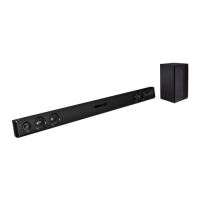
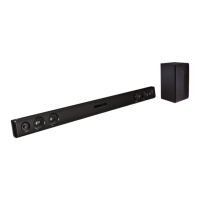
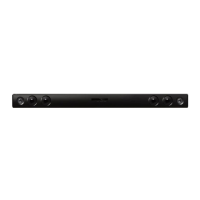
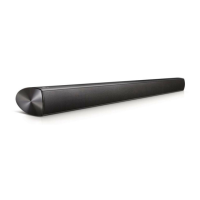
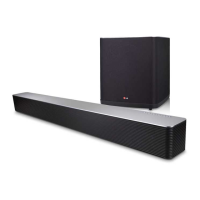
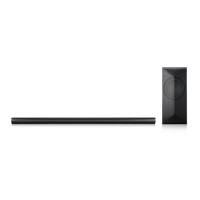
The LG Wireless Sound Bar is designed to enhance your audio experience, offering wireless connectivity and various sound modes. It functions as an external speaker system for your TV, Blu-ray disc player, DVD player, and other portable devices. The sound bar features a main unit and a wireless subwoofer, working together to deliver a rich sound.
The sound bar can be switched ON or OFF using the power button on the remote control or the front panel. Input sources can be changed using the 'F' button on the remote or front panel, allowing you to select between OPTICAL IN, PORT. IN, and BLUETOOTH functions.
Volume can be adjusted using the VOL +/- buttons on the remote control or the -/+ buttons on the front panel. There is also a mute function, activated by the mute button on the remote, which can be canceled by pressing it again or adjusting the volume.
The sound bar offers several pre-set surround sound fields to optimize your listening experience:
This feature, accessible via the DRC ON/OFF button on the remote, helps make the sound clear at low volumes and prevents sudden increases in sound, particularly useful for Dolby Digital content.
The sound level of the wireless subwoofer can be adjusted using the WOOFER LEVEL +/- buttons on the remote control, allowing you to customize the bass output to your preference.
The unit supports an "Auto Power On/Off" function, which can be toggled using the AUTO POWER ON/OFF button on the remote. When enabled, the sound bar automatically turns on when an input signal is detected from an external device (Optical or Bluetooth) and turns off after a period of inactivity if no signal is present. If the unit is turned off directly, the auto power function will not turn it on unless an optical signal is received for more than 5 seconds. This feature helps save energy consumption.
The sound bar can automatically recognize input signals (Optical or Bluetooth) and switch to the appropriate function. For example, if you turn on a TV connected via an optical cable, the unit will automatically switch to optical mode. Similarly, if you attempt to connect a Bluetooth device, the unit will switch to Bluetooth function.
The wireless subwoofer connects automatically to the main unit upon power-up. An LED indicator on the subwoofer shows its connection status:
The sound bar offers multiple connection options:
The sound bar supports Bluetooth wireless technology for short-range connections, allowing you to stream music from compatible devices like mobile phones, MP3 players, laptops, and PDAs. The pairing process involves turning on the unit, enabling Bluetooth on your device, and selecting "LG LAS454B (XX)" from the list of available devices. Once successfully connected, the BLUETOOTH (*) LED will illuminate. The sound quality may be affected by interference from other electronic waves or distance.
The sound bar can be controlled by your TV remote (even from other manufacturers) for basic functions like volume up/down and mute. This feature is activated by pressing and holding DRC ON on the sound bar's remote for about 3 seconds, and deactivated by holding DRC OFF for about 3 seconds. Supported TV brands include LG, Panasonic, Philips, Samsung, Sharp, Sony, Toshiba, and Vizio.
The main unit can be wall-mounted using wall brackets and screws (not supplied). A Wall Bracket Install guide is provided to assist with drilling holes. It's crucial to connect all cables before mounting due to potential difficulty accessing ports afterward. Caution is advised against installing the unit upside down or hanging on it, and ensuring it's securely fastened to prevent injury or damage.
When shipping the unit, it is recommended to save the original shipping carton and packing materials to ensure maximum protection during transit.
To clean the player, use a soft, dry cloth. For very dirty surfaces, a soft cloth lightly moistened with a mild detergent solution can be used. Strong solvents such as alcohol, benzene, or thinner should not be used, as they can damage the unit's surface.
 General
| Audio decoders | DTS Digital Surround, Dolby Digital |
|---|---|
| RMS rated power | 300 W |
| Audio output channels | 2.1 channels |
| Soundbar speaker RMS power | 100 W |
| Subwoofer type | Active subwoofer |
| Subwoofer included | Yes |
| Subwoofer connectivity | Wireless |
| Receiver included | No |
| Product color | Black |
| TV stand usage | - |
| Audio formats supported | LPCM |
| Apple docking compatibility | Not supported |
| Bluetooth version | 4.0 |
| HDMI ports quantity | 0 |
| Connectivity technology | Wired & Wireless |
| Digital audio optical in | 1 |
| Power consumption (standby) | 0.5 W |
| Power consumption (typical) | 27 W |
 Weight and Dimensions
| Depth | 48.26 mm |
|---|---|
| Width | 950 mm |
| Height | 71.11 mm |
| Soundbar weight | 2449 g |
| Subwoofer depth | 261.6 mm |
| Subwoofer width | 170.2 mm |
| Subwoofer height | 391.2 mm |
| Subwoofer weight | 5488 g |

 To Next Page