EasyManua.ls Logo

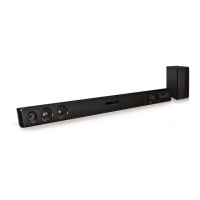
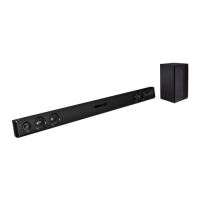
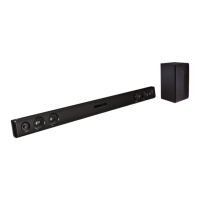
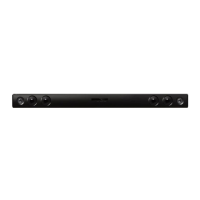
LG LAS453B - User Manual

LG LAS453B
22 pages
Print Icon
To Next Page IconTo Next Page
Loading...
OWNER’S MANUAL
Wireless
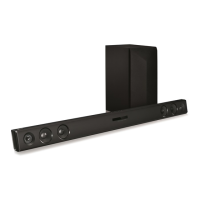
Sound Bar
Please read this manual carefully before operating
your set and retain it for future reference.
MODEL
LAS453B (LAS453B, S45A1-D)
www.lg.com

Other manuals for LG LAS453B

Questions and Answers

  • E
    Eric McdonaldAug 13, 2025
    How to fix LG LAS453B remote control not working?
    • E
      eandersonAug 13, 2025
      If your LG Speaker System remote control isn't working properly, consider these solutions: * Make sure you are operating the remote within a 7-meter range of the unit. * Remove any obstacles that might be blocking the path between the remote and the unit. * Try replacing the batteries in the remote with new ones.
  • E
    ewhiteAug 17, 2025
    What to do if my LG LAS453B woofer has no sound?
    • C
      Clifford KeithAug 17, 2025
      If your LG Speaker System woofer isn't producing sound, check the following: * Confirm that the woofer's power cord is securely plugged into the wall outlet. * Ensure that the unit and woofer are properly connected.
  • M
    Michael MatthewsAug 20, 2025
    Why is the sound output low on my LG LAS453B?
    • P
      Patrick CruzAug 20, 2025
      If the sound output of your LG Speaker System seems low, try the following: * Turn off the DRC (Dynamic Range Control) function using the remote controller. * If the sound bar is connected to a TV, change the AUDIO DIGITAL OUT setting in the TV's Setup Menu from PCM to AUTO or BITSTREAM. * If connected to a Player, change the AUDIO DIGITAL OUT setting in the Player Setup Menu from PCM to PRIMARY PASS-THROUGH or BITSTREAM. * Change the Audio DRC setting on the Player setup menu to the OFF state.
  • J
    Joshua CoxAug 25, 2025
    Why doesn't the AUTO POWER function work on my LG Speaker System?
    • M
      matthewwillisAug 25, 2025
      If the AUTO POWER function isn't working on your LG Speaker System: * Check the connection of the external device, such as a TV, DVD/Blu-Ray player, or Bluetooth device. * Be aware that this function may not operate depending on the connected device.
  • M
    Manuel DonovanAug 28, 2025
    What to do if my LG Speaker System has no sound?
    • J
      jbrennanAug 28, 2025
      If your LG Speaker System isn't producing any sound, there are a few things to check: * Ensure the correct input source is selected. * Verify that the mute function is not activated by pressing the Mute button or adjusting the volume. * If connected to an external device like a set-top box or Bluetooth device, check and adjust the volume level on that device as well.
  • B
    bennettpatrickAug 31, 2025
    Why my LG LAS453B has no power?
    • A
      Andrew PetersonSep 1, 2025
      If your LG Speaker System has no power, try these steps: * Ensure that the power cord is securely plugged in. * Check if other electronic devices are working to verify the outlet's condition.
  • E
    emma56Sep 4, 2025
    How to troubleshoot LG Speaker System not working properly?
    • R
      rguzmanSep 4, 2025
      If your LG Speaker System isn't working correctly, try these steps: * Turn off the power of both the unit and any connected external devices (TV, Woofer, DVD-player, Amplifier, etc.), then turn them back on. * Disconnect the power cord of the unit and connected external devices, and then reconnect them. * Note that previous settings may not be saved when the device is powered off.
  • J
    Jeremy OsborneSep 8, 2025
    What to do if my LG Speaker System has wireless interference?
    • T
      Thomas WatsonSep 8, 2025
      If your LG Speaker System is experiencing wireless interference: * Install the device closer to the wireless subwoofer, as wireless performance may be affected in areas with weak signals. * Avoid placing the device on metal furniture to ensure optimal performance.

Summary

Safety and Initial Setup

Safety Information

Covers essential safety guidelines to prevent electric shock, fire, moisture damage, and installation hazards.

RF Radiation Exposure Statement

Information regarding radio frequency exposure limits and installation guidelines.

Product Overview and Installation

Details unique features, accessories, controls, and guides the physical setup of the sound bar.

Connections

Wireless Subwoofer Connection

Guides on connecting the wireless subwoofer and troubleshooting connection issues.

Connecting to Your TV

Instructions for connecting the sound bar to a TV, typically using an optical cable.

Optional Equipment Connection

Details on connecting other audio devices via OPTICAL IN or PORT. IN.

Operations

Basic Operations

Explains core functions like DRC, muting, and using the TV remote control.

Automatic Power Functions

Details AUTO POWER On/Off and Auto function change features.

Bluetooth Connectivity

Guides on pairing and listening to music from Bluetooth devices.

Sound Adjustment

Information on setting surround modes and adjusting woofer levels.

Troubleshooting and Maintenance

Troubleshooting Common Issues

Provides solutions for problems like no power, no sound, and remote control issues.

Wireless and Bluetooth Notes

Offers tips for resolving wireless interference and Bluetooth device issues.

Maintenance and Handling

Guidelines for keeping the unit clean and handling it during shipping.

Specifications and Legal

Trademarks and Licenses

Lists trademarks and licenses related to the product's technology.

Product Specifications

Details technical specifications for the main unit and wireless subwoofer.

LG LAS453B Specifications

General IconGeneral
Product colorBlack
RMS rated power200 W
Recommended usageHome theatre
Remotely operatedYes
Audio output channels2.1 channels
Supported radio bandsNot supported
Subwoofer typePassive subwoofer
Subwoofer weight3900 g
Subwoofer connectivityWireless
Subwoofer dimensions (WxDxH)171 x 261 x 350 mm
Amplification device included-
Satellite speaker weight2500 g
Number of satellite speakers2
Satellite speaker dimensions (WxDxH)960 x 50 x 71 mm
Power sourceAC
Bluetooth version4.0
Connectivity technologyWired & Wireless

Related product manuals