EasyManua.ls Logo

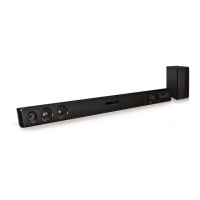
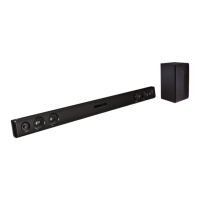
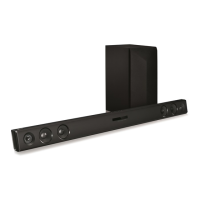
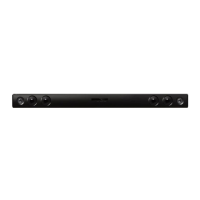
LG LAS475B - User Manual

LG LAS475B
24 pages
Print Icon
To Next Page IconTo Next Page
Loading...
OWNER’S MANUAL
Wireless
Sound Bar
Please read this manual carefully before operating
your set and retain it for future reference.
MODEL
LAS475B (LAS475B, SPH4B-W)
*MFL69681807*
Copyright © 2017 LG Electronics Inc. All Rights Reserved.
www.lg.com

Other manuals for LG LAS475B

Questions and Answers

  • B
    Brian HartJul 28, 2025
    Why is there no sound coming from my LG LAS475B?
    • Y
      Yolanda DunlapJul 28, 2025
      If your LG Speaker System has no sound, first ensure the correct input source is selected. If the mute function is on, press the mute button or adjust the volume. Also, when using an external device like a set-top box or Bluetooth device, adjust the volume level on that device as well.
  • M
    Melanie SextonAug 2, 2025
    What to do if my LG LAS475B remote control does not work?
    • D
      davisjenniferAug 2, 2025
      If the remote control for your LG Speaker System isn't working, make sure you're within 7 meters (23 feet) of the unit and that there are no obstacles blocking the path between the remote and the unit. If it still doesn't work, try replacing the batteries with new ones.
  • K
    Kimberly BarajasAug 6, 2025
    What to do if my LG LAS475B has no woofer sound?
    • B
      Brittany WilliamsAug 6, 2025
      If you're not getting any sound from the woofer of your LG Speaker System, first ensure that the woofer's power cord is securely plugged into the wall outlet. If it is, it's possible the pairing between the main unit and the woofer has been disconnected. In that case, reconnect the unit and woofer.
  • M
    Molly KeithAug 12, 2025
    What to do if the output sound of the LG LAS475B is low?
    • R
      Rachel MartinezAug 12, 2025
      To increase the output sound of your LG Speaker System: 1. Turn the DRC function to OFF using the remote controller. 2. Change the AUDIO DIGITAL OUT setting on your TV Setup Menu from [PCM] to [AUTO] or [BITSTREAM]. 3. Change the AUDIO DIGITAL OUT setting on your Player Setup Menu from [PCM] to [PRIMARY PASS-THROUGH] or [BITSTREAM]. 4. Change Audio DRC setting on Player setup menu to [OFF] state.
  • P
    perezmichaelAug 17, 2025
    Why does my LG LAS475B have no power?
    • J
      Justin BergAug 17, 2025
      If your LG Speaker System has no power, start by checking if the power cord is securely plugged in. If it is, test the outlet by plugging in another electronic device to see if it's working.
  • L
    Logan NelsonAug 22, 2025
    Why does the AUTO POWER function not work on my LG Speaker System?
    • C
      clarktiffanyAug 22, 2025
      To troubleshoot the AUTO POWER function on your LG Speaker System, first check the connection of the external device, such as a TV, DVD/Blu-Ray player, or Bluetooth device. Note that depending on the connected device, this function may not operate.

Summary

Getting Started

Safety Information and Precautions

Essential safety guidelines and precautions for product usage.

Symbols and Battery Handling

Explanation of symbols used and instructions for safe battery removal.

Product Features and Accessories

Overview of unique features like auto power down and portable input, plus included accessories.

Remote Control Operation

Details on using the remote control, including button functions and battery replacement.

Unit Components Overview

Identification and description of the front and rear panels of the sound bar.

Sound Bar Installation Guide

Guidance on connecting and placing the sound bar for optimal audio output.

Wall Mounting Instructions

Step-by-step guide for securely mounting the main unit onto a wall.

Connecting Your Sound Bar

Wireless Subwoofer Connection

Instructions for pairing and connecting the wireless subwoofer to the main unit.

Connecting to Your TV

Guidance on connecting the sound bar to a TV using an optical cable.

Optional Equipment Connections

How to connect other devices via OPTICAL IN and PORT. IN jacks.

Operating the Sound Bar

Sound Operations

Explains functions like DRC, muting, and using the TV remote for control.

Auto Power Functions

Details on Auto Power On/Off and Auto Function Change features.

Bluetooth Wireless Playback

How to use Bluetooth for wireless music playback and pairing devices.

Sound Adjustment Settings

How to adjust surround modes and woofer levels for desired audio.

Troubleshooting Common Issues

Unit Not Working or No Power

Solutions for when the unit is unresponsive or lacks power.

Sound and Woofer Problems

Steps to resolve problems related to sound output and the wireless subwoofer.

Remote Control and Auto Power Issues

Troubleshooting tips for remote control functionality and the auto power feature.

Low Sound and Wireless Interference

Addressing issues of low sound volume and wireless connection interference.

Appendix and Specifications

Trademarks and Licenses

Information on patents, trademarks, and licensing for audio technologies.

Technical Specifications

Detailed technical specifications of the sound bar and wireless subwoofer.

Maintenance and Handling

Guidelines for cleaning, maintaining, and safely handling the unit.

LG LAS475B Specifications

General IconGeneral
BrandLG
ModelLAS475B
CategorySpeaker System
LanguageEnglish

Related product manuals