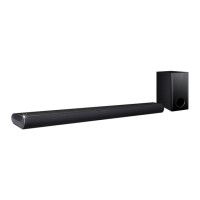
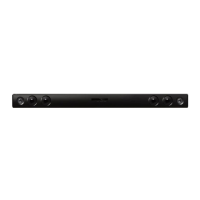
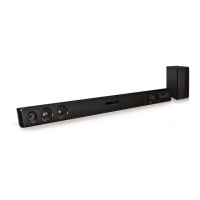
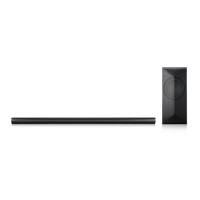
This document is an owner's manual for an LG Sound Bar, model LAS260B, designed to enhance your audio experience.
Function Description
The LG Sound Bar is an audio device that connects to various external sources like TVs, Blu-ray disc players, DVD players, MP3 players, notebooks, and smartphones to deliver improved sound. It supports both wired and wireless connections, offering flexibility in how you integrate it into your home entertainment system. The unit features multiple sound effects, including STANDARD, CINEMA, and VOICE, allowing you to customize your listening experience based on the content. It also incorporates Dynamic Range Control (DRC) to clarify sound at lower volumes and prevent sudden increases in sound, particularly useful for Dolby Digital content.
Usage Features
- Power Management: The sound bar can be switched ON or OFF using the power button on the remote control. It also features an "Auto Power Down" function, which automatically turns off the unit after 20 minutes of inactivity if not connected to an external device, or after six hours if connected via analog input (e.g., Portable In). The "Auto Power On/Off" function allows the unit to automatically turn on when an input signal (Optical or Bluetooth) is detected from a connected external device or when a Bluetooth device attempts to connect. This function can be toggled ON or OFF using the remote control.
- Input Source Selection: You can change input sources using the "F" button on the remote control or the front panel. The unit supports OPTICAL IN and PORT. IN connections.
- Volume Control: Adjust the volume level using the "VOL +/-" buttons on the remote control or the "-/+" buttons on the front panel. A mute function is also available via the remote control.
- Sound Effects: The sound bar offers several pre-set surround sound modes:
- STANDARD: Provides optimized sound for general listening.
- CINEMA: Delivers a more immersive and cinematic surround sound experience.
- VOICE: Enhances voice clarity, improving the quality of spoken audio.
You can select these modes using the dedicated buttons on the remote control.
- DRC (Dynamic Range Control): This feature helps maintain clear sound at low volumes and prevents sudden loud bursts, especially for Dolby Digital sources. It can be turned ON or OFF using the "DRC ON/OFF" button on the remote control.
- TV Remote Control Compatibility: The sound bar can be controlled by your TV remote for basic functions like volume up/down and mute, even if it's from a different brand. To enable this, press and hold "DRC ON" on the sound bar's remote for about 3 seconds. To disable it, press and hold "DRC OFF" for about 3 seconds. Supported TV brands include LG, Panasonic, Philips, Samsung, Sharp, Sony, Toshiba, and Vizio. Ensure your TV's sound output is set to "External speaker" for this feature to work.
- BLUETOOTH® Technology: The sound bar utilizes Bluetooth wireless technology for short-range connections, allowing you to stream music from compatible devices such as mobile phones, MP3 players, laptops, and PDAs.
- Pairing: To connect a Bluetooth device, turn on the sound bar, then initiate the pairing operation on your Bluetooth device. The sound bar will appear as "LG LAS260B (XX)" in the list of available devices (where XX represents the last two digits of the Bluetooth address). Once successfully connected, the BLUETOOTH LED on the sound bar will illuminate.
- Connection Stability: For optimal Bluetooth performance, keep the connected devices as close as possible and avoid obstacles. Interference from other electronic waves, medical equipment, microwaves, or wireless LAN devices operating on the same frequency can disrupt the connection. The sound quality may decrease with increased distance between the unit and the Bluetooth device.
- Automatic Function Change: When a Bluetooth device attempts to connect, the sound bar will automatically switch to the Bluetooth function.
- Wired Connections:
- OPTICAL IN: Connects to the optical output jack of your TV or other digital devices using an optical cable. Ensure to remove any protection plug covers from the cable before connecting.
- PORT. IN: Connects to portable players or external devices using a 3.5 mm stereo cable. This allows you to play music directly from these devices.
Maintenance Features
- Shipping: Retain the original shipping carton and packing materials. If you need to transport the unit, repack it as it was originally to ensure maximum protection.
- Cleaning Exterior Surfaces:
- Use a soft, dry cloth for cleaning.
- For extremely dirty surfaces, a soft cloth lightly moistened with a mild detergent solution can be used.
- Avoid using volatile liquids like insecticide spray near the unit.
- Do not wipe with strong pressure, as this may damage the surface.
- Do not leave rubber or plastic products in contact with the unit for extended periods.
- Do not use strong solvents such as alcohol, benzine, or thinner, as these can damage the unit's surface.
- Battery Replacement: The remote control uses two AAA batteries. To replace them, remove the battery cover on the rear of the remote control and insert new batteries, ensuring correct polarity (+ and -).
- Wireless Connection Placement: For the best performance of wireless connections like Bluetooth, avoid installing the unit on metallic furniture, as the wireless module is positioned on the bottom of the unit.



 To Next Page

 General
 Weight and Dimensions