EasyManua.ls Logo

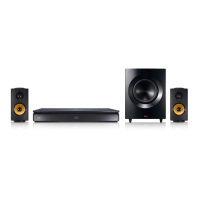
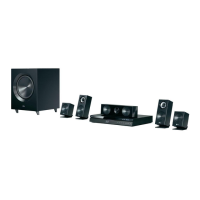
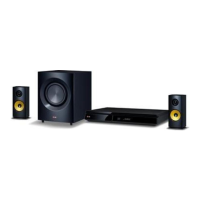
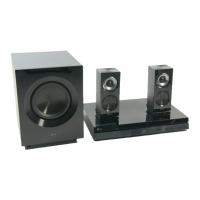
LG BH7240BW - User Manual

LG BH7240BW
80 pages
Print Icon
To Next Page IconTo Next Page
Loading...
P/NO : SAC36013806
Please read this manual carefully before operating
your set and retain it for future reference.
BH7240BW (BH7240BW, S74B1-F/S, S74T1-C, S73T1-W, T2, W4-2)
BH7540TW (BH7540TW, S74T1-S/C, S73T1-W, T2, W4-2)
OWNER’S MANUAL
3D Blu-ray™ /
DVD Home
Cinema System

Table of Contents

Other manuals for LG BH7240BW

Questions and Answers

  • W
    wlopezSep 3, 2025
    Why is my USB storage device not recognized by my LG Stereo System?
    • A
      amanda49Sep 4, 2025
      If your LG Stereo System isn't recognizing the connected USB storage device: * Try a different USB cable, as some cables may not provide enough current. * Avoid using USB extension cables or USB hubs. * Note that USB devices requiring additional program installation on a computer are not supported. * Ensure your device is a USB Flash Drive or USB External HDD formatted with FAT32 or NTFS.
  • B
    Brian CollinsSep 18, 2025
    Why can't my LG BH7240BW Home Theater System play video, photo, or audio files?
    • C
      Casey BellSep 18, 2025
      Your LG Home Theater System may not play certain video, photo, or audio files if they are not recorded in a supported format or if the unit does not support the codec of the video file.
  • M
    Marie CrawfordSep 16, 2025
    Why can't I change the angle on my LG Home Theater System?
    • P
      Pamela RodriguezSep 16, 2025
      The angle cannot be changed because multi-angles are not recorded on the DVD Video being played.
  • D
    davidgomezSep 14, 2025
    What to do if my LG BH7240BW Home Theater System is plugged in, but the power will not turn on or off?
    • B
      Brianna CainSep 14, 2025
      To reset your LG Home Theater System, unplug the power cord, wait at least five seconds, and then plug it back in.
  • M
    Michael FarmerSep 12, 2025
    Why is the access point not displayed on the “Access point name” list of my LG Stereo System?
    • A
      Amy RobinsonSep 12, 2025
      If the access point isn't showing up on the “Access point name” list of your LG Stereo System, the access point or wireless LAN router may not be broadcasting its SSID. Set your access point to broadcast its SSID through your computer. Also, your network device such as access point may not set with available frequency range and channel that this player can support. Try setting the frequency range and channel on the network device setting.
  • A
    autumn65Sep 12, 2025
    Why can't I change the angle on my LG Stereo System?
    • S
      Stephen KingSep 12, 2025
      If you cannot change the angle on your LG Stereo System, it's likely that multi-angles are not recorded on the DVD Video being played.
  • D
    Doris HayesSep 9, 2025
    What to do if Blu-ray 3D disc playback does not output 3D views on my LG Stereo System?
    • S
      Samuel AdkinsSep 9, 2025
      If Blu-ray 3D disc playback isn't outputting 3D views on your LG Stereo System, make sure of the following: * Connect the player to your TV with an HDMI cable (Type A, High Speed HDMI™ Cable). * Check that your TV supports “HDMI 3D mandatory format.” * Ensure the [3D Mode] option in the [Settings] menu is set to [On].
  • A
    Ariel JohnsonSep 7, 2025
    How to fix media servers not displayed on my LG Stereo System?
    • C
      Christopher PetersonSep 7, 2025
      If media servers are not showing up on your LG Stereo System's device list, it might be due to the firewall or anti-virus software running on your media server. Try turning off the firewall or anti-virus software. Also, ensure that the player is connected to the same local area network as your media server.
  • M
    Marc AndersonSep 5, 2025
    Why is the BD-Live feature not working on my LG Stereo System?
    • D
      Diane FischerSep 6, 2025
      If the BD-Live feature is not working on your LG Stereo System, check these: * Ensure the connected USB storage has at least 1GB of free space. * Verify the unit is connected to the local area network and can access the internet. * Consider increasing your broadband speed by contacting your Internet Service Provider (ISP). * Confirm the [BD-LIVE connection] option in the [Settings] menu is set to [Permitted].
  • R
    Rachel PhillipsAug 20, 2025
    What to do if my LG BH7240BW does not start playback?
    • S
      Sonya WhiteAug 21, 2025
      If your LG Home Theater System isn't playing, ensure a playable disc is inserted, checking its type, color system, and regional code. Place the disc with the playback side down, correctly positioned inside the guide on the disc tray. Clean the disc if it's dirty. Also, cancel the Rating function or change the rating level if it's enabled.

Summary

Getting Started: Safety, Setup, and Basic Operations

Safety Information and Warnings

Important safety warnings and precautions for operating the device.

Connecting Your System

Speaker Placement and Connection Procedures

Guide to positioning speakers for optimal surround sound and connecting them.

Wireless Speaker Setup and Pairing

Steps for initial wireless receiver setup and manual pairing.

Network Setup: Wired and Wireless Configuration

Procedures for connecting to a home network via wired or wireless means.

System Settings

Initial Setup Wizard: Language, Network, Speaker Test

First-time setup for language, network, and speaker checks.

Display, Video, and Language Settings

Options for TV aspect ratio, resolution, color, and language selection.

Audio, DRC, Lock Menu, and AV Sync Settings

Configuration for audio output, dynamic range, parental controls, and AV sync.

Operating Your System

Audio Customization: Sound Effects and 3 D Sound

Selecting sound modes and experiencing 3D audio.

Troubleshooting

General System and Network Issues

Solutions for common power, playback, remote, and network problems.

LG BH7240BW Specifications

General IconGeneral
TypeBlu-ray Home Theater System
Total Power Output1000W
Number of Channels5.1
Blu-ray PlaybackYes
3D PlaybackYes
Smart TV FeaturesYes
Wi-FiYes
BluetoothYes
HDMI Inputs2
USB Ports1
EthernetYes
HDMI Output1
Audio Input1
Optical Input1
Audio Formats SupportedDolby Digital, DTS

Related product manuals