EasyManua.ls Logo

LG BH7430PB - User Manual

LG BH7430PB
2 pages
Print Icon
To Next Page IconTo Next Page
Loading...
TOP FEATURES:
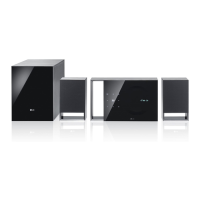
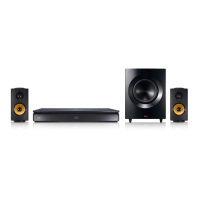
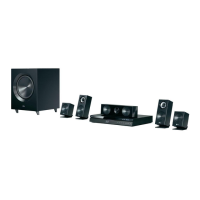
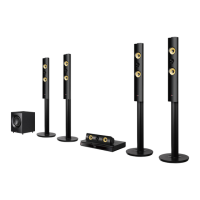
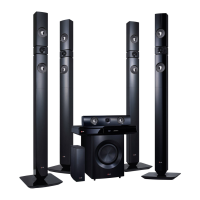
BH7430PB 1200W 5.1ch Smart 3D Home Theatre System
BH7430PB
1
Internet connection & subscriptions required and sold separately.
2
For a small percentage of the population, the viewing of stereoscopic 3D video technology may cause discomfort such as headaches,
dizziness or nausea. If you experience any symptoms, discontinue using the 3D functionality and contact your health care provider.
s PREMIUM CONTENT
1
- Stream video from
Youtube® Netflix® And
Other Favourites
s LG APPS
s 3D BLU-RAY
2
s SOUND TO PHONE -
Wirelessly Send Audio
From Your TV To Your
Smartphone
s Step up to awesome home theatre surround-sound and Full HD 1080p 3D
with LG’s BH7430PB 1200W 5.1ch Smart 3D Home Theatre System. Delivering
a powerful 1200W of 5.1-channel immersive sound from high-quality speakers
and subwoofer, LG’s BH7430PB features 3D Full HD 1080p Blu-ray Disc
playback, with 1080p resolution upscaling for DVDs, and Digital Cinema 4K
upscaling to support the next-generation Ultra HD displays. Enjoy online Smart
TV entertainment, content, and apps through built-in Wi-Fi® and Ethernet
connectivity, and share content with LG’s DLNA Certified® Smart Share. 2D to
3D conversion, auto volume leveling, sound privacy, Bluetooth support, and LG’s
Smart Phone remote app make the BH7430PB 1200W 5.1ch Smart 3D Home
Theatre System the smart choice for your home entertainment centre.


Other manuals for LG BH7430PB

Questions and Answers

  • R
    Rebecca CookAug 18, 2025
    Why is my LG BH7430PB Home Theater System remote control not working?
    • C
      cameronthomasAug 18, 2025
      The remote control might not be pointed at the remote sensor on the unit, or it might be too far away. There could also be an obstacle blocking the path between the remote and the unit. Finally, the batteries in the remote control might be exhausted.
  • P
    Patrick JonesAug 21, 2025
    What to do if my LG Home Theater System is plugged in, but the power will not turn on or off?
    • K
      Kristin ParksAug 21, 2025
      You can reset the unit by unplugging the power cord, waiting at least five seconds, and then plugging it in again.
  • G
    Gina SimpsonAug 23, 2025
    Why is there no sound or distorted sound from my LG BH7430PB Home Theater System?
    • G
      Gregory PowellAug 23, 2025
      The unit may be in scan, slow motion, or pause mode. Also, the sound volume might be too low. Ensure that the speaker cable is securely connected.
  • M
    mitchellbrendaAug 25, 2025
    Why won't my LG BH7430PB start playback?
    • L
      Larry JohnstonAug 26, 2025
      Make sure you have inserted a playable disc, checking its type, color system, and regional code. Ensure the disc is placed with the playback side down and is clean. Also, cancel the Rating function or change the rating level.
  • J
    John CookAug 27, 2025
    What to do if my LG Home Theater System is not displaying a picture?
    • K
      kfloresAug 28, 2025
      Select the correct video input mode on your TV, ensuring it matches the unit's output. Verify that the video connections are secure. Also, check the [HDMI Color Setting] in the [Settings] menu to ensure it is appropriate for your video connection. Your TV might not support the resolution set on the player, so try changing it. If the player’s HDMI OUT jack is connected to a DVI device that does not support copyright protection, this could also be the cause.
  • K
    Kathleen RomanAug 30, 2025
    Why is my LG BH7430PB not recognizing the USB storage device?
    • J
      James RomanAug 30, 2025
      Try a different USB cable, as some cables may not provide enough current. Avoid using USB extension cables or USB hubs. Note that USB devices requiring additional program installation on a computer are not supported. This unit only supports USB Flash Drives and USB External HDDs with FAT32 or NTFS format.
  • L
    Lisa JacobsonSep 1, 2025
    What to do if media servers are not displayed on LG BH7430PB device list?
    • A
      Amanda BrockSep 1, 2025
      The firewall or anti-virus software on your media server may be running. Try turning off the firewall or anti-virus software running on your media server. Also, ensure that the player is connected to the same local area network as your media server.
  • M
    Maria LittleSep 3, 2025
    Why does my LG BH7430PB Home Theater System have picture noise?
    • M
      Mark RojasSep 4, 2025
      The disc may be recorded in a color system different from your TV's. Try setting the resolution to one that your TV accepts.
  • J
    juliaedwardsSep 5, 2025
    Why is my LG BH7430PB's BD-Live feature not working?
    • K
      Kyle AdamsSep 6, 2025
      The connected USB storage might not have enough space; connect a USB storage device with at least 1GB of free space. Ensure the unit is correctly connected to your local area network and can access the internet. Your broadband speed might not be fast enough; consider contacting your ISP to increase it. Also, check that the [BD-LIVE connection] option in the [Settings] menu is set to [Permitted].
  • L
    lawrencechristySep 8, 2025
    Why Blu-ray 3D disc playback does not output 3D views on my LG Home Theater System?
    • X
      xrileySep 8, 2025
      Connect the player to your TV with an HDMI cable (Type A, High Speed HDMI™ Cable). Your TV may not support “HDMI 3D mandatory format.” Check that the [3D Mode] option in the [Settings] menu is set to [On].

LG BH7430PB Specifications

General IconGeneral
BrandLG
ModelBH7430PB
CategoryHome Theater System
LanguageEnglish

Related product manuals