EasyManua.ls Logo

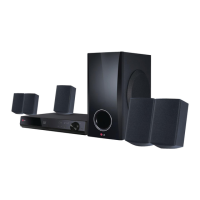
LG BH8220B, S82B1-S - User Manual

LG BH8220B, S82B1-S
80 pages
Print Icon
To Next Page IconTo Next Page
Loading...
OWNER’S MANUAL
3D Blu-ray™ / DVD Home
Cinema System
Please read this manual carefully before operating
your set and retain it for future reference.
P/NO : SAC35475202
BH8220B (BH8220B, S82B1-S/ C/ W)

Table of Contents

Questions and Answers

  • S
    Scott ScottSep 23, 2025
    Why LG Home Theater System cannot play movie files?
    • S
      Sean CarterSep 23, 2025
      If your LG Home Theater System cannot play movie, photo, or music files, it could be because the files are not recorded in a format that the unit can play, or the unit does not support the codec of the movie file.
  • N
    Natalie RobertsAug 23, 2025
    Why is there no sound or the sound is distorted on my LG Home Theater System?
    • J
      Jessica MartinezAug 23, 2025
      If you're experiencing no sound or distorted sound on your LG Home Theater System, it might be due to the unit being in scan, slow motion, or pause mode. Also, check the speaker cable connections. Ensure the sound volume is at an audible level.
  • K
    Kathryn CisnerosAug 25, 2025
    Why LG Home Theater System remote control does not work properly?
    • L
      Lucas RoyAug 25, 2025
      If the remote control for your LG Home Theater System isn't working correctly, it may be due to one of the following reasons: - The remote control is not pointed at the remote sensor of the unit. - The remote control is too far from the unit. - There is an obstacle in the path of the remote control and the unit. - The batteries in the remote control are exhausted.
  • S
    Steven YatesAug 26, 2025
    What to do if there is no picture on LG BH8220B, S82B1-S?
    • D
      Daniel NicholsonAug 27, 2025
      If your LG Home Theater System isn't displaying a picture, ensure that the correct video input mode is selected on your TV. Check that the video connections are securely connected. Also, verify that the [HDMI Color Setting] in the [Setup] menu is appropriately configured for your video connection. Your TV might not support the current resolution set on the player, so adjust the resolution accordingly. Finally, confirm that the player’s HDMI OUT jack is not connected to a DVI device that lacks copyright protection.
  • M
    Mark JacobsAug 27, 2025
    What to do if LG BH8220B, S82B1-S does not start playback?
    • M
      moorejanetAug 27, 2025
      If your LG Home Theater System doesn't start playback, ensure a playable disc is inserted, checking its type, color system, and regional code. Insert the disc with the playback side facing down and ensure the disc is clean. Also, verify that the Rating function is either canceled or the rating level is adjusted.
  • B
    Barbara MartinezSep 18, 2025
    Why access point is not displayed on LG BH8220B, S82B1-S?
    • J
      Joshua McdonaldSep 18, 2025
      If the access point is not displayed on the 'Access point name' list of your LG Home Theater System, the access point or wireless LAN router may not be broadcasting its SSID. Set your access point to broadcast its SSID through your computer. Also, your network device may not be set with an available frequency range and channel that this player can support; try adjusting these settings on your network device.
  • R
    Robert EdwardsSep 15, 2025
    Why LG BH8220B, S82B1-S BD-Live feature does not work?
    • P
      Phillip PonceSep 15, 2025
      If the BD-Live feature isn't working on your LG Home Theater System, ensure the connected USB storage has at least 1GB of free space. Verify the unit is correctly connected to the local area network and can access the internet. If your broadband speed is insufficient, contact your Internet Service Provider (ISP) to increase it. Also, check that the [BD-LIVE connection] option in the [Setup] menu is set to [Permitted].
  • M
    Mark WalkerSep 16, 2025
    Why LG BH8220B, S82B1-S Home Theater System Blu-ray 3D disc playback does not output 3D views?
    • M
      Mr. Kyle HarrisSep 16, 2025
      If your LG Home Theater System's Blu-ray 3D disc playback doesn't output 3D views, ensure the player is connected to your TV with an HDMI cable (Type A, High Speed HDMI™ Cable with Ethernet). Check that your TV supports 'HDMI 3D mandatory format'. Also, verify that the [3D Mode] option in the [Setup] menu is set to [On].
  • B
    briansmithSep 6, 2025
    What to do if shared folder or files from PC or media server are not displayed on LG Home Theater System device list?
    • B
      brendagreenSep 7, 2025
      If shared folders or files from your PC or a media server aren't showing on your LG Home Theater System's device list, turn off the firewall or anti-virus software running on your media server. Also, make sure the player is connected to the same local area network as your media server.
  • S
    snyderjulieSep 3, 2025
    What to do if picture noise appears on LG BH8220B, S82B1-S Home Theater System?
    • D
      Debra KimSep 4, 2025
      If you're seeing picture noise on your LG Home Theater System, set the resolution which your TV accepts. It may also be caused by playing a disc recorded in a color system that differs from your TV's.

LG BH8220B, S82B1-S Specifications

General IconGeneral
BrandLG
ModelBH8220B, S82B1-S
CategoryHome Theater System
Blu-ray PlaybackYes
3D PlaybackYes
Smart TV FeaturesYes
USB PlaybackYes
Wi-Fi ConnectivityYes
BluetoothNo
HDMI Output1
USB Port1
Supported Media FormatsMP3, WMA, DivX, MKV

Related product manuals