EasyManua.ls Logo

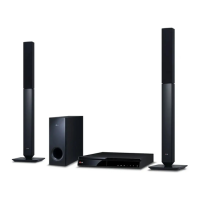
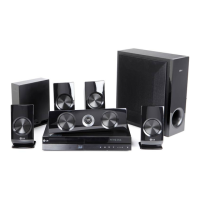
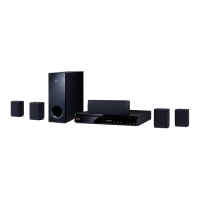
LG BH6240S - User Manual

LG BH6240S
72 pages
Print Icon
To Next Page IconTo Next Page
Loading...
Please read this manual carefully before operating
your set and retain it for future reference.
OWNER’S MANUAL
3D Blu-ray™ / DVD
Home Cinema
System
BH6240C (BH6240C, S63S1-S, S63T1-W)

Table of Contents

Other manuals for LG BH6240S

Questions and Answers

  • T
    Thomas ArcherAug 18, 2025
    What to do if the remote control of my LG BH6240S Home Theater System doesn't work properly?
    • K
      Kelly StevensAug 18, 2025
      If the remote control for your LG Home Theater System isn't working correctly, make sure it's pointed at the unit's remote sensor and is not too far away. Remove any obstacles between the remote and the unit. Also, check if the batteries in the remote are depleted and replace them if necessary.
  • A
    austinemilyAug 20, 2025
    How to fix LG Home Theater System when streaming video services are often stopped?
    • J
      John PattersonAug 20, 2025
      If streaming video services on your LG Home Theater System are frequently interrupted or buffering, your broadband service speed may be insufficient. It's recommended to contact your Internet Service Provider (ISP) to increase your broadband speed.
  • E
    Eric LongAug 23, 2025
    What to do if my LG BH6240S Home Theater System doesn't start playback?
    • J
      Joshua DavisAug 23, 2025
      If your LG Home Theater System doesn't start playback, ensure that you have inserted a playable disc, checking its type, color system, and regional code. Place the disc with the playback side facing down, correctly positioned inside the guide on the disc tray. Clean the disc if necessary. Also, cancel the Rating function or adjust the rating level if it's interfering with playback.
  • D
    Derek SullivanAug 26, 2025
    Why is there no sound or distorted sound on my LG Home Theater System?
    • B
      Bryan ReyesAug 26, 2025
      If you experience no sound or distorted sound on your LG Home Theater System, check if the unit is in scan, slow motion, or pause mode. Ensure that the sound volume is adequately high. Verify the speaker cable connections.
  • M
    Manuel FreemanAug 28, 2025
    How to fix the issue when my USB storage device is not recognized by LG Home Theater System?
    • R
      Rebecca WilliamsAug 28, 2025
      If your LG Home Theater System isn't recognizing the connected USB storage device, try using a different USB cable, as some cables may not provide enough current. Avoid using USB extension cables or USB hubs, as they can prevent device recognition. Note that USB devices requiring additional program installation on a computer are not supported. The unit only supports USB Flash Drives and USB External HDDs with FAT32 or NTFS format.
  • A
    amandaspencerAug 30, 2025
    Why is there no picture on my LG BH6240S?
    • S
      Steve CurtisAug 30, 2025
      If there is no picture on your LG Home Theater System, ensure that you have selected the correct video input mode on your TV, and that the video connection is secure. Also, verify that the [HDMI Color Setting] in the [Settings] menu is appropriately configured for your video connection. The TV might not support the current resolution set on the player, so adjust it accordingly. Finally, the player’s HDMI OUT jack might be connected to a DVI device that lacks copyright protection support.
  • S
    Steve WadeSep 2, 2025
    How to fix the 'BD-Live feature' when it does not work on LG Home Theater System?
    • S
      Sara GatesSep 2, 2025
      If the BD-Live feature isn't working on your LG Home Theater System, ensure the connected USB storage has at least 1GB of free space. Verify the unit is properly connected to the local area network and has internet access. Insufficient broadband speed can also cause issues, so consider contacting your ISP to increase it. Check that the [BD-LIVE connection] option in the [Settings] menu is set to [Permitted].
  • M
    mclaughlinchristopherSep 4, 2025
    How to resolve picture noise on my LG BH6240S?
    • R
      Ruben HigginsSep 4, 2025
      If you are experiencing picture noise on your LG Home Theater System, it might be due to playing a disc recorded in a color system different from your TV's. Additionally, ensure that you set the resolution to one that your TV supports.
  • L
    Latoya KingSep 7, 2025
    How to resolve Blu-ray 3D disc playback issues on LG BH6240S?
    • R
      Robert RodriguezSep 7, 2025
      To ensure proper 3D playback on your LG Home Theater System, connect the player to your TV using an HDMI cable (Type A, High Speed HDMI™ Cable). Verify that your TV supports “HDMI 3D mandatory format.” Also, check that the [3D Mode] option in the [Settings] menu is set to [On].
  • D
    douglasamandaSep 10, 2025
    Why media servers are not displayed on the device list of my LG Home Theater System?
    • M
      Melissa BlackSep 10, 2025
      If media servers aren't showing up on your LG Home Theater System's device list, the firewall or anti-virus software on your media server might be active. Try turning off the firewall or anti-virus software. Also, verify that the player is connected to the same local area network as your media server.

Summary

Safety Information

Electrical Safety and Warnings

Electrical safety precautions, ventilation, and warnings against opening the unit.

Power Cord Precautions

Precautions for safe use and maintenance of the power cord.

Remote Control Operation

Remote Control Functions and Battery

Detailed explanation of each button's function and battery replacement.

Unit Interface and Layout

System Positioning and Setup

Speaker Placement and Cautions

Recommendations for optimal speaker placement and associated warnings.

Speaker Connection

Speaker Wiring and Connection Cautions

Step-by-step guide for connecting speaker wires and safety advice.

TV Connection

HDMI Connection and Notes

Instructions for HDMI connection and important troubleshooting notes.

Connectivity Features

Video Output Settings

HDMI Resolution Settings and Notes

Guide to changing output resolution and related notes.

Network Setup

Home Network Connection and Wired Setup

Instructions for establishing a wired network connection for online services.

Wired Network Configuration

Initial Setup Wizard

Initial Setup Steps: Language, Speaker, TV Sound

Guide to language selection, speaker testing, and TV sound setup.

System Settings Menu

Accessing and Adjusting Setup Settings

Navigating the Settings menu to adjust various player configurations.

Network Settings Menu

Display Settings Menu

Video and Language Settings

Audio Settings Menu

Speaker Setup and Security

System Management Functions

Sound Effect Modes

Navigating the Player Interface

Home Menu and SmartShare Navigation

Accessing the Home Menu and using the SmartShare feature to play media.

Media Playback Operations

Disc Playback and Blu-ray 3 D

Instructions for playing various discs and Blu-ray 3D content.

File Playback from Media

File Playback from Android Devices

Network Media and PC Setup

Network Server Playback and SmartShare PC Installation

Streaming files from a DLNA server and installing SmartShare PC software.

SmartShare PC Operations and System Requirements

General Playback Controls

Video;Audio Controls and Disc Menu Navigation

Basic playback controls for video/audio and navigating disc menus.

Advanced Playback Features

On-Screen Display and Content Information

Photo Viewing and Slideshow Settings

Advanced Playback Techniques

Repeat Playback and Time Playback

Selecting repeat modes and playing content from a specific time.

Content Selection Options

Picture and Subtitle Adjustments

Media Playback Modes

Advanced Player Features

Radio Operations

Bluetooth Technology

Online Content Services

Account Management and Search

My Apps Menu Management

Troubleshooting Guide

General Troubleshooting Issues

Solutions for common problems like power, playback, USB, and remote control.

Network Troubleshooting

Network Connectivity Issues

Resolving problems with BD-Live, streaming, and media server display.

Picture and Sound Troubleshooting

Picture Display Problems

Solutions for no picture, picture noise, and incorrect 3D output.

Sound Issues

Troubleshooting no sound or distorted sound problems.

TV Remote Control Setup

Software Update Procedures

Network Software Update Notification and Performance

How the unit notifies about updates and how to perform them.

Media File Compatibility

File Playback Notes and AVCHD Support

Audio Output Configurations

Unit Maintenance

Unit and Disc Handling and Cleaning

Guidelines for safely handling, cleaning the unit, and maintaining discs.

LG BH6240S Specifications

General IconGeneral
TypeBlu-ray Home Theater System
Total Power Output1000W
3D PlaybackYes
USB PlaybackYes
Wi-FiYes
BluetoothYes
Audio FeaturesDolby Digital, DTS
Speaker Configuration5.1 Channel
Playable MediaDVD, CD, USB
ConnectivityHDMI, USB

Related product manuals