EasyManua.ls Logo

LG BH6730T - User Manual

LG BH6730T
81 pages
Print Icon
To Next Page IconTo Next Page
Loading...
Please read this manual carefully before operating
your set and retain it for future reference.
BH6730T (BH6730T, S63T2-S, S63S2-C, S63T1-W)
BH6730P (BH6730P, S63T2-S, S63S2-S/ C, S63T1-W)
BH6730S (BH6730S, S63S2-S/ C, S63T1-W)
BH6530T (BH6530T, S63T1-S/ C, S63T1-W)
BH6430P (BH6430P, S63T1-S/ C, S63S1-S, S63T1-W)
BH6330H (BH6330H, S63H1-S, S63H1-C, S63H1-W)
BH6230S (BH6230S, S63S1-S, S63T1-C, S63T1-W)
OWNER’S MANUAL
3D Blu-ray™ / DVD
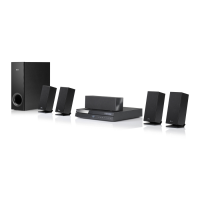
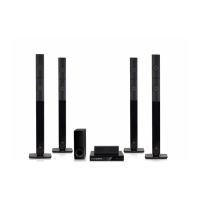
Home Cinema System

Table of Contents

Other manuals for LG BH6730T

Questions and Answers

  • W
    washingtonangelaAug 16, 2025
    Why is my LG BH6730T remote control not working?
    • M
      mrobinsonAug 16, 2025
      The LG Home Theater System remote control might not be working because it is not pointed at the remote sensor on the unit, it is too far away, there is an obstacle blocking the signal, or the batteries are dead. Try pointing the remote directly at the unit, moving closer, removing any obstacles, or replacing the batteries.
  • W
    William WheelerAug 22, 2025
    Why won't my LG BH6730T Home Theater System start playback?
    • K
      khowellAug 22, 2025
      Your LG Home Theater System might not start playback for several reasons: * A playable disc might not be inserted. Ensure the disc type, color system, and regional code are compatible. * The disc might not be placed correctly. Place the disc with the playback side down, correctly inside the guide on the disc tray. * The disc might be dirty. Clean the disc. * The Rating function might be enabled. Cancel the Rating function or change the rating level.
  • K
    Kimberly TateAug 26, 2025
    Why is my connected USB storage device not recognized by my LG Home Theater System?
    • A
      Andrew KramerAug 26, 2025
      If your LG Home Theater System does not recognize the connected USB storage device: * Try a different USB cable. * Avoid using a USB extension cable or USB hub. * Note that USB devices requiring additional program installation on a computer are not supported. * Ensure the USB device is a USB Flash Drive or USB External HDD with FAT32 or NTFS format.
  • J
    Joshua Haley Jr.Aug 28, 2025
    Why does the BD-Live feature not work on my LG BH6730T Home Theater System?
    • T
      Teresa MorrisAug 28, 2025
      The BD-Live feature may not work on your LG Home Theater System because the connected USB storage may not have enough space (less than 1GB free). Check if the unit is correctly connected to the local area network and can access the internet. Your broadband speed may not be fast enough. Also, check that the [BD-LIVE connection] option in the [Settings] menu is set to [Permitted].
  • D
    Donna NelsonAug 31, 2025
    Why do media servers are not displayed on the device list of my LG BH6730T?
    • G
      Gregory EvansAug 31, 2025
      If media servers are not displayed on the device list of your LG Home Theater System, it may be because the firewall or anti-virus software on your media server is running. Another reason may be that the player is not connected to the local area network that your media server is connected.
  • M
    Micheal HessSep 3, 2025
    Why can't I change the angle on my LG BH6730T?
    • M
      Melody HigginsSep 3, 2025
      The angle cannot be changed on your LG Home Theater System because multi-angles are not recorded on the DVD Video being played.
  • W
    Willie LewisSep 6, 2025
    Why does picture noise appears on my LG Home Theater System?
    • S
      Susan HatfieldSep 6, 2025
      Picture noise may appear on your LG Home Theater System if you are playing a disc recorded in a colour system that is different from your TV, or the resolution is not set to what your TV accepts.
  • D
    Darrell TurnerSep 9, 2025
    Why can't my LG Home Theater System play video, photo, or audio files?
    • J
      Jacob VelezSep 9, 2025
      Your LG Home Theater System may not be able to play video, photo, or audio files if the files are not recorded in a format that the unit can play, or if the unit does not support the codec of the video file.
  • K
    kruegergarySep 10, 2025
    Why is there no picture on my LG BH6730T?
    • A
      Andrew PhamSep 12, 2025
      If there is no picture from your LG Home Theater System, make sure that: * You have selected the appropriate video input mode on your TV. * The video connection is secure. * The [HDMI Color Setting] is set correctly in the [Settings] menu. * Your TV supports the resolution set on the player. * The player’s HDMI OUT jack is not connected to a DVI device that does not support copyright protection.
  • S
    szimmermanSep 12, 2025
    Why is my LG BH6730T Blu-ray 3D disc playback not outputting 3D views?
    • G
      Gregory WilliamsSep 12, 2025
      If your LG Home Theater System Blu-ray 3D disc playback is not outputting 3D views, connect the player to your TV with an HDMI cable (Type A, High Speed HDMI™ Cable). Your TV may not support 'HDMI 3D mandatory format'. Also, check that the [3D Mode] option in the [Settings] menu is set to [On].

Summary

Getting Started Guide

Safety Information and Precautions

Essential safety warnings, power cord caution, and battery/appliance disposal guidelines.

System Overview and Controls

Compliance info, copyright, TV color notice, intro, symbols, regional code, remote control, and panel descriptions.

Connecting Your System

Speaker Placement and Connection

Positioning speakers for optimal sound and connecting them correctly.

TV and External Device Connections

Connecting to TV via HDMI, SIMPLINK, ARC, and external devices via AUX.

Network and Audio Connections

Connecting portable audio, optical audio, and setting up home network connections.

Wired Network Setup and Notes

Steps for wired network setup, advanced settings, and connection notes.

System Settings Configuration

Initial Setup Wizard

Guided setup for language, network, speakers, and TV sound.

Core Settings Menu Navigation

Overview of the main settings menu categories like Network, Display, Audio.

Network and Display Adjustments

Configuring network, display, resolution, aspect ratio, and HDMI color.

Audio, Language, and Playback Controls

Adjusting audio output, language, DRC, and parental controls.

Power Management and Sound Effects

Configuring power saving, TV sound, initialization, and sound modes.

Operating Your Player

Home Menu, Smart Share, and Disc Playback

Navigating the home menu, using Smart Share, and playing discs.

File Playback from Media Sources

Playing files from discs, USB devices, and network servers.

Playback Controls and Features

Basic controls, advanced playback, OSD controls, and slideshow settings.

Media Settings and Options

Adjusting subtitles, audio, angles, aspect ratio, picture mode, and Gracenote info.

Recording, Radio, and Smart Services

Audio recording, radio operations, iPod playback, and LG Smart World usage.

Application Management

Managing installed applications in the My Apps menu.

Troubleshooting Common Issues

General Troubleshooting

Solutions for power, playback, USB, file, and remote control problems.

Network and Connectivity Issues

Troubleshooting BD-Live, streaming, and media server connection problems.

Picture and Sound Problems

Solutions for display issues, picture noise, and audio distortions.

Support and Software Information

Information on customer support, software updates, and open source notices.

Appendix and Specifications

Remote Control and Software Updates

Setting up the remote and procedures for network software updates.

File Formats and DLNA Information

Supported media file formats and DLNA technology details.

System and Audio Specifications

Detailed specifications for the unit, audio output, and system components.

Speaker and Maintenance Guidelines

Specifications for various speaker models and unit maintenance advice.

Network Services and Legal Notices

Information on third-party network services, trademarks, licenses, and legal notices.

LG BH6730T Specifications

General IconGeneral
TypeHome Theater System
Total Power Output1000 W
Speaker Configuration5.1 Channel
Blu-ray PlaybackYes
3D PlaybackYes
HDMI Inputs3
USB PlaybackYes
Wi-FiYes
BluetoothYes
Smart TVYes
EthernetYes
HDMI Output1
Audio InputYes
FM RadioYes

Related product manuals