EasyManua.ls Logo

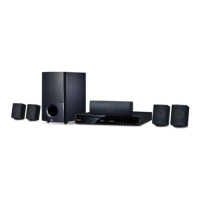
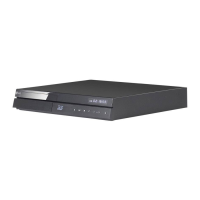
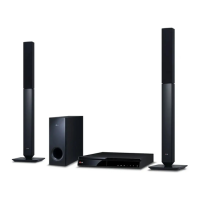
LG BH6730S - User Manual

LG BH6730S
81 pages
Print Icon
To Next Page IconTo Next Page
Loading...
Please read this manual carefully before operating
your set and retain it for future reference.
BH6730T (BH6730T, S63T2-S, S63S2-C, S63T1-W)
BH6730P (BH6730P, S63T2-S, S63S2-S/ C, S63T1-W)
BH6730S (BH6730S, S63S2-S/ C, S63T1-W)
BH6530T (BH6530T, S63T1-S/ C, S63T1-W)
BH6430P (BH6430P, S63T1-S/ C, S63S1-S, S63T1-W)
BH6330H (BH6330H, S63H1-S, S63H1-C, S63H1-W)
BH6230S (BH6230S, S63S1-S, S63T1-C, S63T1-W)
OWNER’S MANUAL
3D Blu-ray™ / DVD
Home Cinema System

Table of Contents

Other manuals for LG BH6730S

Questions and Answers

  • T
    Tammy CampbellAug 16, 2025
    Why is my LG Home Theater System remote control not working?
    • R
      Rita AlexanderAug 16, 2025
      The LG Home Theater System remote control might not be working because it is not pointed at the remote sensor on the unit, it is too far away, there is an obstacle blocking the signal, or the batteries are dead. Try pointing the remote directly at the unit, moving closer, removing any obstacles, or replacing the batteries.
  • M
    Melissa ChavezAug 18, 2025
    Why is there no picture on my LG BH6730S?
    • D
      daniel47Aug 18, 2025
      If there is no picture from your LG Home Theater System, make sure that: * You have selected the appropriate video input mode on your TV. * The video connection is secure. * The [HDMI Color Setting] is set correctly in the [Settings] menu. * Your TV supports the resolution set on the player. * The player’s HDMI OUT jack is not connected to a DVI device that does not support copyright protection.
  • M
    Michael HouseAug 21, 2025
    Why won't my LG BH6730S start playback?
    • R
      robertingramAug 21, 2025
      Your LG Home Theater System might not start playback for several reasons: * A playable disc might not be inserted. Ensure the disc type, color system, and regional code are compatible. * The disc might not be placed correctly. Place the disc with the playback side down, correctly inside the guide on the disc tray. * The disc might be dirty. Clean the disc. * The Rating function might be enabled. Cancel the Rating function or change the rating level.
  • A
    Amy RochaAug 25, 2025
    Why is my connected USB storage device not recognized by my LG BH6730S?
    • D
      Diana JacksonAug 25, 2025
      If your LG Home Theater System does not recognize the connected USB storage device: * Try a different USB cable. * Avoid using a USB extension cable or USB hub. * Note that USB devices requiring additional program installation on a computer are not supported. * Ensure the USB device is a USB Flash Drive or USB External HDD with FAT32 or NTFS format.
  • J
    Jesse GuzmanAug 27, 2025
    Why does the BD-Live feature not work on my LG BH6730S Home Theater System?
    • V
      Victoria MasonAug 27, 2025
      The BD-Live feature may not work on your LG Home Theater System because the connected USB storage may not have enough space (less than 1GB free). Check if the unit is correctly connected to the local area network and can access the internet. Your broadband speed may not be fast enough. Also, check that the [BD-LIVE connection] option in the [Settings] menu is set to [Permitted].
  • Z
    zholmesAug 30, 2025
    Why do media servers are not displayed on the device list of my LG Home Theater System?
    • M
      Mitchell MeyerAug 31, 2025
      If media servers are not displayed on the device list of your LG Home Theater System, it may be because the firewall or anti-virus software on your media server is running. Another reason may be that the player is not connected to the local area network that your media server is connected.
  • S
    Sara FrazierSep 2, 2025
    Why can't I change the angle on my LG BH6730S Home Theater System?
    • J
      James DeanSep 2, 2025
      The angle cannot be changed on your LG Home Theater System because multi-angles are not recorded on the DVD Video being played.
  • W
    whiteheadvernonSep 5, 2025
    Why does picture noise appears on my LG BH6730S?
    • B
      Blake SmithSep 5, 2025
      Picture noise may appear on your LG Home Theater System if you are playing a disc recorded in a colour system that is different from your TV, or the resolution is not set to what your TV accepts.
  • L
    Larry BarnettSep 8, 2025
    Why can't my LG BH6730S play video, photo, or audio files?
    • J
      Joshua NelsonSep 8, 2025
      Your LG Home Theater System may not be able to play video, photo, or audio files if the files are not recorded in a format that the unit can play, or if the unit does not support the codec of the video file.
  • M
    Michael HoganSep 12, 2025
    Why is my LG BH6730S Home Theater System Blu-ray 3D disc playback not outputting 3D views?
    • R
      Rachael AtkinsSep 12, 2025
      If your LG Home Theater System Blu-ray 3D disc playback is not outputting 3D views, connect the player to your TV with an HDMI cable (Type A, High Speed HDMI™ Cable). Your TV may not support 'HDMI 3D mandatory format'. Also, check that the [3D Mode] option in the [Settings] menu is set to [On].

Summary

Owners Manual: 3 D Blu-ray; DVD Home Cinema System

Safety Information

Electric Shock Hazard Warning

Warning to reduce electric shock risk by not removing covers and referring servicing to qualified personnel.

Fire and Moisture Hazard Warning

Warning to prevent fire or electric shock hazard by not exposing the product to rain or moisture.

Ventilation and Installation Caution

Caution against blocking ventilation openings and instructions for proper installation.

Power Cord Safety Precautions

Precautions regarding the power cord, including dedicated circuits, overload, and physical abuse.

Battery Handling and Disposal

Apparatus Water Exposure Caution

Caution regarding exposure to water and liquids, and placement of objects.

Compliance and Copyright Information

TV Compatibility and 3 D Viewing Precautions

3 D Content Health Warning

Health precautions for watching 3D content, including potential dizziness and recommendations.

Disc and System Settings

Remote Control Operations

Remote Control Buttons Explained

Explanation of functions for each button on the remote control.

System Placement and Safety

Speaker Placement Safety Caution

Safety cautions regarding speaker placement, especially concerning children and magnetic parts affecting screens.

Speaker Connection

Attaching Speaker Wires

Step-by-step guide on how to connect speaker wires to the player and speakers.

Speaker Handling Safety Warning

Safety warning about children inserting objects into speaker ducts and magnetic parts affecting screens.

Connecting the Player to Your TV

HDMI Connection Guide

How to connect the player to a TV using an HDMI cable for optimal video and audio.

Display Resolution Settings

Setting Output Resolution

Guide to change the player's video output resolution via the Settings menu.

Audio and Antenna Connections

Home Network Connectivity

Wired Network Connection

Instructions for connecting the player to a home network using a wired LAN connection for best performance.

Wired Network Setup

Manual Network Configuration

Manual network settings for IP mode (Dynamic/Static) and DNS server configuration.

Initial Setup Wizard

Display Language Selection

Steps to select the display language during the initial setup wizard.

Player Settings Menu

Adjusting System Settings

Guide to navigate and adjust various player settings within the [Settings] menu.

[NETWORK] Menu Settings

Connection Settings

Steps to prepare for wired network connection for network communication.

[DISPLAY] Menu Options

TV Aspect Ratio Settings

Options for selecting TV aspect ratio (Letter Box, Pan Scan, Original, Full) based on TV type.

Resolution Settings

Setting the output resolution for the HDMI video signal (Auto, 576p, 720p, 1080i, 1080p).

Display and Language Settings

HDMI Color Settings

Selecting the output color type (YCbCr or RGB) for HDMI/DVI connections.

3 D Mode Enable;Disable

Option to enable or disable 3D mode for Blu-ray 3D disc playback.

Audio Output and DRC Settings

Digital Audio Output Options

Settings for digital audio output via HDMI (PCM Stereo, Multi-Ch, DTS Re-Encode, Bit Stream).

Audio and Security Settings

Speaker Setup and Calibration

Procedure to set speaker volumes and distances for optimal sound quality.

Parental Controls and Other Settings

System Power and Software

Software Update Procedure

Information on current software version and how to update the player's software.

Sound Effect Customization

Navigating the Home Menu

Using the [HOME] Menu

Explanation of the Home menu structure and how to navigate through its categories.

Smart Share Feature

How to play video, photo, and audio content from discs, USB, or home network using Smart Share.

Disc Playback Operations

Playing Standard Discs

Basic steps for inserting and playing Audio CD, BD-ROM, and DVD-ROM discs.

Playing Blu-ray 3 D Discs

Instructions for playing Blu-ray 3D discs, including preparation and necessary connections.

3 D Viewing Health Warning

Health precautions for watching 3D content, including potential dizziness and recommendations.

Playing Files from Media

Playing Files from Disc;USB

How to play video, audio, and photo files from discs or connected USB devices.

Network Media Playback

Playing Files from Network Server

How to play video, audio, and photo files located on a DLNA server through your home network.

PC Home Network Integration

Installing Nero MediaHome Essentials

Step-by-step guide for installing Nero MediaHome 4 Essentials software on Windows and Mac OS X.

Sharing Computer Files

Procedure for sharing computer folders with Nero MediaHome to make content available on the player.

General Playback Controls

Video and Audio Playback Operations

Common playback controls for video and audio files: stop, pause, frame-by-frame, scan, slow motion, skip.

Playback Memory Features

On-Screen Display Information

Controlling Video Playback

How to control video playback and set options using the on-screen display during playback.

Advanced Playback Features

Playback Language and Display Settings

Subtitle and Picture Settings

Media Playback Features

Setting the [3 D] Option

How to adjust 3D depth and distance settings for 3D content playback.

Advanced Online and App Features

Audio Recording Functions

iPod Connectivity and Playback

General Troubleshooting Guide

Power and Playback Issues

Troubleshooting for power not turning on and unit not starting playback.

USB and Remote Control Issues

Troubleshooting for USB device recognition and remote control malfunctions.

Network Troubleshooting

BD-Live Feature Problems

Solutions for BD-Live not working, including USB space, network connection, and broadband speed.

Streaming and Media Server Issues

Solutions for streaming video buffering and media server display problems.

Picture and Sound Troubleshooting

No Picture or Picture Noise

Troubleshooting steps for no picture, including input mode, connection, color setting, and resolution.

No Sound or Distorted Sound

Troubleshooting steps for no sound or distorted sound, checking modes and connections.

Software Updates

Network Update Notification

Notification process for available software updates for connected units.

Performing Software Update

Steps to update player software via direct connection to the software update server.

Software Update Precautions

Update Process Warnings

Important warnings and notes to follow during the software update procedure to avoid issues.

Audio Output Specifications

Product Specifications

System and Speaker Specifications

BH6730 P Speaker Specifications

BH6730 S Speaker Specifications

BH6530 T Speaker Specifications

BH6430 P Speaker Specifications

BH6330 H Speaker Specifications

BH6230 S Speaker Specifications

LG BH6730S Specifications

General IconGeneral
Disc types supportedBD, CD, CD-R, CD-RW, DVD, DVD+R, DVD+RW, DVD-R, DVD-RW
Optical disc player type-
Built-in HDDNo
3DYes
Video formats supported3GP, FLV, M4V, MKV, MOV, MP4, MPEG1, MPEG2, MPEG4, VC-1, VOB, WMV
Analog signal format systemNTSC, PAL
Audio decodersDolby Digital, Dolby Digital Plus, Dolby TrueHD, DTS, DTS-HD HR, DTS-HD Master Audio
RMS rated power1000 W
Audio output channels5.1 channels
Audio formats supportedAAC, FLAC, MP3, WMA
FM band range87.5 - 108 MHz
Front speaker type1-way
Front speaker impedance3 Ω
Front speakers RMS power334 W
Center speaker RMS power167 W
Subwoofer typePassive subwoofer
Product colorBlack
HDMI in0
USB version2.0
Number of HDMI outputs1
Weight and Dimensions IconWeight and Dimensions
Subwoofer weight5200 g
Center speaker weight650 g
Subwoofer dimensions (WxDxH)133 x 325 x 352 mm
Front speaker dimensions (WxDxH)97 x 80 x 140 mm
Center speaker dimensions (WxDxH)260 x 73 x 92 mm

Related product manuals