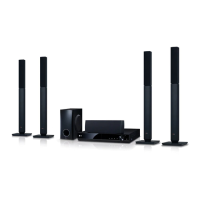
EasyManua.ls Logo

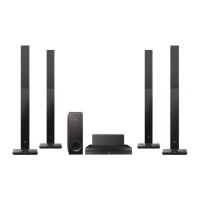
LG BH6730P - User Manual

LG BH6730P
81 pages
Print Icon
To Next Page IconTo Next Page
Loading...
Please read this manual carefully before operating
your set and retain it for future reference.
BH6730T (BH6730T, S63T2-S, S63S2-C, S63T1-W)
BH6730P (BH6730P, S63T2-S, S63S2-S/ C, S63T1-W)
BH6730S (BH6730S, S63S2-S/ C, S63T1-W)
BH6530T (BH6530T, S63T1-S/ C, S63T1-W)
BH6430P (BH6430P, S63T1-S/ C, S63S1-S, S63T1-W)
BH6330H (BH6330H, S63H1-S, S63H1-C, S63H1-W)
BH6230S (BH6230S, S63S1-S, S63T1-C, S63T1-W)
OWNER’S MANUAL
3D Blu-ray™ / DVD
Home Cinema System

Table of Contents

Other manuals for LG BH6730P

Questions and Answers

  • V
    Victoria WatsonAug 16, 2025
    Why is my LG BH6730P Home Theater System remote control not working?
    • D
      David JonesAug 16, 2025
      The LG Home Theater System remote control might not be working because it is not pointed at the remote sensor on the unit, it is too far away, there is an obstacle blocking the signal, or the batteries are dead. Try pointing the remote directly at the unit, moving closer, removing any obstacles, or replacing the batteries.
  • G
    Gregory StoneAug 22, 2025
    Why won't my LG BH6730P Home Theater System start playback?
    • A
      adkinswilliamAug 22, 2025
      Your LG Home Theater System might not start playback for several reasons: * A playable disc might not be inserted. Ensure the disc type, color system, and regional code are compatible. * The disc might not be placed correctly. Place the disc with the playback side down, correctly inside the guide on the disc tray. * The disc might be dirty. Clean the disc. * The Rating function might be enabled. Cancel the Rating function or change the rating level.
  • K
    Karen SmithAug 26, 2025
    Why is my connected USB storage device not recognized by my LG Home Theater System?
    • H
      Heather HillAug 26, 2025
      If your LG Home Theater System does not recognize the connected USB storage device: * Try a different USB cable. * Avoid using a USB extension cable or USB hub. * Note that USB devices requiring additional program installation on a computer are not supported. * Ensure the USB device is a USB Flash Drive or USB External HDD with FAT32 or NTFS format.
  • E
    edavisAug 28, 2025
    Why does the BD-Live feature not work on my LG BH6730P Home Theater System?
    • J
      Jennifer GrantAug 28, 2025
      The BD-Live feature may not work on your LG Home Theater System because the connected USB storage may not have enough space (less than 1GB free). Check if the unit is correctly connected to the local area network and can access the internet. Your broadband speed may not be fast enough. Also, check that the [BD-LIVE connection] option in the [Settings] menu is set to [Permitted].
  • D
    Diana VasquezAug 31, 2025
    Why do media servers are not displayed on the device list of my LG BH6730P Home Theater System?
    • X
      xmontoyaAug 31, 2025
      If media servers are not displayed on the device list of your LG Home Theater System, it may be because the firewall or anti-virus software on your media server is running. Another reason may be that the player is not connected to the local area network that your media server is connected.
  • L
    Lee DavisSep 3, 2025
    Why can't I change the angle on my LG BH6730P?
    • H
      hallbarbaraSep 3, 2025
      The angle cannot be changed on your LG Home Theater System because multi-angles are not recorded on the DVD Video being played.
  • M
    Matthew MooreSep 6, 2025
    Why does picture noise appears on my LG BH6730P Home Theater System?
    • D
      Dakota KingSep 6, 2025
      Picture noise may appear on your LG Home Theater System if you are playing a disc recorded in a colour system that is different from your TV, or the resolution is not set to what your TV accepts.
  • M
    mathew62Sep 9, 2025
    Why can't my LG BH6730P Home Theater System play video, photo, or audio files?
    • J
      Juan AcostaSep 9, 2025
      Your LG Home Theater System may not be able to play video, photo, or audio files if the files are not recorded in a format that the unit can play, or if the unit does not support the codec of the video file.
  • S
    Samantha JenkinsSep 10, 2025
    Why is there no picture on my LG BH6730P Home Theater System?
    • R
      Robert CookSep 12, 2025
      If there is no picture from your LG Home Theater System, make sure that: * You have selected the appropriate video input mode on your TV. * The video connection is secure. * The [HDMI Color Setting] is set correctly in the [Settings] menu. * Your TV supports the resolution set on the player. * The player’s HDMI OUT jack is not connected to a DVI device that does not support copyright protection.
  • P
    Pamela YorkSep 12, 2025
    Why is my LG Home Theater System Blu-ray 3D disc playback not outputting 3D views?
    • A
      Alexa LambertSep 12, 2025
      If your LG Home Theater System Blu-ray 3D disc playback is not outputting 3D views, connect the player to your TV with an HDMI cable (Type A, High Speed HDMI™ Cable). Your TV may not support 'HDMI 3D mandatory format'. Also, check that the [3D Mode] option in the [Settings] menu is set to [On].

LG BH6730P Specifications

General IconGeneral
TypeBlu-ray Home Theater System
Total Power Output1000W
Blu-ray PlaybackYes
3D PlaybackYes
HDMI Inputs2
USB PlaybackYes
Wi-FiYes
BluetoothYes
Weight2.0 kg
Smart TVYes
EthernetYes
HDMI Output1
Audio Return Channel (ARC)Yes
USB Port1
Optical Input1
Speaker Configuration5.1 Channel

Related product manuals