EasyManua.ls Logo

LG BH6230S - User Manual

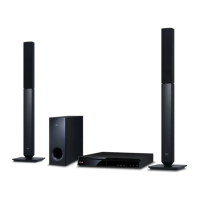
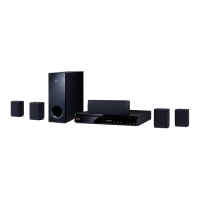
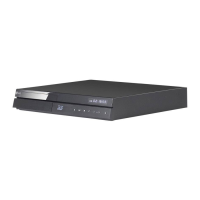
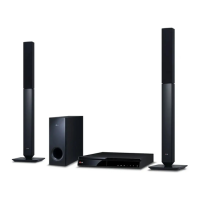
LG BH6230S
81 pages
Print Icon
To Next Page IconTo Next Page
Loading...
Please read this manual carefully before operating
your set and retain it for future reference.
BH6730T (BH6730T, S63T2-S, S63S2-C, S63T1-W)
BH6730P (BH6730P, S63T2-S, S63S2-S/ C, S63T1-W)
BH6730S (BH6730S, S63S2-S/ C, S63T1-W)
BH6530T (BH6530T, S63T1-S/ C, S63T1-W)
BH6430P (BH6430P, S63T1-S/ C, S63S1-S, S63T1-W)
BH6330H (BH6330H, S63H1-S, S63H1-C, S63H1-W)
BH6230S (BH6230S, S63S1-S, S63T1-C, S63T1-W)
OWNER’S MANUAL
3D Blu-ray™ / DVD
Home Cinema System

Table of Contents

Other manuals for LG BH6230S

Questions and Answers

  • K
    Kevin ThompsonAug 15, 2025
    Why is my LG BH6230S Home Theater System remote control not working?
    • J
      Joshua MartinezAug 15, 2025
      The LG Home Theater System remote control might not be working because it is not pointed at the remote sensor on the unit, it is too far away, there is an obstacle blocking the signal, or the batteries are dead. Try pointing the remote directly at the unit, moving closer, removing any obstacles, or replacing the batteries.
  • T
    tjonesAug 18, 2025
    Why is there no picture on my LG BH6230S Home Theater System?
    • S
      Stephanie MillerAug 18, 2025
      If there is no picture from your LG Home Theater System, make sure that: * You have selected the appropriate video input mode on your TV. * The video connection is secure. * The [HDMI Color Setting] is set correctly in the [Settings] menu. * Your TV supports the resolution set on the player. * The player’s HDMI OUT jack is not connected to a DVI device that does not support copyright protection.
  • J
    Jessica JonesAug 21, 2025
    Why won't my LG BH6230S Home Theater System start playback?
    • C
      Christopher GoodwinAug 21, 2025
      Your LG Home Theater System might not start playback for several reasons: * A playable disc might not be inserted. Ensure the disc type, color system, and regional code are compatible. * The disc might not be placed correctly. Place the disc with the playback side down, correctly inside the guide on the disc tray. * The disc might be dirty. Clean the disc. * The Rating function might be enabled. Cancel the Rating function or change the rating level.
  • N
    nicholsderrickAug 25, 2025
    Why is my connected USB storage device not recognized by my LG BH6230S Home Theater System?
    • K
      Kathleen WeissAug 25, 2025
      If your LG Home Theater System does not recognize the connected USB storage device: * Try a different USB cable. * Avoid using a USB extension cable or USB hub. * Note that USB devices requiring additional program installation on a computer are not supported. * Ensure the USB device is a USB Flash Drive or USB External HDD with FAT32 or NTFS format.
  • C
    Christopher PerezAug 27, 2025
    Why does the BD-Live feature not work on my LG BH6230S?
    • G
      Garrett DavisAug 27, 2025
      The BD-Live feature may not work on your LG Home Theater System because the connected USB storage may not have enough space (less than 1GB free). Check if the unit is correctly connected to the local area network and can access the internet. Your broadband speed may not be fast enough. Also, check that the [BD-LIVE connection] option in the [Settings] menu is set to [Permitted].
  • M
    Mark DennisAug 30, 2025
    Why do media servers are not displayed on the device list of my LG BH6230S Home Theater System?
    • S
      Stephanie RodriguezAug 31, 2025
      If media servers are not displayed on the device list of your LG Home Theater System, it may be because the firewall or anti-virus software on your media server is running. Another reason may be that the player is not connected to the local area network that your media server is connected.
  • D
    Dr. Jesse CastilloSep 2, 2025
    Why can't I change the angle on my LG BH6230S?
    • K
      Kelly GarciaSep 3, 2025
      The angle cannot be changed on your LG Home Theater System because multi-angles are not recorded on the DVD Video being played.
  • W
    William AlvarezSep 5, 2025
    Why does picture noise appears on my LG BH6230S Home Theater System?
    • S
      Sara HayesSep 5, 2025
      Picture noise may appear on your LG Home Theater System if you are playing a disc recorded in a colour system that is different from your TV, or the resolution is not set to what your TV accepts.
  • R
    robertsmeghanSep 8, 2025
    Why can't my LG Home Theater System play video, photo, or audio files?
    • H
      Heather EspinozaSep 8, 2025
      Your LG Home Theater System may not be able to play video, photo, or audio files if the files are not recorded in a format that the unit can play, or if the unit does not support the codec of the video file.
  • K
    Kenneth MitchellSep 12, 2025
    Why is my LG BH6230S Home Theater System Blu-ray 3D disc playback not outputting 3D views?
    • M
      michaelmannSep 12, 2025
      If your LG Home Theater System Blu-ray 3D disc playback is not outputting 3D views, connect the player to your TV with an HDMI cable (Type A, High Speed HDMI™ Cable). Your TV may not support 'HDMI 3D mandatory format'. Also, check that the [3D Mode] option in the [Settings] menu is set to [On].

Summary

Safety Information

CAUTION concerning the Power Cord

Safety precautions for power cord usage and installation.

Battery and Appliance Disposal

Safety Way to Remove Battery

Instructions for safe removal of batteries from the equipment.

Disposal of Old Appliances

Guidelines for environmentally responsible disposal of old appliances.

Disposal of Waste Batteries

Guidance on proper disposal of used batteries and accumulators.

Copyright and Compliance

Notes on Copyrights

Information regarding copyright restrictions and protections.

Contact Office for Compliance

Contact details for product compliance inquiries.

TV Color System and 3 D Viewing

Important Notice for TV Colour System

Information about TV color systems and compatibility.

3 D Viewing Precautions

Precautions and recommendations for watching 3D content safely.

Product Introduction

Playable Discs and Symbols

Information on playable disc types and relevant symbols.

Disc Playback Settings

Regional Code

Information on regional code restrictions for disc playback.

System Select

Instructions for selecting the appropriate TV system mode.

O Symbol Display

Explanation of the "O" symbol indicating unavailability of a function.

Remote Control Guide

Battery Installation

Instructions for installing batteries in the remote control.

Player Panel Identification

Front Panel

Overview of the player's front panel controls and indicators.

Rear Panel

Identification of the player's rear panel connectors and ports.

System Positioning

Speaker Placement Cautions

Safety precautions for speaker placement, especially regarding children.

Speaker Connection

Speaker Connection Cautions

Safety warnings concerning speaker ducts and magnetic parts.

TV Connectivity

Connecting to Your TV

Instructions for connecting the player to a TV using an HDMI cable.

HDMI Connection Notes

Important notes and troubleshooting tips for HDMI connections.

Connectivity Features

What is SIMPLINK?

Explanation of the SIMPLINK feature for controlling the system with a TV remote.

ARC Function

Details about the ARC function for sending audio to the player.

Video Output Settings

Resolution Setting

How to adjust the video output resolution for HDMI connections.

Resolution Setting Notes

Important notes and troubleshooting for resolution settings.

Antenna and External Connections

Antenna Connection

Instructions for connecting the FM antenna for radio reception.

AUX Connection

How to connect external audio devices via AUX input.

Audio Input Connections

PORT. IN Connection

Instructions for connecting portable audio players via the PORT. IN jack.

OPTICAL IN Connection

How to connect components with digital optical output.

Home Network Connection

Wired Network Connection

Instructions for establishing a wired network connection for optimal performance.

Wired Network Setup

Advanced Network Settings

How to manually configure network settings like IP address.

Network Connection Notes

Initial Setup Wizard

Speaker Testing

Procedure to test speaker signals during initial setup.

TV Sound Connecting

Setting up TV sound to play through the player's speakers.

Player Settings Menu

Adjusting Setup Settings

Guide to adjusting various player settings via the Settings menu.

Network Menu Options

BD-LIVE Connection

Restricting or permitting Internet access for BD-Live functions.

Network Play

Controlling media playback via DLNA smartphone app.

Display Menu Settings

TV Aspect Ratio

Adjusting the TV aspect ratio for optimal picture display.

Resolution

Setting the HDMI video signal output resolution.

1080 p Display Mode

Adjusting the display mode for 1080p content.

Display and Language Settings

HDMI Color Setting

Setting the color output format for HDMI and DVI devices.

3 D Mode

Enabling or disabling 3D playback mode for Blu-ray 3D discs.

[LANGUAGE] Menu

Settings for display language and disc audio/subtitle languages.

Audio Menu Settings

Digital Output

Selecting digital audio output format (PCM Stereo, Multi-Ch, etc.).

DRC (Dynamic Range Control)

Adjusting dynamic range for movie audio playback.

Speaker and Sync Settings

Speaker Setup

Adjusting speaker volume and distance for optimal sound.

HD AV Sync

Compensating for picture and sound delay in digital TV broadcasts.

[LOCK] Menu

Settings for parental controls and playback restrictions.

Parental Control and Quick Start

DVD Rating

Setting DVD playback restrictions based on content ratings.

Blu-ray Disc Rating

Setting age limits for Blu-ray Disc playback.

Quick Start

Enabling Quick Start mode for faster player boot-up.

Power and Software Management

Auto Power Off

Setting the player to automatically turn off after inactivity.

Software Update

Instructions on how to update the player's software.

Initialize

Options to reset player settings to factory defaults or clear data.

Sound Effect Settings

Setting the User EQ

Adjusting equalizer levels for specific frequencies to customize sound.

Home Menu and Media Sharing

Home Menu Display

Explanation of the main home menu and its categories.

Using the Smart Share

How to play media files from discs, USB, or home network.

Disc Playback Operations

Playing a Disc

Basic steps for inserting and playing discs on the player.

Playing Blu-ray 3 D Disc

Instructions for playing Blu-ray 3D discs and preparing for 3D playback.

File Playback from Media

Playing a File on Disc;USB Device

How to play video, audio, and photo files from discs or USB devices.

USB Device Notes

Important notes and compatibility information for USB storage devices.

Network Media Playback

Playing a File on a Network Server

How to play media files from DLNA servers over a home network.

Network File Playback Notes

Notes on file requirements and network quality for file playback.

PC Network Server Setup

Installing Nero MediaHome

Step-by-step guide for installing Nero MediaHome 4 Essentials software.

Sharing Files and Folders

How to share folders on your computer for media playback.

Nero MediaHome Essentials

About Nero MediaHome

Information about Nero MediaHome 4 Essentials software and its features.

System Requirements

System requirements for installing Nero MediaHome 4 Essentials.

General Playback Operations

Video and Audio Playback

Basic playback controls for video and audio content.

Photo Content Playback

Basic operations for viewing photos and starting slideshows.

Using the Disc Menu

How to display and navigate disc menus and pop-up menus.

Playback Memory Features

Resume Playback

How the player remembers and resumes playback from the last stopped point.

Last Scene Memory

How the player remembers the last viewed scene.

On-Screen Display Controls

Video Playback Control

Controlling video playback and setting options using the INFO/MENU button.

Displaying Content Information

Displaying detailed information about the content being played.

Photo View and Slideshow Options

Photo Slideshow Options

Customizing slideshow options like speed, effect, and music.

Photo View Controls

Controlling photo playback and setting options when viewing pictures.

Advanced Playback Features

Repeat Playback

Setting various repeat playback modes for discs and audio files.

Repeating a Specific Portion

How to select and repeat a specific portion of a disc.

Playing from Selected Time

How to play content from a selected time point.

Content Playback Adjustments

Selecting Subtitle Language

How to select a subtitle language for video playback.

Hearing Different Audio

How to select different audio languages or tracks for playback.

Watching from Different Angle

Changing camera angles for scenes recorded with multiple angles.

Changing TV Aspect Ratio

Adjusting the TV aspect ratio while viewing content.

Subtitle and Picture Settings

Changing Subtitle Code Page

Changing the subtitle code page to display subtitles correctly.

Changing Picture Mode

Changing the picture mode presets during playback.

Viewing Content Information

Displaying information about the content file being played.

Content List and Subtitle Selection

Changing Content List View

Changing the view mode for content lists in the Smart Share menu.

Selecting a Subtitle File

Manually selecting a subtitle file if it differs from the video file name.

Media Playback Enhancements

Music During Slideshow

Displaying photos while listening to audio files as a slideshow.

Setting the 3 D Option

Adjusting 3D depth and distance settings for 3D content playback.

Advanced Features and Mobile Control

Enjoying BD-Live

How to enjoy BD-Live features by connecting to the internet.

LG AV Remote

Controlling the player using your iPhone or Android phone.

Private Sound Mode

Enjoying player audio on smart devices via the LG AV Remote app.

Gracenote Media Database Information

Audio Recording Features

Audio CD Recording

Recording tracks from an Audio CD to a USB storage device.

Recording from Other Sources

Recording audio from FM radio or AUX/PORTABLE sources to a USB device.

Radio Operations

Listening to the Radio

Steps to tune in and listen to FM radio stations.

Presetting Radio Stations

How to preset and store up to 50 FM radio stations.

Improving FM Reception

Tips for improving FM reception, such as switching to mono.

iPod Playback and Control

Playing the iPod

How to connect and play music from an iPod.

Enjoying iPod on Screen

How to view and control iPod content on the player's screen.

iPod IN Mode Enjoyment

Operating the iPod using the player's remote control.

Online Content Services

Using the Premium Feature

How to access various content services via the Premium feature.

Using the LG Smart World

How to find and download LG applications from the LG Smart World.

Account and Online Search

Signing In

Steps for signing in with an account to use LG Smart World and My Apps.

Searching Online Content

Using the search function to find specific content from online services.

My Apps Menu Management

General Troubleshooting

Network Troubleshooting

Picture and Sound Troubleshooting

Customer Support

Information on how to get customer support and software updates.

Open Source Software Notice

Notice regarding obtaining source code for open source licenses.

Remote Control for TV

Setting Up Remote for TV Control

Steps to set up the remote control to operate your TV.

Software and Network Updates

Network Update Notification

Notification process for available software updates.

Software Update

Instructions on how to update the player's software.

File Requirements for Media Playback

AVCHD Format Information

DLNA and System Compatibility

About DLNA

Explanation of DLNA technology and its benefits for media sharing.

Compatibility Notes

Notes on potential compatibility issues with discs, connections, and audio formats.

Audio Output Specifications

Area Code List

Language Code List

Trademarks and Licenses

Device Certifications and Notices

Made for Apple Devices

Certification information for accessories designed for Apple devices.

Cinavia Notice

Notice regarding Cinavia technology for limiting unauthorized copies.

Gracenote License Agreement

Product Specifications

Maintenance and Disc Care

Handling the Unit

Guidelines for handling the unit, especially during shipping.

Cleaning the Unit

Instructions for cleaning the player's exterior surfaces.

Disc Handling and Storage

Proper handling and storage techniques for discs.

Cleaning Discs

Instructions for cleaning discs to ensure playback quality.

Network Services Information

LG BH6230S Specifications

General IconGeneral
Disc types supportedBD, BD-R, BD-RE, BD-ROM, CD, CD-R, CD-RW, DVD, DVD+RW, DVD-R, DVD-RW
Optical disc player typeBlu-Ray recorder
DisplayFLD
Battery typeAAA
Built-in HDDNo
Image formats supportedGIF, JPG, PNG
Apple docking compatibilityNot supported
Number of batteries supported2
3DYes
Video formats supported3GP, DIVX, FLV, H.264, M4V, MKV, MOV, MP4, MPEG2, MPEG4, VOB, WMV
Audio decodersDolby Digital, Dolby Digital Plus, Dolby TrueHD, DTS, DTS-HD, DTS-HD Master Audio
RMS rated power1000 W
Audio output channels5.1 channels
Audio formats supportedAAC, FLAC, MP3, WMA
Preset stations quantity50
Front speaker impedance1 Ω
Front speakers RMS power167 W
Front speaker sensitivity81 dB
Front speaker woofer diameter (imperial)3 \
Center speaker impedance3 Ω
Center speaker sensitivity79 dB
Wireless satellite speakers-
Subwoofer typePassive subwoofer
Subwoofer sensitivity85 dB
Subwoofer driver diameter (imperial)7 \
Product colorBlack
USB version2.0
HDMI version1.4
USB ports quantity1
Weight and Dimensions IconWeight and Dimensions
Main unit dimensions (WxDxH)360 x 60.5 x 299 mm
Subwoofer dimensions (WxDxH)133 x 352 x 325 mm
Front speaker dimensions (WxDxH)88 x 122 x 81 mm
Center speaker dimensions (WxDxH)260 x 93 x 74 mm

Related product manuals