Remote control
Once the player is on and a video disc is inserted, content should play automatically. Use
remote control buttons to control playback.
Hold the control flat, parallel to the floor. Point it directly at the player. A line of sight is required
for the remote control to work. The remote sensor is between the power indicator light and the ⏏
eject button.
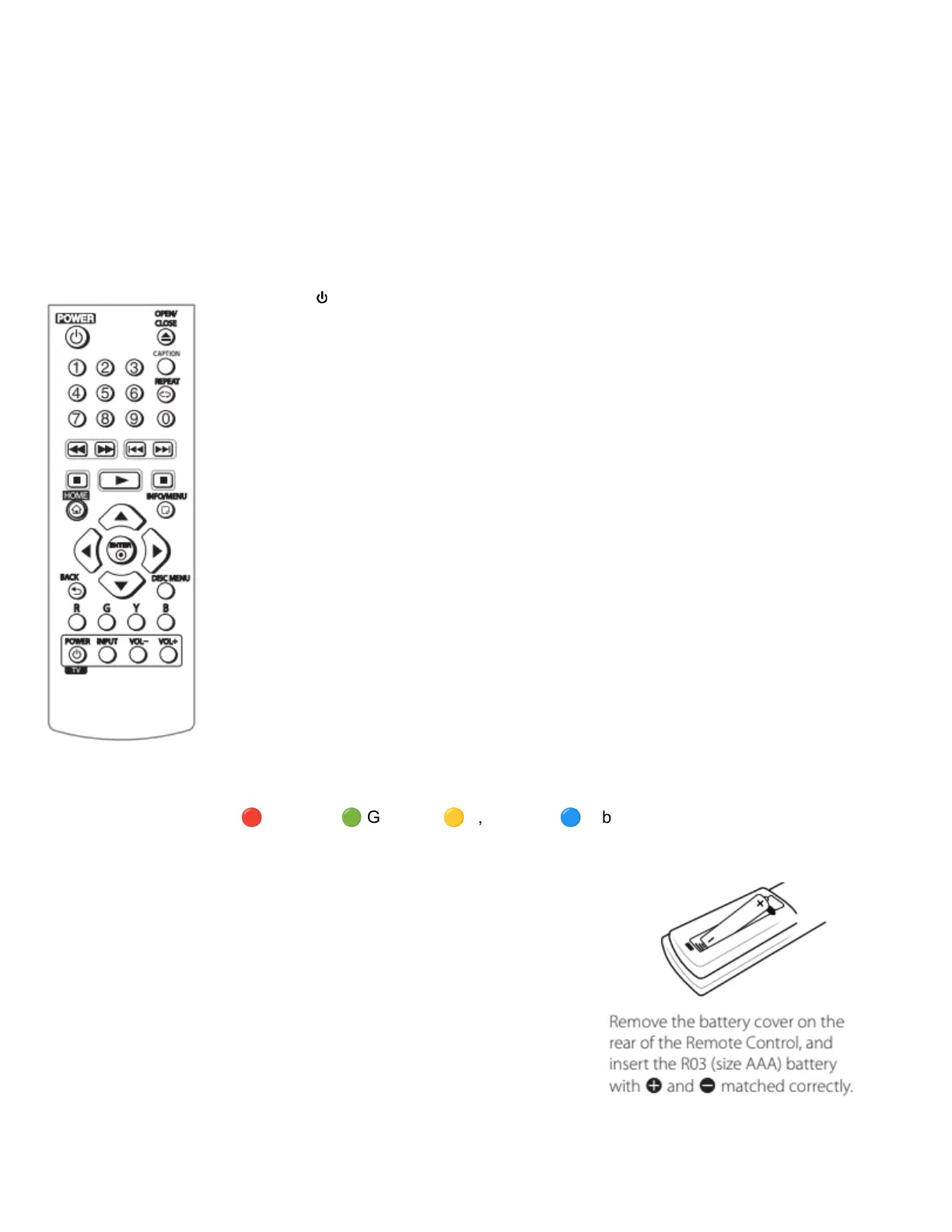
Remote control buttons
● POWER - turn the player on or off
● OPEN/CLOSE ⏏ - open/close the drive
● 0-9 - Selects numbered options in a menu
● CAPTION - Turns on or off closed caption functions when available
● REPEAT - Repeats a desired section/sequence
● << - rewind
● >> - fast forward
● |<< - skip back
● >>| - skip forward
● || - pause (just above HOME, otherwise perfect picture has wrong icon there)
● > - play
● ■ - stop
● ⌂ HOME - Displays the home menu
● INFO/MENU - Displays or exits on-screen information
● directional pad (d-pad) buttons - select options, navigate all system
and disc menus - selected options will likely be colored or highlighted
● ENTER ⦿ - once you’ve selected an option, press this button to confirm your
choice and play content or enter sub-menus
● BACK - go back a level in menus
● DISC MENU - Exit out of playing content or menu sections to go back to the menu of a disc.
● Colored Red
🔴
R, Green
🟢
G, Yellow
🟡
Y, and Blue
🔵
B buttons - Use these buttons to
navigate Blu-Ray disc menus, they may also be used as shortcut buttons for specific menus.
Battery installation
Do not play with the battery tray cover on the back of the
remote. One AAA battery is installed. If it runs out of power,
you can replace the battery.



 To Next Page