Unskippable sections of DVD and Blu-Ray discs
Player remote control buttons like >> and >>| sometimes allow you to fast forward/skip through
content on discs. Manufacturers of major motion picture movie discs can prevent this in some
situations. If you see ⊘ that means these features are disabled at the current time. Unskippable
content will play, and then the disc will automatically move on to the next video content or disc
menu section.
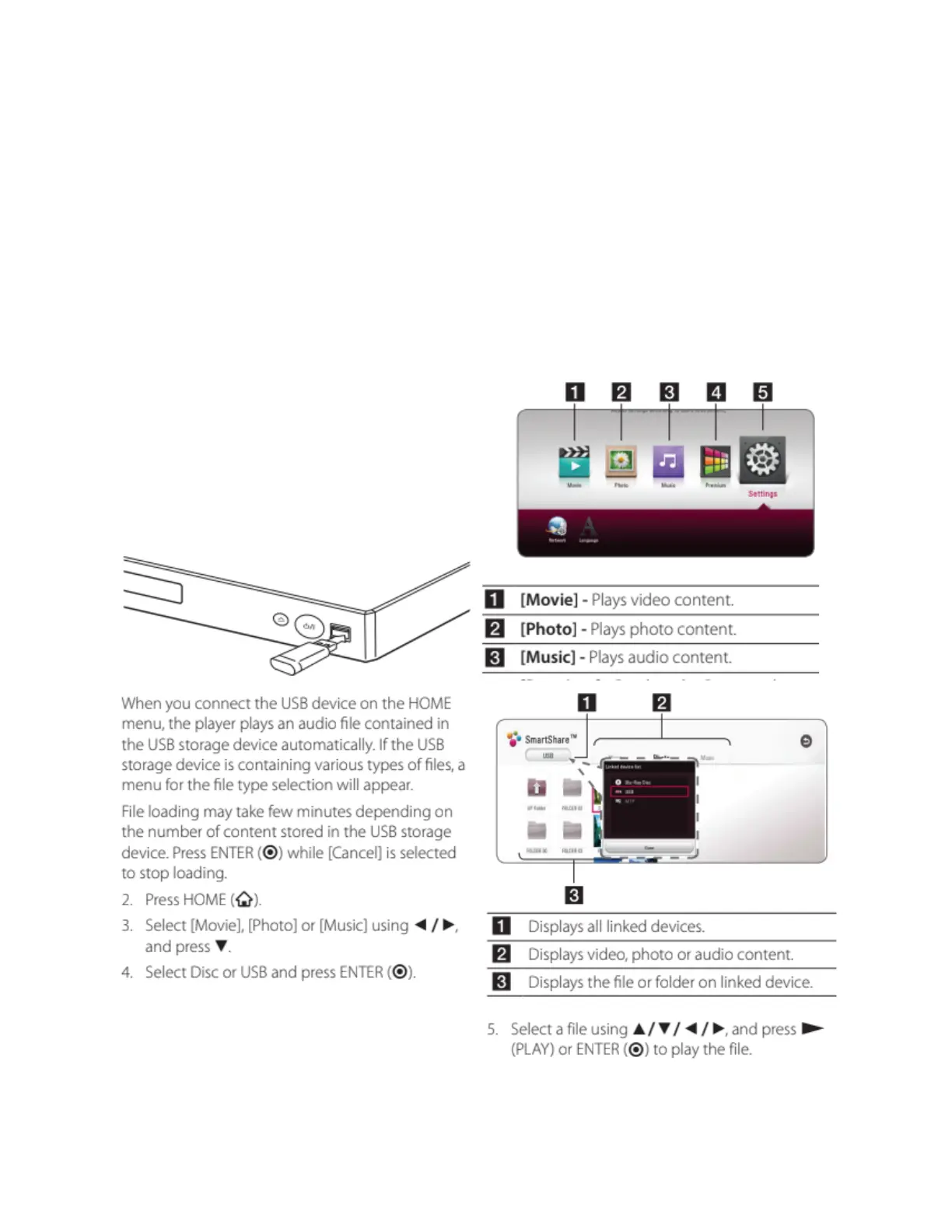
Using the USB-A plug
Connect a USB-A flash drive or hard drive to the front right USB-A plug.
Use the remote control ⌂ HOME button to get to the main menu of the player. Select the type of
media using the remote control, browse through flash drive/hard drive folders and select
something to view/play. Press BACK or ⌂ HOME to exit out.



 To Next Page