Power off and safely unplug
First make sure to remove any discs inserted.
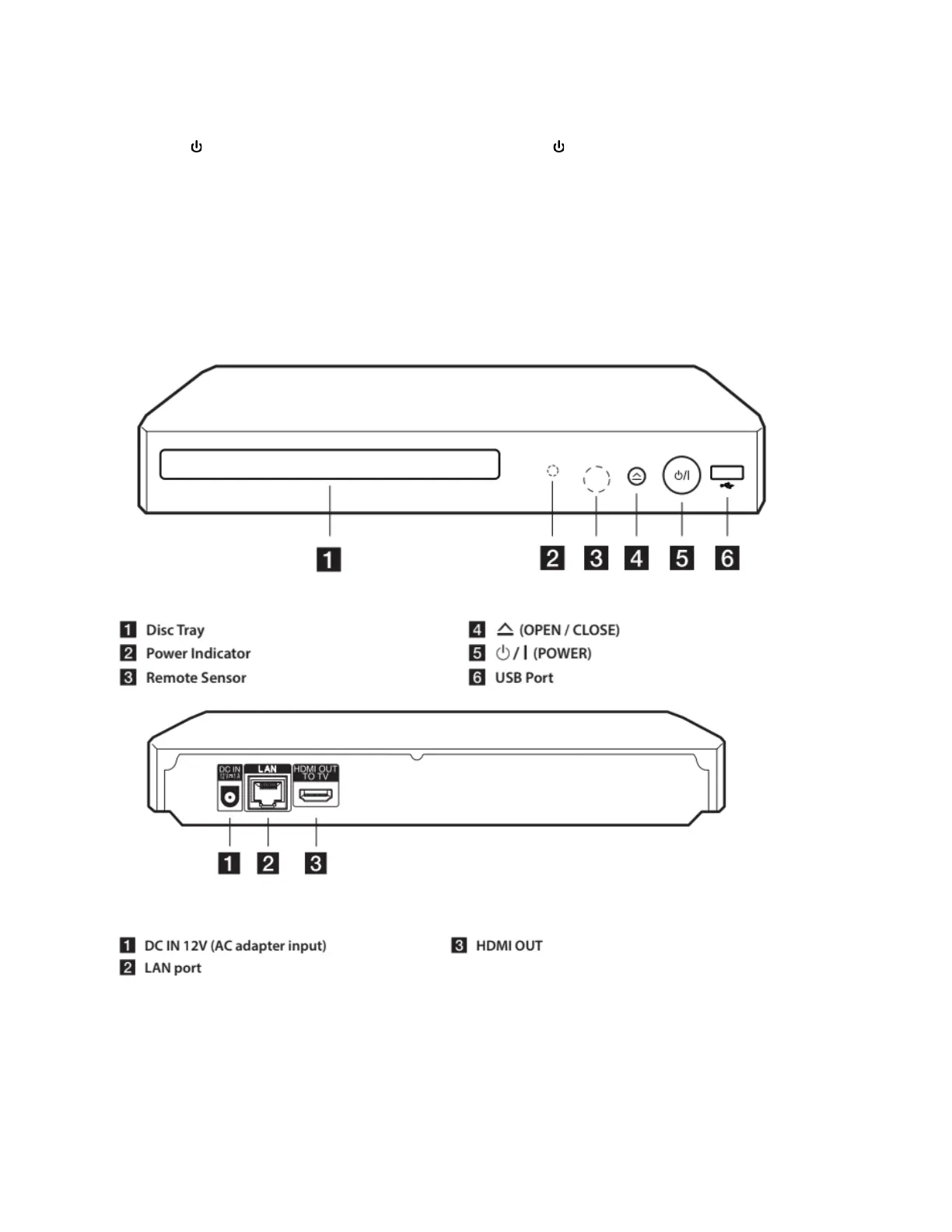
Press the /I button on the front right of the player, or the (power) button on the remote
control.
The green light between the Blu-Ray/DVD drive and the ⏏ (eject) button should turn off.
Once the player stops making noise and the green light is off, you can safely unplug either end
of its power adapter.
Diagrams



 To Previous Page