This document provides a troubleshooting guide for a home entertainment system, likely consisting of a TV, a home theater system (possibly a Blu-ray/DVD player), and a sound bar. It addresses common issues related to device interaction, video playback, system locking, overheating, and audio connectivity.
Function Description
The device described appears to be a home entertainment system that integrates a TV, a home theater unit (which includes a Blu-ray/DVD player), and a sound bar. The core functions revolve around:
- Integrated Control: The system supports "Simple Link" functionality, allowing the TV and home theater to power on/off simultaneously. This suggests a degree of interconnectedness for streamlined operation.
- Video Playback: The system is capable of playing video files, specifically DivX files (AVI, DVIX, MPG, MPEG) with various codecs (DVIX3.xx, DIVX4.xx, DIVX5.xx, DIVX6.xx). It has specific resolution limitations for playback.
- Audio Playback: It supports common audio formats such as Dolby Digital, DTS, and MP3. The sound bar component is designed to enhance the audio experience, connecting to the TV for sound output and also supporting Bluetooth connectivity for mobile devices.
- Parental Control/Lock System: A "Lock System" feature is implemented to restrict access to unsuitable TV channels or content based on TV ratings. This system requires a password for access and configuration.
- Bluetooth Connectivity: The sound bar can connect wirelessly to mobile phones via Bluetooth, enabling audio streaming from the phone to the sound bar.
Usage Features
The guide outlines several usage features and how to manage them:
- Synchronized Power Control (Simple Link): Users can enable or disable "Simple Link" on their TV to control whether the home theater system powers on and off with the TV. This offers convenience for integrated use but can be disabled if independent control is preferred.
- Video Resolution Management: The system has a specific video resolution limitation (720x576 and below). Users need to be aware of this when playing video files, as higher resolutions may cause playback issues. The guide suggests that video/music should be purchased through legitimate routes, implying a focus on standard, compatible content.
- Supported File Formats: The system supports specific DivX video files (AVI, DVIX, MPG, MPEG) and audio formats (Dolby Digital, DTS, MP3). Users should ensure their media files are in these compatible formats for successful playback.
- Parental Lock System: The "Lock System" allows users to set a password and configure TV ratings to restrict access to certain content. This is a crucial feature for households with children, enabling control over what content can be viewed. The system provides clear steps for accessing and configuring this lock, including password entry and setting ON/OFF status.
- Sound Bar Connectivity:
- TV Connection: The sound bar can connect to the TV via an OPTICAL cable. For TVs with "LG Sound Sync," the connection process involves selecting "Sound Out Speaker" and "LG Sound Sync. (Optical Digital)" in the TV's sound menu, which automatically sets the sound bar's input mode. For TVs without "LG Sound Sync," users manually set the sound bar's input mode to "OPTICAL" using its remote control.
- Bluetooth Connection: The sound bar can be paired with mobile phones. This involves setting the sound bar to Bluetooth mode ("BT READY"), then searching for and selecting "LG SOUND BAR" on the mobile phone's Bluetooth settings. Once paired, "PAIRED" appears on the sound bar display, and music can be streamed directly.
- Troubleshooting Guidance: The manual provides clear, step-by-step instructions for troubleshooting common issues, such as:
- Resolving synchronized power issues by turning off "Simple Link."
- Addressing video playback problems by checking resolution and file formats.
- Managing the "Lock System" for parental control or when buttons are unresponsive.
- Fixing sound bar connectivity issues by checking cable connections and input modes.
Maintenance Features
The document touches upon maintenance aspects related to the device's performance and longevity:
- Overheating Prevention: The guide explicitly warns against covering the product and emphasizes the need for adequate air circulation to prevent overheating. This is a critical maintenance tip to ensure the device's long-term reliability and prevent damage.
- Sound Bar Initialization: If the sound bar's buttons are unresponsive or it's not producing sound, a factory reset (initialization) procedure is provided. This involves a specific button combination on the unit and remote control to reset the sound bar, indicated by "E2P CLR" on the display. This feature allows users to restore the sound bar to its default settings, potentially resolving software-related glitches.
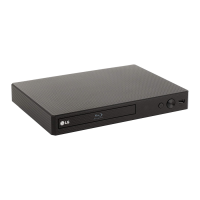
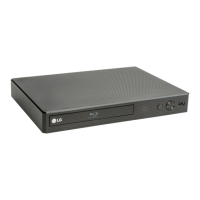
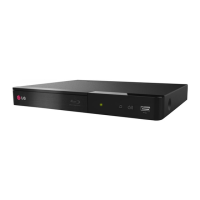
- Checking Button Functionality: If buttons on the DVD/Blu-Ray Player are not working, the guide directs users to check the "Lock System." This implies that the lock system might disable physical controls, and disabling it could resolve the issue. This is a maintenance check related to system configuration rather than physical repair.
Overall, the document serves as a practical guide for users to operate, troubleshoot, and maintain their home entertainment system, focusing on common issues and their resolutions through clear, actionable steps.

 Need help?
 General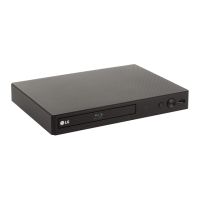

 To Next Page