EasyManua.ls Logo

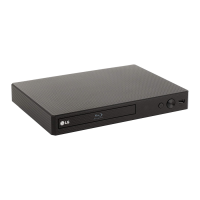
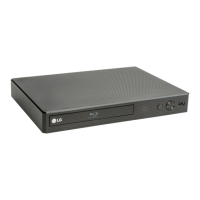
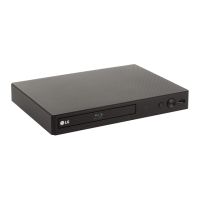
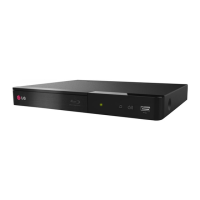
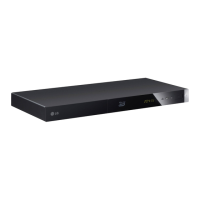
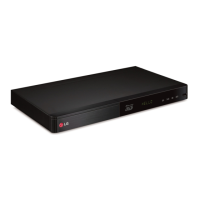
LG BP250 - User Manual

LG BP250
8 pages
Print Icon
To Next Page IconTo Next Page
Loading...
To view the instructions of advanced features,
visit http://www.lg.com and then download Owner’s Manual.
Some of the content in this manual may differ from your unit.
BP250
SIMPLE MANUAL
Powerful Playability
Blu-ray Disc™ /
DVD Player
www.lg.com
ENGLISH
*MFL68819792*

Other manuals for LG BP250

Questions and Answers

  • R
    roymarkAug 13, 2025
    Why is my LG BP250 remote control not working?
    • C
      Charles LindseyAug 13, 2025
      The remote control may not be pointed at the remote sensor of the unit, or it might be too far away. Ensure there are no obstacles blocking the path between the remote and the unit. Also, the batteries in the remote control might be exhausted.
  • D
    Dale CervantesAug 17, 2025
    What to do if my LG Blu-ray Player does not start playback?
    • U
      udiazAug 17, 2025
      First, make sure you've inserted a playable disc, checking its type, color system, and regional code. Place the disc with the playback side down, correctly inside the guide on the disc tray. Clean the disc if necessary. Also, check if the Rating function is enabled; if so, cancel it or change the rating level.
  • J
    Jennifer LeAug 21, 2025
    How to reset LG Blu-ray Player when it won't turn on or off?
    • B
      Brittany ScottAug 21, 2025
      You can reset the unit by unplugging the power cord, waiting at least five seconds, and then plugging it back in.
  • A
    Alexander HallAug 25, 2025
    Why is my USB storage device not recognized by my LG BP250?
    • N
      nicholasramirezAug 26, 2025
      Try using a different USB cable, as some cables might not provide enough current. Avoid using USB extension cables or USB hubs, as they can prevent recognition. Note that the unit does not support USB devices requiring additional program installation on a computer. This unit only supports USB Flash Drives and USB External HDDs with FAT32 or NTFS format.
  • P
    Peter KennedyAug 28, 2025
    What to do if there is no picture on my LG BP250?
    • A
      Alyssa StewartAug 29, 2025
      First, select the correct video input mode on your TV. Make sure the video connection is secure. Verify that the HDMI Color Setting in the Settings menu is set appropriately for your video connection. Your TV might not support the current resolution; try changing it to one your TV accepts. Also, the player’s HDMI OUT jack may be connected to a DVI device that does not support copyright protection.
  • R
    robinsonericSep 1, 2025
    Why can't my LG BP250 play video, photo, or audio files?
    • E
      Eric HowellSep 1, 2025
      The files might not be recorded in a format that the unit can play. Alternatively, the unit may not support the codec of the video file.
  • K
    Keith WalkerSep 5, 2025
    Why picture noise appears on my LG BP250?
    • J
      Jonathan MurraySep 5, 2025
      You might be playing a disc recorded in a color system different from your TV. Also, set the resolution which your TV accepts.
  • E
    Ellen LopezSep 8, 2025
    Why the angle cannot be changed on my LG Blu-ray Player?
    • T
      Terrance HillSep 9, 2025
      Multi-angles are not recorded on the DVD Video being played.

LG BP250 Specifications

General IconGeneral
Depth195 mm
Width270 mm
Height43 mm
Weight830 g
Full HDYes
Device typeBlu-Ray player
Ethernet LANNo
Product colorBlack
Audio decodersDolby Digital, Dolby Digital Plus, Dolby TrueHD, DTS, DTS 2.0, DTS-HD Master Audio
Disc types supportedBD, BD-R, BD-RE, BD-ROM, CD, CD-R, CD-RW, DVD, DVD+R, DVD+RW, DVD-R, DVD-ROM, DVD-RW
Playback disc formatsBlu-Ray audio, Blu-Ray video, CD audio
Supported video modes1080p
Card reader integrated-
USB 2.0 ports quantityUSB 2.0 ports have a data transmission speed of 480 Mbps, and are backwards compatible with USB 1.1 ports. You can connect all kinds of peripheral devices to them.
Audio formats supportedAAC, FLAC, LPCM, MP3, WMA
Image formats supportedGIF, JPG, PNG
Video formats supportedAVC, H.264, MKV, MPEG1, MPEG2, MPEG4, VC-1, XVID
Analog signal format systemNTSC, PAL
Power consumption (standby)0.5 W
Power consumption (typical)12 W
Consumer Electronics Control (CEC)SimpLink
Audio output channels2.0 channels

Related product manuals