EasyManua.ls Logo

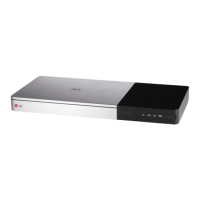
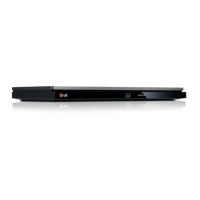
LG BP740D - User Manual

LG BP740D
2 pages
Print Icon
To Next Page IconTo Next Page
Loading...
中文 | 簡短說明
要檢視進階功能的指示,請瀏覽 http://www.lg.com
並下載使用說明書。 本說明書的部分內容可能會
跟您的播放器有差異。
ENGLISH | SIMPLE MANUAL
To view the instructions of advanced features,
visit http://www.lg.com and then download Owner’s
Manual. Some of the content in this manual may differ
from your unit.
+
+
-
-
a
將電池裝入遙控器,接通裝置的電源。
Put batteries into the remote control and turn on the unit.
b
WHEEL
按下 Wheel (2) 按鈕。
Press Wheel (
2) button.
c
輕輕搖動遙控器,以使指示器顯示於螢幕上。
Shake the remote control to make a pointer appear on
the screen.
TV
電視連接 (HDMI 輸出)
TV Connection (HDMI OUT)
如何註冊魔力遙控器
How to register the Magic remote control
確認 LAN 線已插入電源或無線路由器已開啟。
Make sure that LAN cord is plugged or wireless router
is on.
依照螢幕上所顯示初始设定的指導進行操作。
Follow the directions for the initial setup displayed on
the screen.
初始设置
Initial Setup
使用 HOME 功能表
Using HOME menu
a
顯示 SmartShare 功能表。
Displays SmartShare menu.
b
顯示高階主頁畫面。
Displays the Premium Home screen.
c
顯示本機的 LG Apps 標題。
Displays LG Apps titles provided to the unit.
d
顯示 [ 我的應用程式 ] 畫面。
Displays the [My Apps] screen.
e
調整系統設定。
Adjusts the system settings.
a b c d e
c
b
示所有的連結裝置。
Displays all linked devices.
取視訊、相片或音訊內容。
Selects video, photo or audio content.
示連結裝置中的檔案或資料夾。
Displays the le or folder on linked device.
a
光碟,數據播放
Disc, Data Playback
大部分音訊 CD、BD-ROM 及 DVD-ROM 光碟均會自動播放。
For the most Audio CD, BD-ROM and DVD-ROM discs, playback starts automatically.
,
支援 MTP 的裝置
Device that support MTP
無線網路連接
Wireless Network Connection
有線網路連接
Wired Network Connection
存取
Access Point
纜線數據機
Cable Modem
存取
Access Point
纜線數據機
Cable Modem
a
a
b
檢查網路連接與設定。
Check the network connection and settings.
在支援索引標籤中下載 SmartShare PC 軟體並
安裝。
Download SmartShare PC software on the support
tab and install it.
執行此程式,並設定您需要的共享資料夾。
Run the program, and set the share folder you
want.
由器
Router
http://www.lg.comhttp://www.lg.com
BP740
b
a
cb
網路播放
Network Playback
SmartShare PC 軟體安裝
SmartShare PC software Installation
網絡 3D
Blu-ray Disc™/
DVD 播放器
BP740
www.lg.com
SmartShare 網路播放
SmartShare Network Playback
HDMI Cable
BP740-P.BHKGLLK_SIM_MFL.indd 1 2014-06-03  12:08:33

Questions and Answers

  • S
    Scott MorrisSep 23, 2025
    Why can't my LG Blu-ray disc/ DVD player play certain files?
    • H
      hollowayjosephSep 23, 2025
      If your LG Blu-ray disc/DVD player cannot play movie, photo, or music files, it is because the files are not recorded in a format that the unit can play, or the unit does not support the codec of the movie file.
  • A
    Alexander RoblesAug 23, 2025
    What to do if my LG BP740D is plugged in but the power will not turn on or off?
    • D
      David PerezAug 23, 2025
      If your LG Blu-ray Player is plugged in but won't turn on or off, you can reset the unit. Unplug the power cord, wait at least five seconds, and then plug it back in.
  • E
    Emily GoodwinAug 25, 2025
    Why won't my LG Blu-ray Player start playback?
    • J
      john72Aug 26, 2025
      If your LG Blu-ray Player doesn't start playback, make sure you've inserted a playable disc, checking its type, color system, and regional code. Place the disc with the playback side down, correctly on the disc tray inside the guide. Ensure the disc is clean. Also, cancel the Rating function or change the rating level if it's enabled.
  • M
    Mark JacksonAug 26, 2025
    Why is the connected USB storage device not recognized by my LG Blu-ray Player?
    • P
      paul17Aug 27, 2025
      If your LG Blu-ray Player isn't recognizing the connected USB storage device, try using a different USB cable, as some cables may not support enough current. If you're using a USB extension cable or USB HUB, the USB devices may not be recognized. Note that USB devices requiring additional program installation when connected to a computer are not supported. This unit only supports USB Flash Drives and USB External HDDs with FAT32 or NTFS format.
  • B
    brichardsAug 27, 2025
    Why is my LG Blu-ray disc/ DVD player remote control not working?
    • N
      nmillerAug 27, 2025
      If your LG Blu-ray disc/DVD player's remote control isn't working, ensure it's pointed at the unit's remote sensor and is within range. Check for any obstacles blocking the path between the remote and the unit. Also, verify that the batteries in the remote control are not exhausted.
  • C
    Christian MillerSep 16, 2025
    Why is BD-Live not working on my LG Blu-ray disc/ DVD player?
    • M
      mossemilySep 16, 2025
      If the BD-Live feature does not work on your LG Blu-ray disc/DVD player: * Ensure the connected USB storage has at least 1GB of free space. * Verify the unit is correctly connected to the local area network and can access the internet. * Your broadband speed may not be fast enough. * Check that the [BD-LIVE connection] option in the [Settings] menu is set to [Permitted].
  • M
    Michelle GravesSep 13, 2025
    Why is my USB storage device not recognized by my LG Blu-ray disc/ DVD player?
    • P
      Patricia EllisSep 13, 2025
      If your LG Blu-ray disc/DVD player doesn't recognize the connected USB storage device: * Try using a different USB cable, as some cables may not support enough current. * Avoid using USB extension cables or USB hubs, as they can prevent recognition. * Note that the unit does not support USB devices requiring additional program installation on a computer. * Ensure your USB device is a USB Flash Drive or USB External HDD with FAT32 or NTFS format.
  • J
    Jonathan AndersonSep 15, 2025
    Why are media servers not showing up on my LG Blu-ray disc/ DVD player?
    • G
      George LaneSep 15, 2025
      If media servers are not displayed on the device list of your LG Blu-ray disc/DVD player: * Ensure that the firewall or anti-virus software on your media server is turned off. * Verify that the player is connected to the same local area network as your media server.
  • N
    Nicholas RogersSep 5, 2025
    How to fix LG BP740D media servers not displayed on the device list?
    • D
      David VargasSep 5, 2025
      If media servers are not displayed on the device list of your LG Blu-ray Player, the firewall or anti-virus software on your media server might be running. Turn off the firewall or anti-virus software. Also, the player may not be connected to the local area network that your media server is connected to.
  • S
    Sandy CurrySep 3, 2025
    How to fix picture noise appearing on LG Blu-ray Player?
    • T
      Thomas RodriguezSep 3, 2025
      If picture noise appears on your LG Blu-ray Player, it may be because you are playing a disc recorded in a color system that is different from your TV. Also, set the resolution which your TV accepts.

LG BP740D Specifications

General IconGeneral
BrandLG
ModelBP740D
CategoryBlu-ray Player
LanguageEnglish

Related product manuals