EasyManua.ls Logo

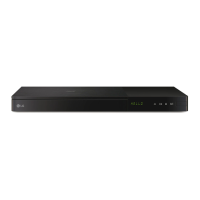
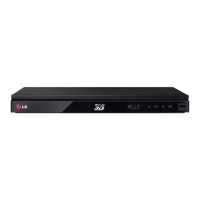
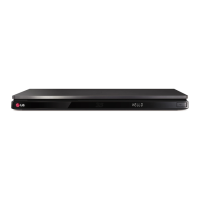
LG BP730 - User Manual

LG BP730
73 pages
Print Icon
To Next Page IconTo Next Page
Loading...
OWNER’S MANUAL
Smart 3D Blu-ray Disc
Player with Magic Remote
Please read this manual carefully before operating
your set and retain it for future reference.
BP730
P/NO : SAC35673402

Table of Contents

Questions and Answers

  • C
    Christopher SmithAug 18, 2025
    What to do if the remote control for my LG BP730 isn't working?
    • J
      jmatthewsAug 19, 2025
      If the remote control for your LG Blu-ray Player isn't working properly, consider the following: - Ensure that the remote control is pointed at the remote sensor on the unit. - Make sure the remote control is not too far from the unit. - Check for any obstacles blocking the path between the remote control and the unit. - Replace the batteries in the remote control if they are exhausted.
  • A
    amy56Aug 21, 2025
    What to do if my LG BP730 Blu-ray Player won't start playback?
    • T
      travis39Aug 21, 2025
      If your LG Blu-ray Player doesn't start playback, try the following: - Insert a playable disc, ensuring it's the correct type, colour system, and regional code. - Insert the disc with the playback side facing down. - Clean the disc. - Cancel the Rating function or change the rating level.
  • R
    Richard KentAug 23, 2025
    What to do if my LG BP730 Blu-ray Player is plugged in but won't turn on or off?
    • J
      Joseph PhillipsAug 23, 2025
      To reset your LG Blu-ray Player, unplug the power cord, wait at least five seconds, and then plug it back in.
  • A
    Andre ColeAug 26, 2025
    Why is my USB storage device not recognized by my LG Blu-ray Player?
    • M
      Marissa HillAug 26, 2025
      If your connected USB storage device is not recognized by your LG Blu-ray Player: - Try using a different USB cable, as some cables may not support enough current. - Avoid using USB extension cables or USB hubs. - Ensure you are using a USB Flash Drive or USB External HDD with FAT32 or NTFS format. Note that USB devices requiring additional program installation are not supported.
  • C
    Christopher SnyderAug 28, 2025
    Why are streaming video services buffering on my LG Blu-ray Player?
    • K
      Kelly AlvarezAug 28, 2025
      Buffering during playback of streaming video services on your LG Blu-ray Player may occur if your broadband service speed isn't fast enough. It's recommended to contact your Internet Service Provider (ISP) to increase your broadband speed.
  • R
    Rebecca BlackwellAug 30, 2025
    Why is there no picture on my LG BP730 Blu-ray Player?
    • J
      jreedAug 30, 2025
      If there is no picture from your LG Blu-ray Player, try the following: - Select the appropriate video input mode on the TV. - Ensure the video connection is securely connected. - Verify the [HDMI Color Setting] in the [Settings] menu is correctly set. - Change the resolution to one that your TV supports. - Note that if the player’s HDMI OUT jack is connected to a DVI device that does not support copyright protection, there may be no picture.
  • R
    Rodney NashSep 1, 2025
    Why is the BD-Live feature not working on my LG BP730 Blu-ray Player?
    • H
      Hannah McgeeSep 2, 2025
      If the BD-Live feature isn't working on your LG Blu-ray Player: - Ensure the connected USB storage has at least 1GB of free space. - Verify the unit is correctly connected to the local area network and can access the internet. - Check that your broadband speed is sufficient; consider contacting your ISP to increase it. - Confirm that the [BD-LIVE connection] option in the [Settings] menu is set to [Permitted].
  • B
    Brandon MatthewsSep 3, 2025
    Why are media servers not displayed on the device list of my LG BP730?
    • E
      Edward JohnsonSep 3, 2025
      If media servers are not displayed on the device list of your LG Blu-ray Player: - Turn off the firewall or anti-virus software running on your media server. - Ensure the player is connected to the same local area network as your media server.
  • L
    lindahubbardSep 6, 2025
    Why does picture noise appear on my LG BP730?
    • P
      peter80Sep 6, 2025
      Picture noise on your LG Blu-ray Player may appear if: - You are playing a disc recorded in a colour system different from your TV. - The resolution is not supported by your TV. Set the resolution to one that your TV accepts.
  • Y
    ybakerSep 8, 2025
    Why can't I play movie, photo, or music files on my LG Blu-ray Player?
    • J
      Jessica RodriguezSep 8, 2025
      You may not be able to play movie, photo, or music files on your LG Blu-ray Player if: - The files are not recorded in a format that the unit can play. - The unit does not support the codec of the movie file.

LG BP730 Specifications

General IconGeneral
TypeBlu-ray Player
3D PlaybackYes
Wi-FiYes
Smart FeaturesYes
USB PortYes
Dimensions430 x 230 x 45 mm
Smart TVYes
EthernetYes
HDMI OutputYes
Digital Audio Output (Optical)Yes
Output ResolutionUp to 1080p
Disc TypesBD, DVD, CD
Video OutputHDMI
Audio OutputHDMI, Optical
Video UpscalingYes
Audio DecodingDolby Digital, DTS

Related product manuals