EasyManua.ls Logo

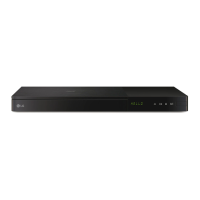
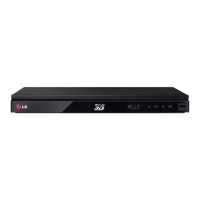
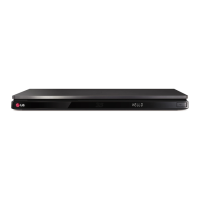
LG BP730 - User Manual

LG BP730
73 pages
Print Icon
To Next Page IconTo Next Page
Loading...
OWNER’S MANUAL
Smart 3D Blu-ray Disc
Player with Magic Remote
Please read this manual carefully before operating
your set and retain it for future reference.
BP730
P/NO : SAC35673402

Table of Contents

Questions and Answers

  • R
    Robert Cook Jr.Sep 12, 2025
    Why is the access point not displayed on the “Access point name” list on my LG BP730 Blu-ray Player?
    • L
      lee71Sep 12, 2025
      If the access point is not displayed on the “Access point name” list on your LG Blu-ray Player: - Set your access point to broadcast its SSID through your computer, as it may not be broadcasting it. - Try setting the frequency range and channel on the network device setting.
  • C
    Charles DuncanSep 13, 2025
    Why can't the angle be changed on my LG Blu-ray Player?
    • J
      James YoungSep 13, 2025
      The angle cannot be changed on your LG Blu-ray Player because multi-angles are not recorded on the DVD Video being played.
  • L
    Logan HarrisSep 15, 2025
    Why is my LG Blu-ray 3D disc playback not outputting 3D views?
    • C
      Casey Gentry DDSSep 15, 2025
      If your LG Blu-ray 3D disc playback does not output 3D views: - Connect the player to your TV with an HDMI cable (Type A, High Speed HDMI™ Cable). - Ensure your TV supports “HDMI 3D mandatory format.” - Set the [3D Mode] option in the [Settings] menu to [On].

LG BP730 Specifications

General IconGeneral
TypeBlu-ray Player
3D PlaybackYes
Wi-FiYes
Smart FeaturesYes
USB PortYes
Dimensions430 x 230 x 45 mm
Smart TVYes
EthernetYes
HDMI OutputYes
Digital Audio Output (Optical)Yes
Output ResolutionUp to 1080p
Disc TypesBD, DVD, CD
Video OutputHDMI
Audio OutputHDMI, Optical
Video UpscalingYes
Audio DecodingDolby Digital, DTS

Related product manuals