Operating 45
Operating
4
Listening to music during slide
show
i
You can display photo les while listening to audio
les.
1. While viewing a photo in full screen, press INFO/
MENU (
m
) to display the option menu.
2. Select an [Option] using
a/d
, and press
Wheel ( )
.
3. Use
w/s
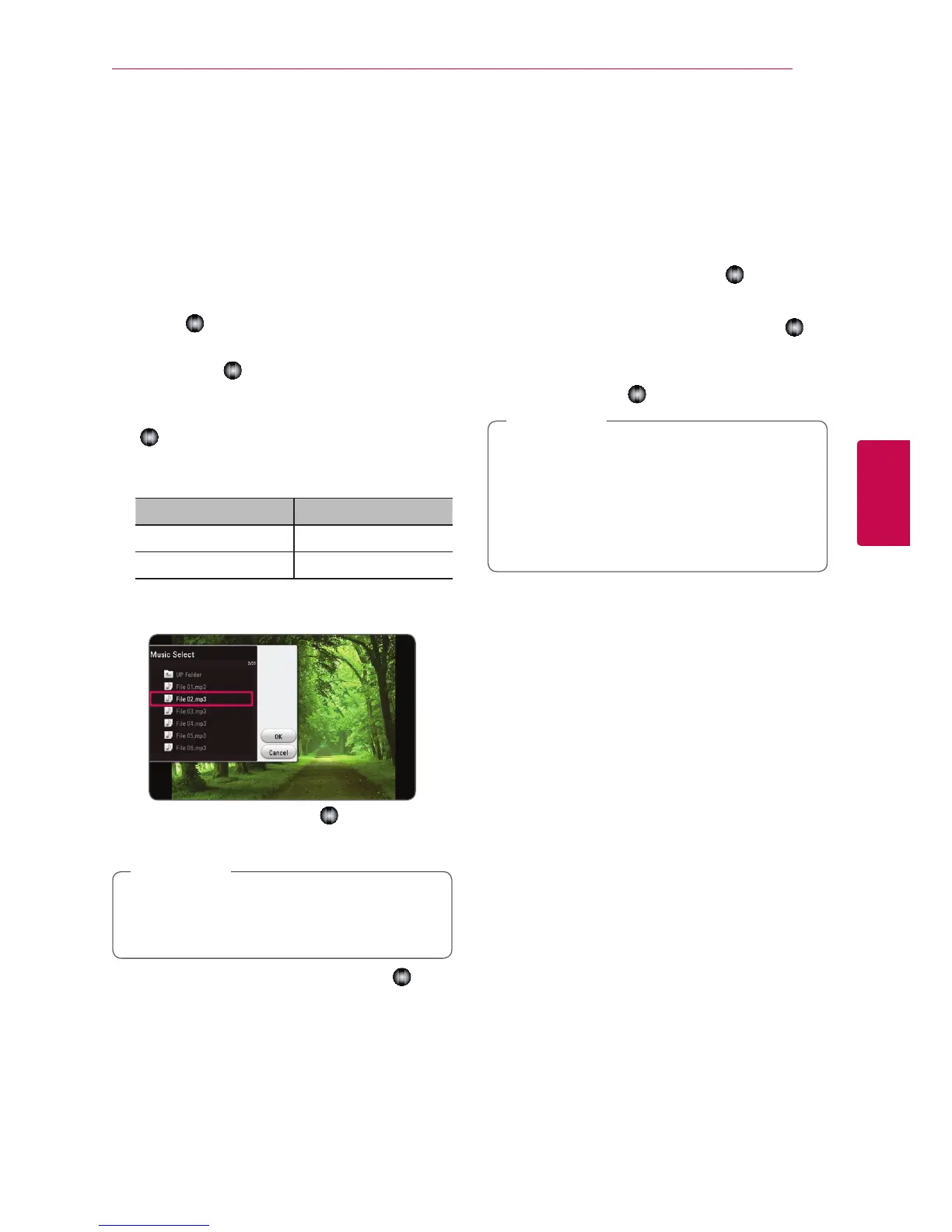
to select [Music Select] option, and
press
Wheel ( )
to display the [Music Select]
menu.
4. Use
w/s
to select a device, and press
Wheel
(
)
.
Available device may differ depending on the
location of the current photo file.
Photo location Available Device
Disc, USB Disc, USB
DLNA server DLNA server
5. Use
w/s
to select a file or a folder you wish to
play.
Select
g
and press
Wheel ( )
to display the
upper directory.
When selecting audio le from a server, folder
selection is not available. Only le selection is
available.
,
Note
6. Use
d
to select [OK], and press
Wheel ( )
to
complete music selection.
Converting 2D content to 3D
eroy
This function allows you to convert 2D content to
3D. You can adjust 3D’s depth and distance on the
[3D] option while playing back.
1. During playback, press INFO/MENU (
m
).
2. Select an [3D], and press
Wheel ( )
.
3. Use
w/s/a/d
to select desired options.
Select [Default] option then press
Wheel ( )
to
reset the all adjustments.
4. Use
w/s/a/d
to select the [Close] option,
and press
Wheel ( )
to nish setting.
y
When you have set to Ultra HD resolution,
if you select the [On] in [3D], the Ultra HD
resolution is automatically changed to the
original resolution.
y
Movie les which is upper 30 fps (frame
rate) may not be converted to 3D.
,
Note



 To Next Page