14
ENG
English
Using CLOUD Solution
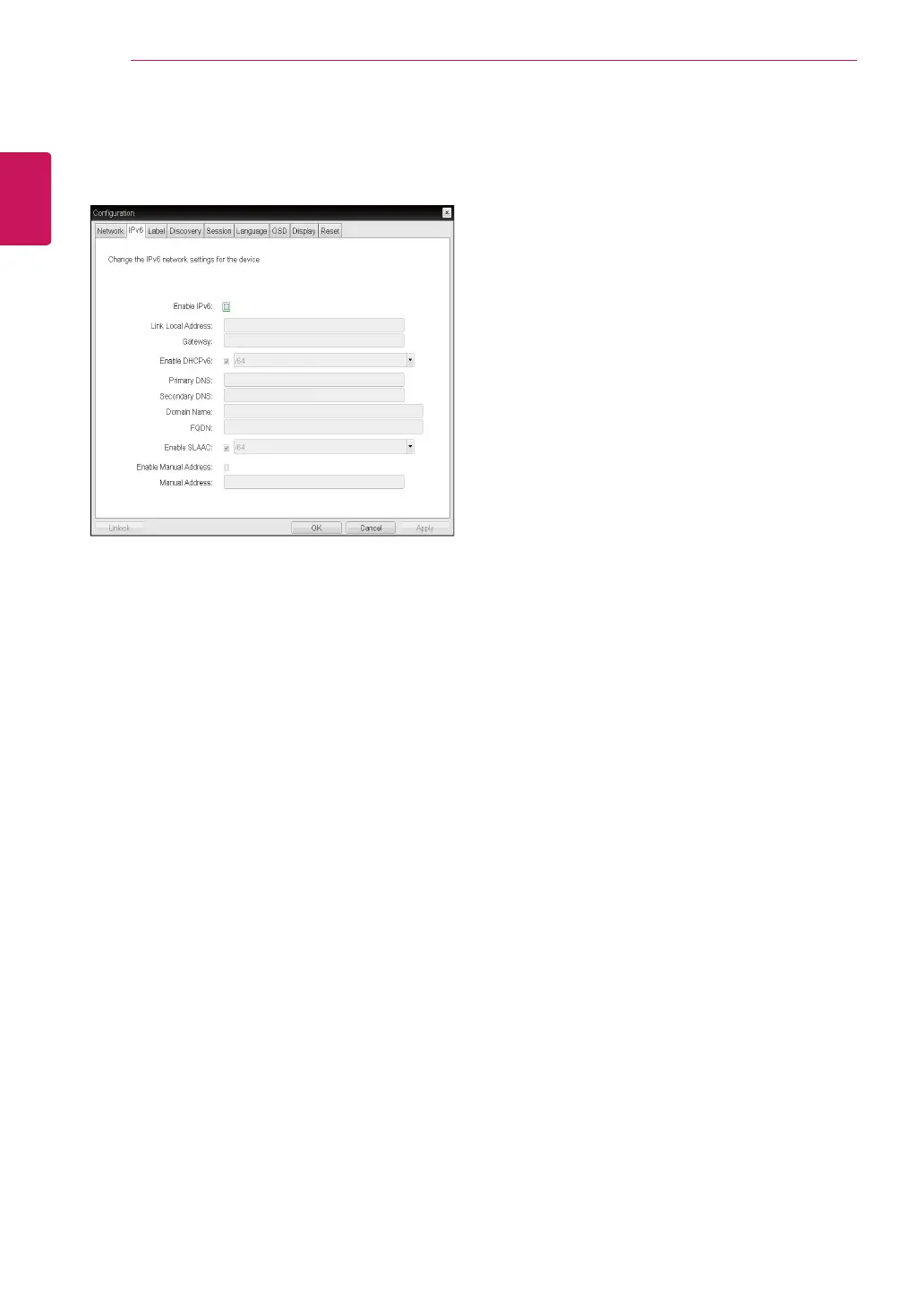
<Figure 2-8: IPv6 Configuration>
<IPv6> Tab
The IPv6 tab is used when the portal is connected
to the network configured with the IP v6.
y
Enable IPv6
If you select Enable IPv6, the portal in use can be
connected to the network configured with the IPv6.
y
Link Local Address
The Link Local Address field is automatically filled
with the IP address of a device.
y
Gateway
The Gateway field contains the gateway IP ad-
dress of the device. Enter the gateway address to
be used by a device.
y
Enable DHCPv6
To assign the Dynamic Host Configuration Protocol
version 6 (DHCPv6) of a device select the Enable
DHCPv6 field.
y
DHCPv6 Addresses
When DHCPv6 is enabled and the device restarts,
the server enters the device addresses automati-
cally.
y
Primary DNS Server
The Primary DNS Server field contains the pri-
mary DNS IP address of the device. This field is
optional. If DHCPv6 is enabled, this field cannot be
edited.
y
Secondary DNS Server
The Secondary DNS Server field contains the sec-
ondary DNS IP address of the device. This field is
optional. If DHCPv6 is enabled, this field cannot
beedited.
y
Domain Name
The Domain Name field contains the domain name
used, e.g. "domain local". This field is optional. It
specifies on which domain the host or portal oper-
ates.
y
FQDN
The FQDN field represents the Fully Qualified Do-
main Name of the host or portal. The default value
is PCoIP-host-MAC or PCoIP-portal-MAC, where
MAC is the MAC address of the host or portal. If
there is a domain name, it will be added to the
FQDN in the format of PCoIP-host-MAC.domain.
local.
y
Enable SLAAC
Select the Enable SLAAC field to use the stateless
auto-configuration of the device.
y
Enable Manual Address
Select the Enable Manual Address field to enter
the device address manually.
y
Manual Address
In the Manual Address field, enter the IP address
manually.



 To Next Page