6
ENG
English
Connecting LAN/Peripherals
CONNECTING LAN/PERIPHERALS
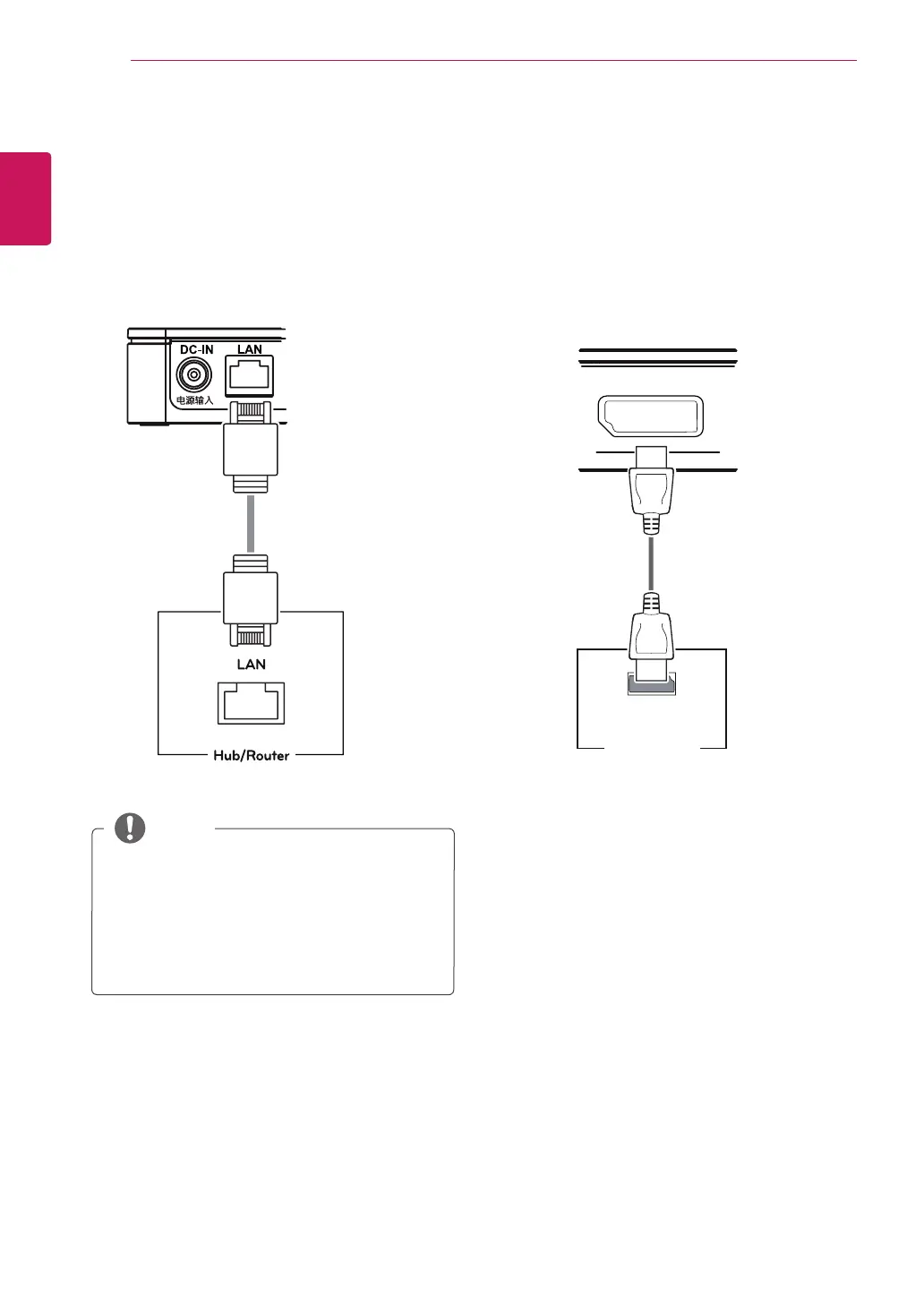
DisplayPort Connection
Transmits digital video signals to the monitor. Con-
nect the product using the DisplayPort cable as
illustrated below.
y
The LAN cable is sold separately.
y
The following LAN cable type can be used:
Standard: IEEE 802.3 ETHERNET
y
Connect the LAN cable and the peripheral de-
vices to use the CITRIX cloud monitor.
NOTE
LAN Connection
Connect the router or switch to the monitor using a
LAN cable as illustrated below.



 To Next Page