1-12
FOTA UPDATE STEP USING BT APP
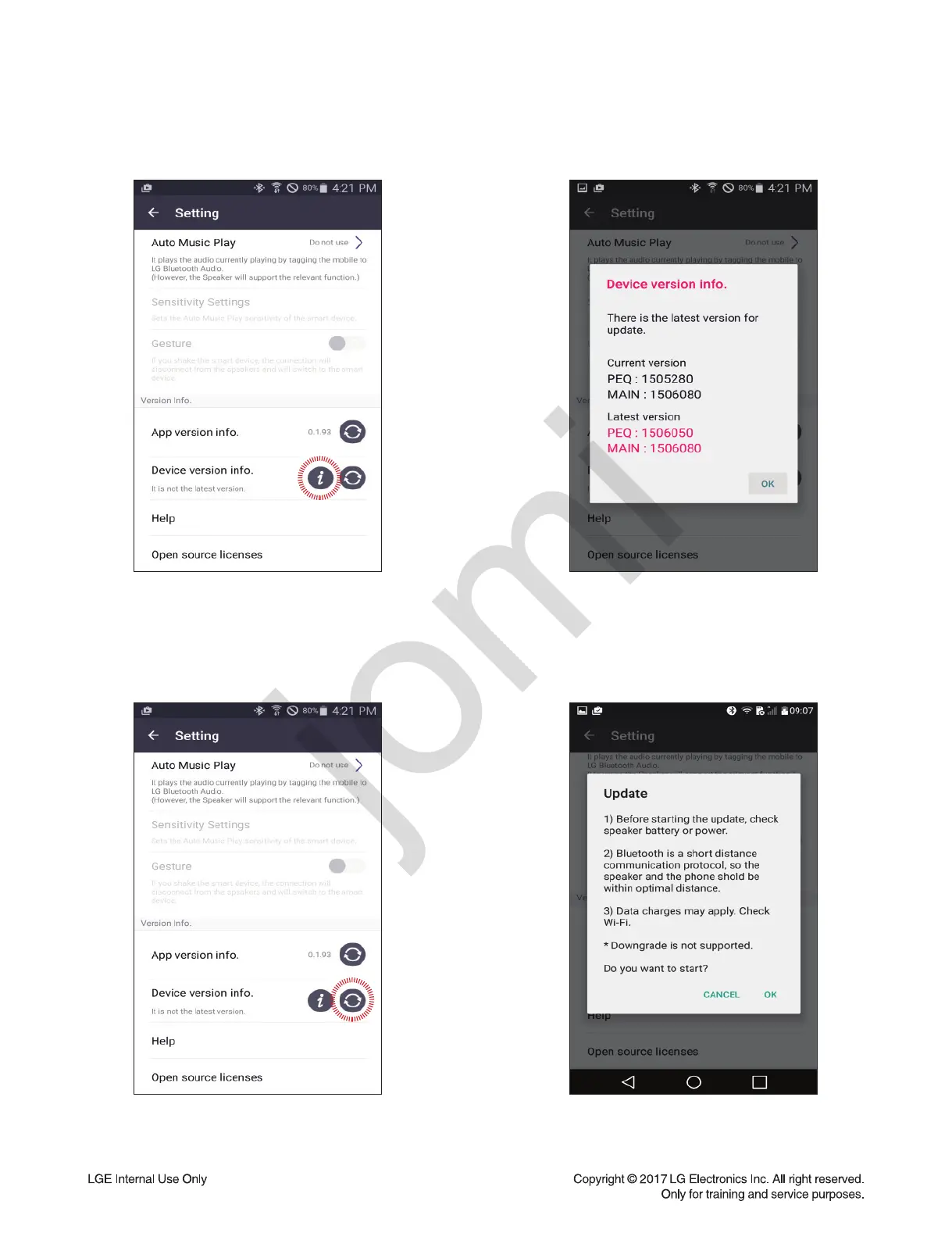
Step1 : App connecting
(Check FW version)
After connecting the BT App with SET,
the user could fi nd the “Device Version info” on
Setting tab.
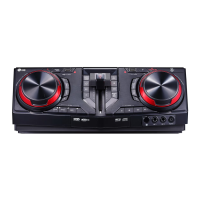
Step3 : Select update button
When touch the “Update” button, user could
update the SET fi rmware using FOTA.
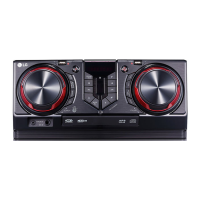
Step2 : Device version info
When touch the “Device Version info” button,
user could fi nd the current and latest SET
version on pop-up menu.
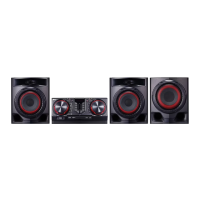
Step4 : Confi rm update
Select the OK button on the caution message.


 To Next Page