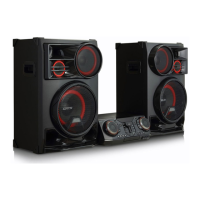
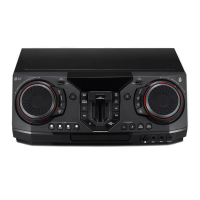
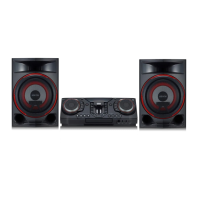
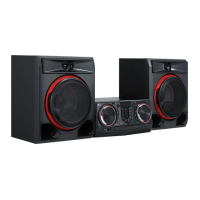
Why is there a humming noise while playing a DVD or CD on my LG Stereo System?
- RRobert HaydenSep 12, 2025
Clean the disc using a soft cloth with outward strokes. Also, try moving the unit and any other audio components further away from your TV.

Why is there a humming noise while playing a DVD or CD on my LG Stereo System?
Clean the disc using a soft cloth with outward strokes. Also, try moving the unit and any other audio components further away from your TV.
How to fix no speaker light on my LG Stereo System?
Check whether the speaker light cables are correctly connected to the unit. Also, check the speaker light effects by pressing LIGHTING on the unit.
How to exit DEMO mode on LG CLS65F?
Press the ‘DEMO’ key on the unit for 15 seconds.
| Brand | LG |
|---|---|
| Model | CLS65F |
| Category | Stereo System |
| Type | Mini Hi-Fi System |
| Audio Formats Supported | MP3, WMA |
| USB | Yes |
| Bluetooth | Yes |
| FM Radio | Yes |
| Remote Control | Yes |
| AUX Input | Yes |
| CD Player | Yes |
| Playable Disc Types | CD, CD-R, CD-RW |
Important precautions for safe operation, including electrical shock, laser, and ventilation.
Explains buttons, functions, input sources, and battery replacement.
Detailed descriptions of remote control buttons and their functions.
Guides on setting area code, rating, password for parental control.
Basic operations like stop, play, pause, skipping, and fast forward/reverse.
Displaying disc info, accessing menus, titles, and 1.5x speed playback.
Connecting, selecting, playing, skipping files, and repeat/shuffle modes.
Explanation of Bluetooth technology and compatible profiles.
Steps for pairing devices and playing music wirelessly.
Managing connections, volume, and troubleshooting Bluetooth playback.
Procedures for starting, stopping, and selecting bit rate for USB recording.
Common issues like no power, no picture, no sound, and their fixes.
Troubleshooting remote control and speaker light malfunctions.