Getting Started 13
Getting Started
1
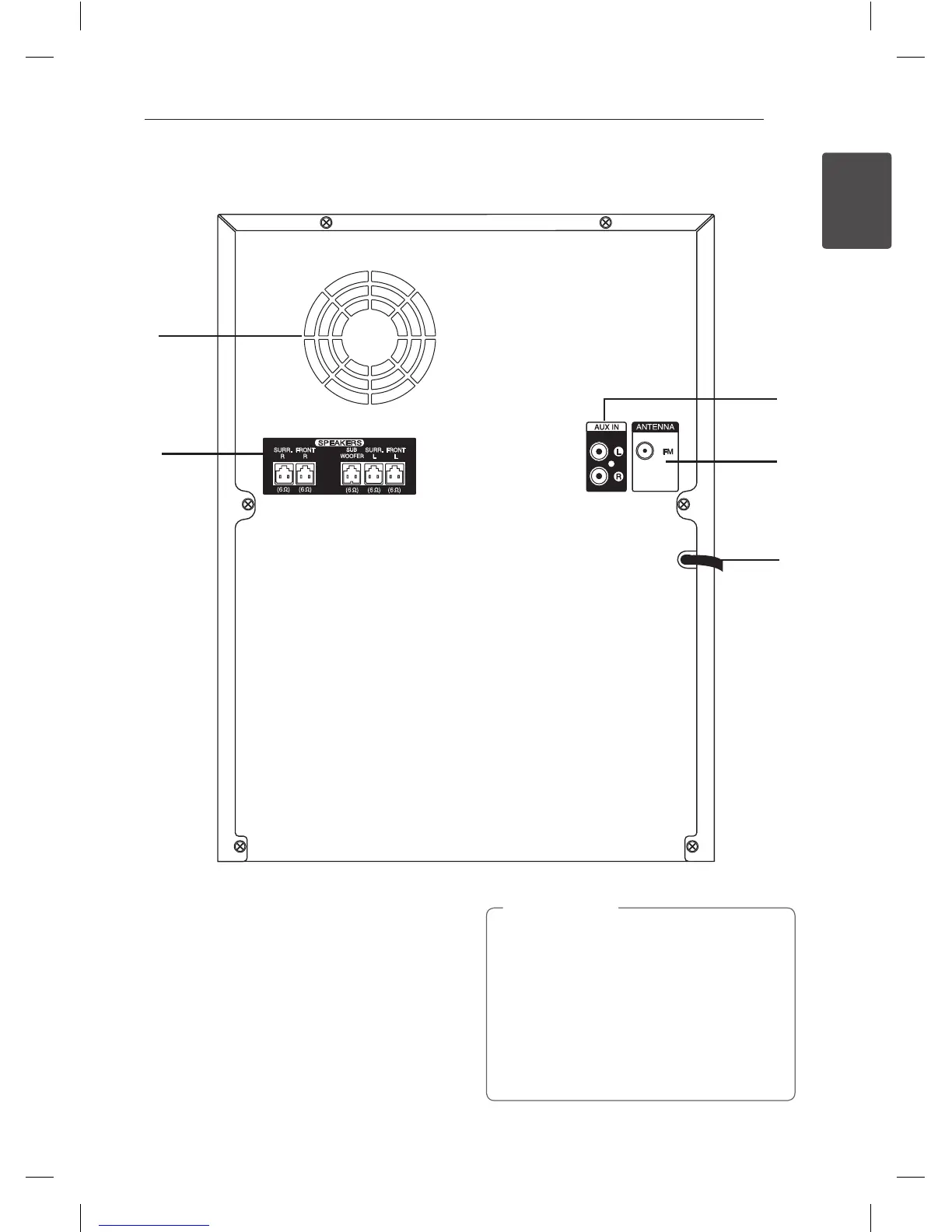
Rear panel (CM8440)
b
c
d
e
a
a
Cooling fan
b
Speakers connector
c
AUX IN connectors (L/R)
d
ANTENNA (FM)
e
Power cord
y
Connect the power cord to wall outlet
directly if possible. Or when you use an
extension cable, it is highly recommended
to use an extension cable of 110 V / 15 A
or 230 V / 15 A, otherwise the unit may not
operate properly because of the lack of
power supply.
y
Do not overload the extension cord with
excessive electrical load.
>
Caution
CM8440-FB_DUASLLC_ENG_7073.indd 13 2015-01-06 3:27:02


 To Next Page