Connecting 17
Connecting
2
Optional Equipment
Connection
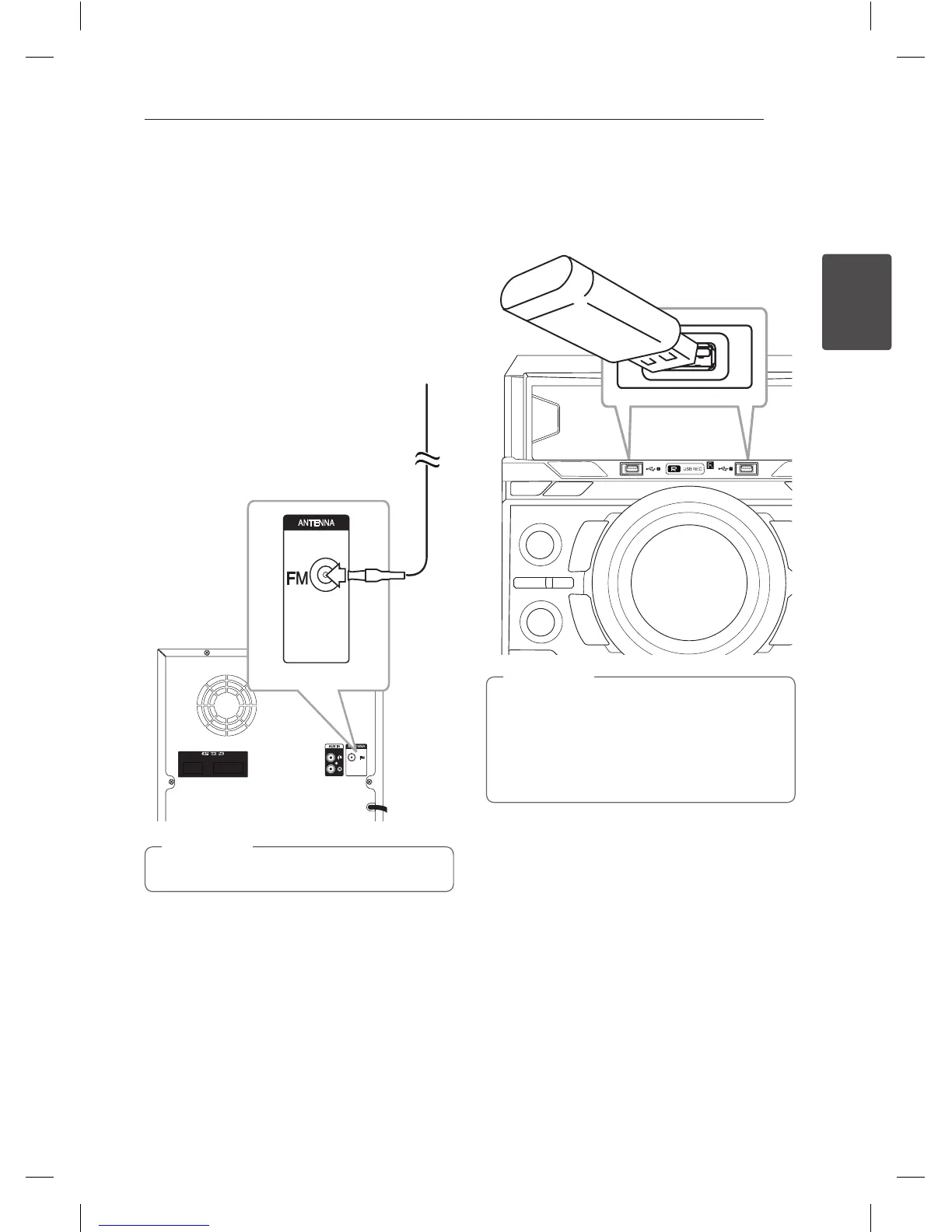
Antenna Connection
Connect the supplied FM antenna for listening to
the radio.
Connect the FM wire antenna to the FM antenna
connector.
Be sure to fully extend the FM wire antenna.
,
Note
USB Connection
Connect a USB device (or MP3 player, etc.) to the
USB ports on the unit.
Removing the USB device from the unit :
1. Choose a different function/mode or
press
Z
ENTER on the remote control
or
I
on the unit twice in a row.
2. Remove the USB device from the unit.
,
Note
CM8440-FB_DUASLLC_ENG_7073.indd 17 2015-01-06 3:27:04


 To Next Page