Operating22
Operating
3
AUTO DJ
Auto DJ blends the end of one song into the
beginning of another for seamless playback. It
equalizes volume across tracks/les for uninterrupted
playback.
Press AUTO DJ on the remote control repeatedly, the
display changes as followings. RANDOM (AUTO DJ
RANDOM) -> REPEAT ALL (AUTO DJ SEQUENTIAL)
-> (AUTO DJ OFF)
Mode
Display
Window
Description
RANDOM
RANDOM
(AUTO DJ
RANDOM)
The music is played
randomly on this
mode.
REPEAT
REPEAT ALL
(AUTO DJ
SEQUENTIAL)
The music is played
repeatedly on this
mode.
OFF
-
(AUTO DJ OFF)
-
y
AUTO DJ mode does not support searching
for a section within a track/le or to play
repeatedly or randomly.
y
If you move to other functions or stop the
music using
I
on the unit (or
Z
on the
remote control) on AUTO DJ mode, AUTO DJ
will be disable.
y
AUTO DJ is not supported in the music le
whose length is less than 60 seconds.
y
During recording, AUTO DJ is not available.
y
Only AUTO DJ SEQUENTIAL is selected when
played JUKE BOX list.
,
Note
DJ PRO
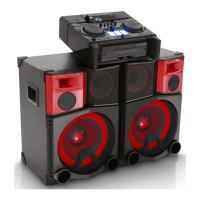
It allows you to mix CLUB, DRUM or USER sound
effect. Each mode has up to 6 sounds effect.
1. Press and hold DJ PRO PAD (CLUB, DRUM or
USER) to select a desired DJ PRO sound effect.
2. Press a DJ PRO PAD (1,2,3,4,5,6) of desired
sound.
y
If you want to use USER, you have to register
a source with “Music Flow Bluetooth” app. If
the source is not register to USER, “EMPTY”
or “NO SOUND” appears on the display
window.
y
Initial DJ PRO mode is CLUB sound effect.
y
DJ PRO mode is displayed for 3 seconds when
you press DJ PRO PAD (CLUB, DRUM or
USER).
y
The DJ PRO sound is mixed when you press a
DJ PRO PAD (1,2,3,4,5,6).
y
The currently playing DJ PRO sound is
stopped and the selected DJ PRO sound
outputs if you press a different DJ PRO PAD
(1,2,3,4,5,6) while DJ PRO sound is playing.
,
Note
Adjusting TEMPO
You can adjust the Tempo for USB function 1 or 2
from 50 (MIN) to 150 (MAX).
Rotate A TEMPO to adjust the tempo for USB 1.
Rotate B TEMPO to adjust the tempo for USB 2.
y
The tempo is set as 100 if you turn the unit
off, change the function or fully stop.
y
The tempo is kept when you pause and
resume play.
,
Note



 To Next Page