-16-
How to use
Storage of the combination tool and
crevice tool
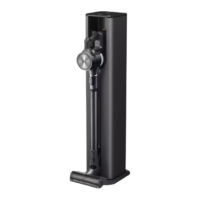
Keep the combination tool and crevice tool on the charging
station for easy access.
1
Attach the combination tool and crevice tool to the
dedicated holders.
2
Press and hold the inlet removal button and pull
downward to remove the combination tool or crevice
tool.
Nozzles provided additionally can be stored in the accessory
bag.
* The accessory bag is provided only for the applicable
models sold with the Total Care Kit. Do not use the
accessory bag for purposes other than for storage of
nozzles.
Storage of the Mop Nozzle
Storing mop nozzles on the Detachable stand for nozzle
and mop pads helps in finding and using the mop nozzle.
1
Mount the mop nozzle to the nozzle cradle.
2
Lift the nozzle to separate the mop nozzle.
* The Multi-surface Power Drive Nozzle® can be stored as
well.
Storage of the Mop Pads
Storing mops on the Detachable stand for mop pads helps
in finding and using the mop. Up to 2 mop pads can be
stored.
•
After cleaning with a mop pad, wash and dry the mop
pads before storage. A mop pad which has not been
properly dried may emit an odour when stored.
•
We recommend to hand-wash the mop pad with a pH-
neutral detergent.
•
Do not use bleach or fabric softener when washing the
mop pad.
•
It is not recommended to use a laundry dryer to dry the
mop pad.
•
Do not boil the mop pad. The mop pad may become
deformed.












 To Next Page