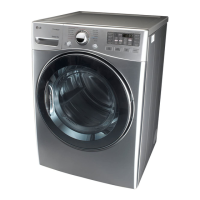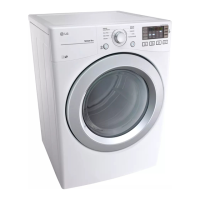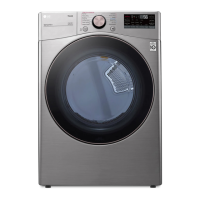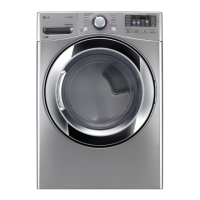
What to do if water drips from the nozzle when the Steam Cycle starts on my LG Dryer?
- TTina MitchellSep 9, 2025
Ensure that the steam system is operating normally. If the issue persists, there may be a problem with the steam system's components.

What to do if water drips from the nozzle when the Steam Cycle starts on my LG Dryer?
Ensure that the steam system is operating normally. If the issue persists, there may be a problem with the steam system's components.
What to do if clothes are shrinking in my LG DLEX3570 Dryer?
Follow the care instructions for your garment, because some fabrics will naturally shrink when washed or dried. Always check the garment's label before drying.
Why won't my LG DLEX3570 Dryer turn on?
First, make sure that the LG dryer is plugged in properly. Then, check your home's circuit breaker to see if it has tripped, or if there has been a power outage. Also, ensure that the outlet is grounded and matches the dryer’s rating plate. If there is a circuit overload, have it corrected by a qualified electrician.
How to reduce excess static in clothes after drying in my LG DLEX3570 Dryer?
To reduce static, do not use fabric softeners or products to eliminate static unless recommended by the manufacturer. You can also adjust settings and use a shorter drying time, or use SENSOR DRY cycles.
What to do if clothes are wrinkled after using my LG Dryer?
Try a shorter drying time, and remove items from the LG Dryer while they still retain a slight amount of moisture to reduce wrinkling.
How to prevent lint on clothes after drying in my LG DLEX3570?
Make sure that the lint filter is cleaned during each cycle. Also, ensure that the dryer vent and ducts are clear of debris, lint, and obstructions, and that outside wall dampers can open properly.
What to do if my clothes are wrinkled after drying in my LG Dryer?
If your clothes are wrinkled after drying in your LG dryer, it may be because the garments were overdried. Try using a shorter drying time and remove items while they still retain a slight amount of moisture.
Why do my clothes take so long to dry in my LG Dryer?
If your clothes are taking too long to dry in your LG dryer, it may be due to moisture retention in heavy items. Separate large items into smaller loads for more consistent drying. Also, make sure to clean the lint filter during the cycle.
How to prevent lint on clothes in LG DLEX3570?
If you're finding lint on your clothes after drying them in your LG dryer, try cleaning the filter during the cycle. Separate lint-producing items from those that trap lint. Ensure the filter is free of debris, lint, and any obstructions.
What to do if my LG Dryer takes too long to dry clothes?
Ensure that the dryer vent is clean and free of any obstructions or debris, as this can significantly impact drying time.
Provides step-by-step instructions to follow if you detect the smell of gas.
Addresses California's Proposition 65 warning regarding chemicals known to cause cancer or reproductive harm.
Outlines fundamental safety guidelines for operating the dryer to prevent fire, electric shock, or injury.
Explains the importance of proper grounding to prevent electric shock and outlines connection requirements.
Details essential safety measures to follow during dryer installation to avoid hazards.
Provides safety warnings and precautions specifically for using the dryer's steam functions.
Details safety precautions for electrical connections, including grounding and power cord handling.
Highlights the durable stainless steel drum and its interior light for visibility.
Describes the intuitive control panel layout for selecting cycles and options easily.
Explains the system that detects and alerts users to duct blockages for optimal airflow.
Details the dryer door's wide opening and its ability to be reversed for installation flexibility.
Explains LG's steam technology for refreshing clothes, reducing static, and easing wrinkles.
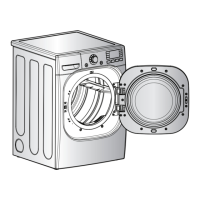
Identifies the main parts of the dryer and lists included and optional accessories.
Specifies suitable locations for dryer installation, considering exhaust and electrical needs.
Provides recommended spacing dimensions around the dryer for proper installation and ventilation.
Details installation guidelines when using a pedestal or stacking the dryer with a washer.
Explains the process of leveling the dryer using its adjustable feet for optimal performance.
Provides step-by-step instructions for changing the direction the dryer door opens.
Guides users on how to install an optional kit for side or bottom venting.
Details requirements and precautions for safely and effectively venting the dryer exhaust.
Outlines procedures and safety warnings for connecting a gas dryer to the gas supply.
Details electrical connection requirements and safety precautions for electric dryers.
Covers essential tests for heating, airflow, and levelness after installation.
Step-by-step guide on how to turn on the dryer, select a cycle, and begin operation.
A table detailing different dryer cycles, fabric types, and recommended settings.
Provides guidance on sorting laundry by fabric type and properly loading the dryer.
Explains how to adjust dryness level, temperature, and time for various cycles.
Describes special features like Child Lock and Rack Dry for enhanced dryer usage.
Instructions on how to save and recall custom drying cycle settings.
Details the usage of steam cycles for refreshing, sanitizing, and reducing wrinkles.
General advice on cleaning the dryer's exterior, interior, and surrounding areas.
Instructions on how to clean the lint filter after each cycle for optimal performance.
Lists common dryer problems, their possible causes, and recommended solutions.
Provides technical specifications including model numbers, electrical/gas requirements, and dimensions.
Guides users on how to use the Smart Diagnosis feature via a smartphone app.
Explains how to use Smart Diagnosis by contacting the LG support call center.
Provides instructions for installing an optional kit to stack the dryer on a washer.
Details the warranty coverage, duration, and how to obtain service.
Lists contact numbers and website for customer assistance and service center locations.