47
SMART FEATIRES
ENGLISH
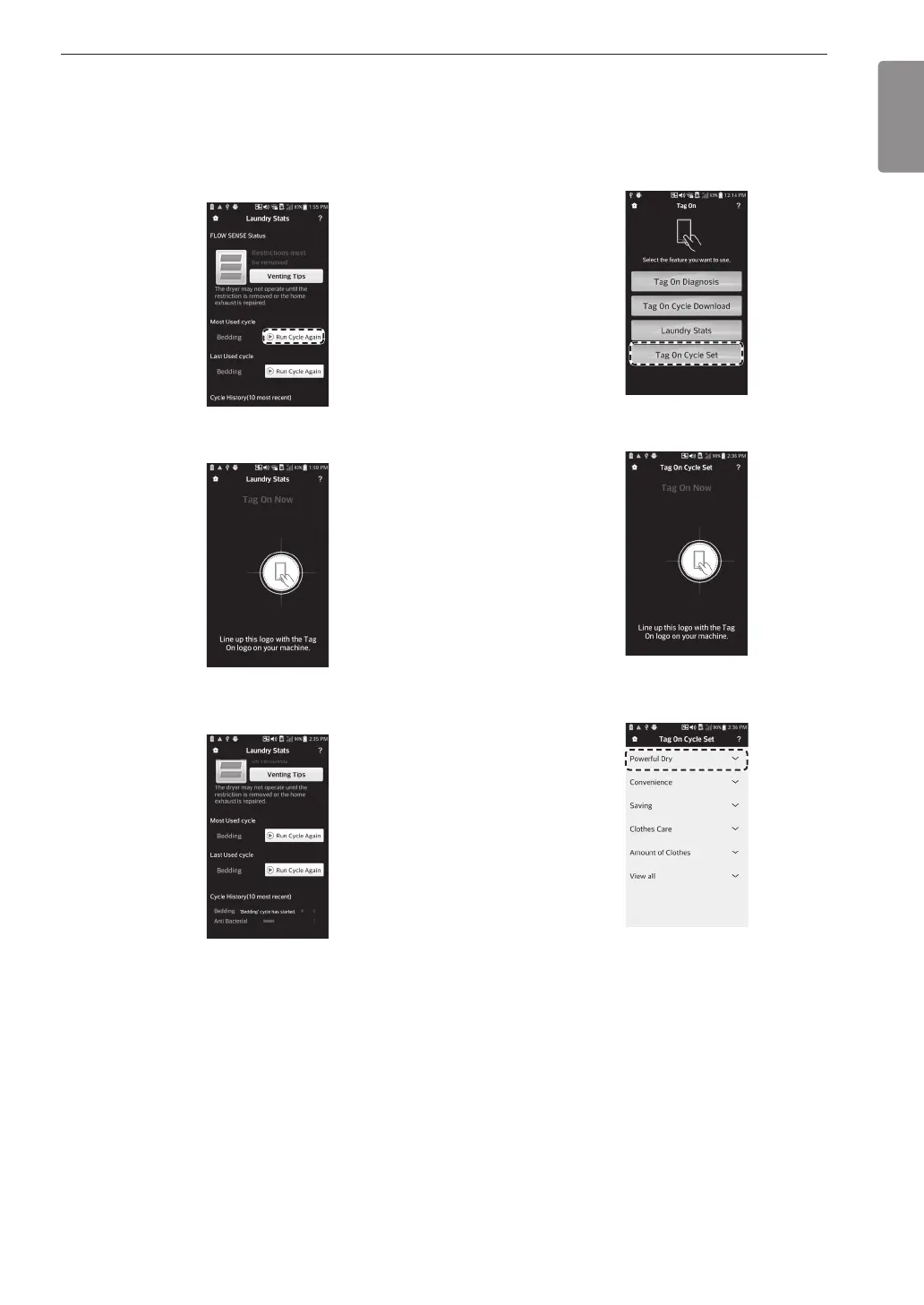
Run Cycle Again
1
Select the Run Cycle Again button.
•
The Most Used cycle or Most Recent cycle
can be immediately started by selecting the
Run Cycle Again button.
2
Touch the Tag On logo.
3
Check whether drying starts with the selected
cycle.
•
The screen shown above appears and drying
starts immediately on the selected cycle.
Tag On Cycle Set
Tag On Cycle Set allows you to automatically adjust
the cycle and settings based on your laundry needs.
1
Select Tag On Cycle Set.
2
Touch the Tag On logo.
3
Select a laundry category based on the issue
you want the machine to focus on.
MFL67652510_en_170713.indd 47 2017-07-13 오전 11:27:40



 To Next Page