Getting Started10
Getting Started
1
Remote
Control
• • • • • •
f
• • • • •
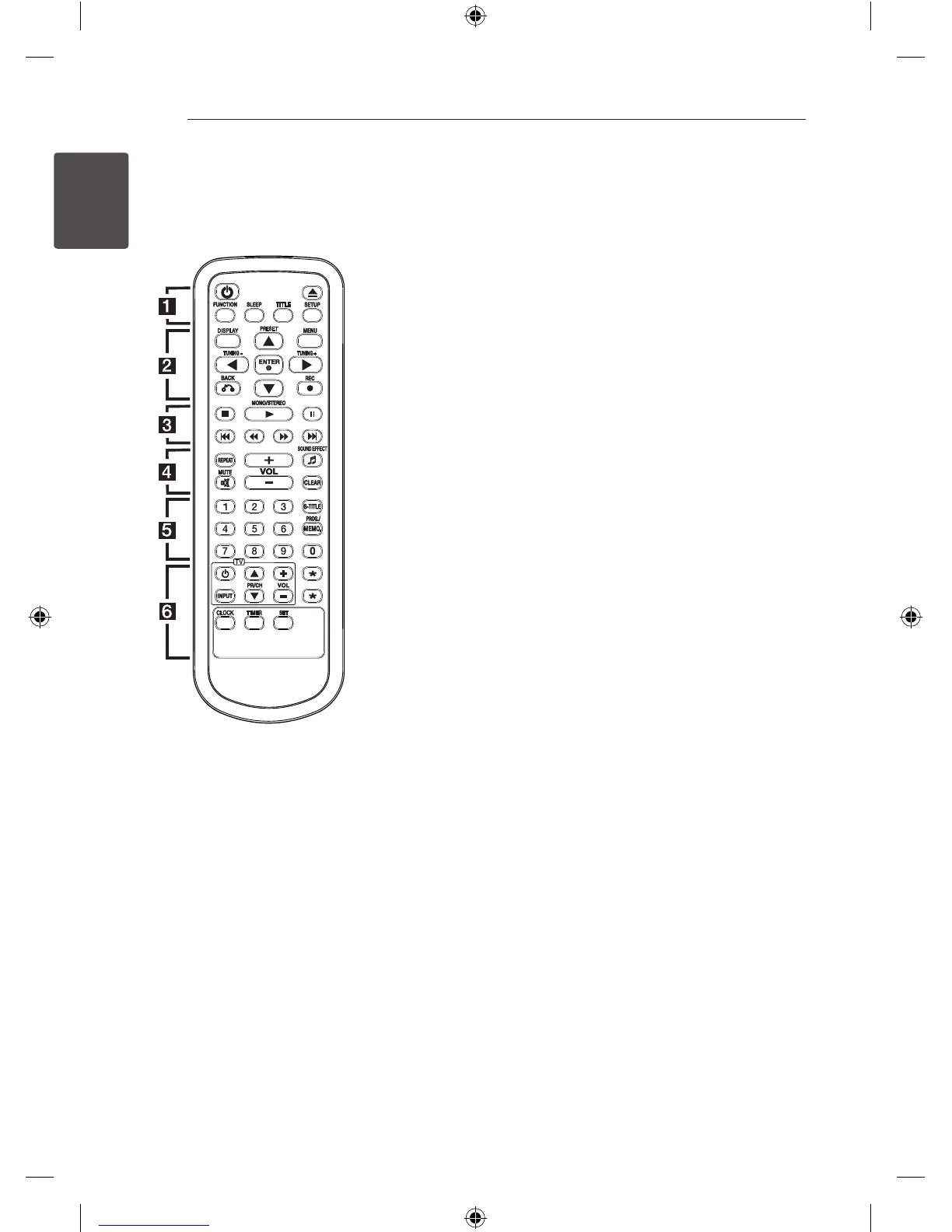
TV Control buttons : Controls
the TV. (LG TV only)
You can control the sound lev
el, input source, and power
switching of LG TVs as well. Hold
POWER (TV) and press PR/CH
(
ws
) button repeatedly until
the TV turns on or o.
?
: This button is not available.
CLOCK : You can set and check
the time.
TIMER : You can turn USB, CD
play and TUNER reception on or
o at a desired time.
SET : (Refer to the page 27)
- Conrms the setting
DM2520-FP_AIDNLLK__ENG.indd 10 2013-04-17 3:15:47



 To Next Page