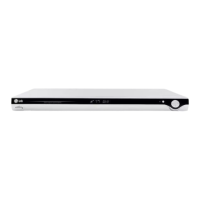
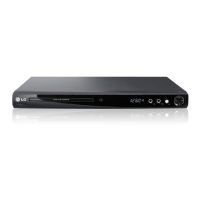
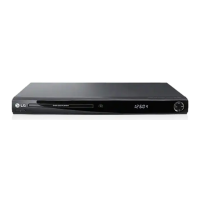
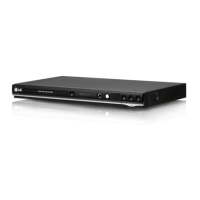
This document describes the LG DVD Player, Model DN798, an entertainment device designed for playing various disc formats and offering a range of features for an enhanced viewing and listening experience.
Function Description
The LG DVD Player DN798 primarily functions as a multimedia player, capable of playing DVD Video discs, Audio CDs, and files stored on DVD±R/RW, CD-R/RW, and USB Flash Drives. It supports popular audio and image formats such as MP3, WMA, and JPEG. The player is designed to connect to a television or an audio system to deliver video and audio content.
Key operational features include standard playback controls like play, stop, pause, and skip, allowing users to navigate through chapters or tracks. It also offers advanced playback options such as fast forward/rewind (scan), slow motion, and frame-by-frame playback. For audio content, the player supports programmed playback, enabling users to create custom playlists of their favorite tracks. Random playback is also available for a varied listening experience.
The device features an on-screen display (OSD) that provides information about the disc being played, including current title, chapter, elapsed time, audio language, subtitle, and camera angle. This OSD helps users keep track of their playback status and make adjustments as needed.
Usage Features
The LG DVD Player DN798 offers several features to customize the user experience.
Disc Playback:
The player is compatible with DVD (8 cm / 12 cm), Audio CD (8 cm / 12 cm), DVD±R/RW, and CD-R/RW discs. It can play DVD-RW discs recorded in Video Recording (VR) format, though unfinalized DVD-R/RW discs are not supported. For discs containing MP3/WMA files, users can create programmed playlists of up to 30 tracks, repeat individual tracks or the entire program, and erase tracks from the program list. The player also supports ID3 tags, displaying track information like title, artist, album, year, and comments.
JPEG File Viewing:
Users can view JPEG image files stored on discs or USB Flash Drives. The player provides a slide show function with adjustable speeds (fast, normal, slow). During image viewing, users can zoom in on pictures (3 steps) and rotate them clockwise or counter-clockwise. A unique feature allows listening to MP3/WMA music while simultaneously viewing JPEG pictures, enhancing the multimedia experience.
USB Flash Drive Playback:
The front panel includes a USB port, enabling playback of music (MP3/WMA) and image (JPEG) files directly from a USB Flash Drive. The unit supports FAT16 or FAT32 formatted drives and USB1.1.
Video Output and Resolution:
The player offers multiple video output connections, including HDMI, Component Video (Y Pb Pr), S-Video, and Composite Video. Users can adjust the output resolution for HDMI and Component Video connections using the RES. button on the front panel, with options ranging from 480i to 1080p, depending on the TV's compatibility. Progressive Scan is supported for high-definition televisions, providing enhanced video quality.
Audio Output and Settings:
For audio, the player provides analog stereo outputs and digital audio outputs (Coaxial and Optical). It supports Dolby Digital, DTS, and MPEG audio formats. Users can configure audio settings in the Setup menu, choosing between Bitstream (for external decoders) or PCM (for two-channel stereo amplifiers). The "Sample Freq." setting allows adjustment of the sampling frequency (48 kHz or 96 kHz) based on the receiver's capabilities. The "DRC (Dynamic Range Control)" feature helps compress the audio's dynamic range, making quiet sounds more audible and loud sounds less jarring, especially useful for late-night viewing. A "Vocal" setting is available for multi-channel karaoke DVDs, mixing karaoke channels into normal stereo sound.
Parental Control (LOCK):
The player includes a parental control feature that allows users to block playback of rated DVDs based on their content. Users can set a rating level (1-8, with 8 being the least restrictive) and protect it with a password. An "Area Code" setting allows the player to recognize regional rating standards.
Other Features:
- Last Scene Memory: The unit memorizes the last scene of the disc viewed, even after disc removal or power-off, and automatically recalls it upon re-insertion.
- Screen Saver/Auto Power off: A screen saver activates after five minutes in Stop mode, and the unit automatically turns off after another five minutes to conserve energy.
- Time Search: Users can directly jump to a specific time point on a disc by inputting hours, minutes, and seconds.
- Marker Search: Up to nine points on a disc can be marked during playback, allowing users to quickly recall and play from these specific scenes.
Remote Control:
The supplied remote control provides comprehensive control over the DVD player's functions, including power, disc tray operation, numerical input, playback controls, menu navigation, and specific function buttons for title, audio, subtitle, angle, marker, search, program, zoom, repeat, A-B repeat, and random playback. It also includes TV control buttons for power, source selection, channel, and volume, and can be configured to control non-LG TVs using manufacturer codes.
Maintenance Features
The manual provides guidelines for maintaining the LG DVD Player DN798 to ensure its longevity and optimal performance.
Handling and Storing Discs:
Users are advised to handle discs by their edges to avoid fingerprints on the playback surface and to never stick paper or tape on them. Discs should be stored in their cases, away from direct sunlight or heat sources, to prevent damage.
Cleaning Discs:
For cleaning discs, a soft, clean cloth should be used, wiping from the center outwards. Strong solvents like alcohol, benzine, thinner, or commercially available cleaners are not recommended as they can damage the disc surface.
Cleaning the Unit:
The exterior surfaces of the player should be cleaned with a soft, dry cloth. For extremely dirty surfaces, a soft cloth lightly moistened with a mild detergent solution can be used. Volatile liquids and rubber/plastic products should be kept away from the unit to prevent damage or marks.
Shipping the Unit:
It is recommended to save the original shipping carton and packing materials for maximum protection if the unit ever needs to be shipped for service.
General Maintenance:
The player is a precision device, and its optical pick-up lens and disc drive parts can affect picture quality if dirty or worn. Regular inspection and maintenance are recommended after every 1,000 hours of use, with users advised to contact an authorized service center for such needs.
Troubleshooting:
A troubleshooting guide is included to help users diagnose and resolve common issues such as no power, no picture, no sound, playback failure, or remote control malfunction. This section provides possible causes and corresponding corrections, such as checking power connections, disc insertion, TV input settings, audio options, and remote control alignment.


 To Next Page

 General