
 To Next Page

P
perkinsraymondAug 1, 2025
What to do if my LG DVD Player has no power?
- GGloria MillerAug 1, 2025
If your LG DVD Player has no power, the power cord might be disconnected. Ensure that the power cord is securely plugged into the wall outlet.

What to do if my LG DVD Player has no power?
If your LG DVD Player has no power, the power cord might be disconnected. Ensure that the power cord is securely plugged into the wall outlet.
What to do if my LG DN788 does not start playback?
If your LG DVD player isn't starting playback, consider these possibilities: 1. An unplayable disc might be inserted. Try inserting a playable disc, checking its type and regional code. 2. The rating level might be set. Try changing the rating level. 3. The remote control might not be pointed correctly or is too far. Point the remote control at the remote sensor of the DVD player and ensure you are operating the remote control closer to the DVD player.
Why is there no picture on my TV when using my LG DN788 DVD Player?
If you're not getting a picture from your LG DVD Player, it could be due to two reasons: either the TV is not set to receive the DVD signal output, or the video cable is not connected properly. First, select the appropriate video input mode on your TV. If that doesn't work, ensure the video cable is securely connected.
Why is there no sound coming from my LG DN788 DVD Player?
If you're experiencing a lack of sound from your LG DVD Player, there are a few potential causes. First, the equipment connected with the audio cable may not be set to receive the DVD audio signal output, so select the correct input mode on your audio receiver. Second, the power of the equipment connected with the audio cable may be turned off, so turn it on. Finally, the AUDIO options might be set incorrectly; set the AUDIO option to the correct position, then turn on the DVD player again by pressing POWER.
Covers risks of electric shock, not opening the unit, ventilation, and laser safety warnings.
Provides 14 numbered instructions for safe operation, installation, and maintenance.
Details the functions of all remote control buttons and their usage for playback and menu navigation.
Covers initial player setup, video/audio connections, progressive scan, and resolution settings.
Explains how to connect the player via HDMI and provides an overview of HDMI technology.
Details connecting to amplifiers for analog and digital audio outputs.
A guide to common issues, their possible causes, and recommended corrections.
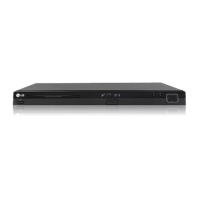
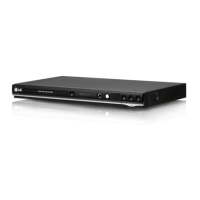
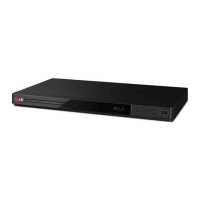
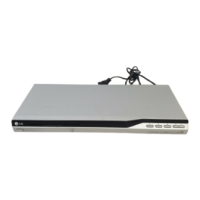
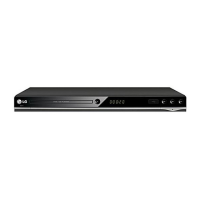
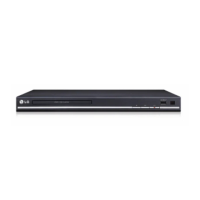
This document describes the LG DVD Player, model DN788, an electronic device designed for playing various disc formats and providing a range of audio and video features.
The LG DVD Player DN788 is primarily a DVD player capable of playing DVD-Video, DVD±R/RW, and CD-R/RW discs. It also supports playback of Audio CDs, MP3, WMA, and JPEG files, including those stored on USB devices. The player features a disc tray for inserting discs and a USB port for connecting external storage.
The device offers standard playback controls such as play, stop, pause/step, and skip for navigating through chapters or tracks. It also includes scan functions for fast forward and rewind, and a repeat function to loop specific chapters, titles, tracks, or the entire disc. The A-B repeat function allows users to loop a specific sequence between two designated points on a disc.
For video output, the player supports various connections including S-Video, Composite Video, Component Video, and HDMI. It offers progressive scan output for high-definition or "digital ready" televisions, providing enhanced video resolution up to 1080i. The resolution can be adjusted via the remote control to match the capabilities of the connected TV.
Audio output options include analog stereo (RCA L/R), and digital audio via coaxial and optical connections, supporting Dolby Digital, DTS, and MPEG formats. The player can output audio in Bitstream or PCM (Pulse Code Modulation) formats, allowing compatibility with different amplifier and receiver setups. An important feature is the ability to adjust the audio sample frequency (48kHz or 96kHz) to suit the receiver's capabilities.
The player includes an on-screen display (OSD) for showing various playback information such as current title/chapter, elapsed time, selected audio language, subtitle, and angle. This OSD also facilitates navigation through the setup menu for configuring player settings.
Disc Playback: To play a disc, simply insert it into the disc tray and close the tray. Playback will typically start automatically. For discs containing multiple types of files (e.g., MP3/WMA and JPEG), the player will present a menu allowing selection between music and photo modes.
USB Playback: The player supports playback of MP3/WMA audio files and JPEG image files from USB flash memory devices connected to the USB port on the front panel. To initiate USB playback, connect the device, press the RETURN button on the remote to access the USB choice menu, and then press ENTER. Navigation through files and folders on the USB device is similar to disc navigation. The player supports USB1.1 and can handle up to 1,000 files on a connected device.
Programmed Playback: Users can create a custom playlist of up to 30 tracks from an Audio CD or MP3/WMA disc. This is done by entering the program edit mode, selecting desired tracks from the disc's list, and adding them to the program list. The programmed tracks will play in the specified order. Tracks can be erased individually or the entire program list can be cleared.
JPEG File Viewing: When a JPEG files recording media is inserted, a PHOTO menu appears on the TV screen. Users can navigate through folders and files, select a picture for viewing, and initiate a slide show. During picture viewing, options like zoom, rotation (clockwise/counter-clockwise), and moving to the next/previous file are available. The player also allows listening to MP3 music while viewing JPEG pictures.
Time Search: During DVD playback, users can jump to a specific time on the disc by entering the desired hours, minutes, and seconds via the DISPLAY function.
Marker Search: Up to nine points on a disc can be marked during playback. These marked scenes can be recalled for playback or cleared from the list.
Last Scene Memory: The player memorizes the last scene of the disc viewed, even if the disc is removed or the player is switched off. When the same disc is loaded again, playback automatically resumes from the memorized scene. This feature does not apply if the player is switched off before playback commences.
Screen Saver: To prevent screen burn-in, a screen saver activates if the DVD player remains in stop mode for approximately five minutes. If the screen saver is displayed for another five minutes, the player automatically turns itself off.
Initial Settings (Setup Menu): The Setup menu allows extensive customization of the player's functions.
Remote Control: The supplied remote control provides comprehensive control over the DVD player's functions, including power, disc tray operation, numerical input, playback controls, menu navigation, and specific feature buttons like Marker, Search, Program, Zoom, Repeat, A-B, Random, and Resolution. It also includes TV control buttons for power, source, channel, and volume, which can be configured to control other TV brands using specific manufacturer codes.
Handling Discs: To ensure optimal performance and longevity of discs, users are advised to handle them by the edges to avoid fingerprints on the playback surface. Paper or tape should never be stuck on discs.
Storing Discs: After use, discs should be stored in their cases, away from direct sunlight or heat sources, such as parked cars.
Cleaning Discs: Fingerprints and dust can degrade picture and sound quality. Discs should be cleaned with a clean cloth, wiping from the center outwards. Strong solvents like alcohol, benzine, thinner, or commercially available cleaners for vinyl records should not be used.
Handling the Unit: For shipping, the original carton and packing materials should be retained and used to repack the unit for maximum protection.
Keeping Exterior Surfaces Clean: The exterior surfaces of the unit should be cleaned with a soft, dry cloth. For extremely dirty surfaces, a soft cloth lightly moistened with a mild detergent solution can be used. Volatile liquids, insecticide sprays, and rubber or plastic products should be kept away from the unit to prevent damage or marks.
Maintaining the Unit: The DVD player is a precision device. To maintain picture quality, regular inspection and maintenance of the optical pick-up lens and disc drive parts are recommended after every 1,000 hours of use, especially depending on the operating environment. Users are advised to contact an authorized service center for such maintenance.
Power Cord Protection: The power cord should be protected from physical or mechanical abuse, such as twisting, kinking, pinching, or being walked upon. Plugs, wall outlets, and the point where the cord exits the appliance should receive particular attention. If the cord shows signs of damage or deterioration, it should be unplugged, discontinued from use, and replaced by an authorized servicer. The product should be installed where the plug is easily accessible for disconnection from the mains.
Battery Replacement: When replacing the remote control batteries, detach the battery cover and insert two AAA batteries, ensuring correct polarity. Avoid mixing old and new batteries or different types of batteries (standard, alkaline, etc.). If the batteries are replaced, the TV control code set for other TV brands may reset to default and need to be re-entered.
 General
| Progressive Scan | Yes |
|---|---|
| DVD player type | DVD player |
| Playable formats | MP3, WMA, JPEG |
| Audio D/A Converter | 24-bit/192 kHz |
| Surround Sound | Dolby Digital |
| Connectors | Composite video, Component video, Optical audio, Coaxial audio |
| Supported Discs | DVD-R, DVD-RW, DVD+R, DVD+RW, CD-R, CD-RW |
| Audio Playback Formats | MP3, WMA |
| Connectivity | HDMI |